

Content teams don’t usually struggle because they lack ideas. They struggle because ideas sit in scattered docs, Slack threads, and half-finished drafts. That’s where the 11 best content calendar tools in this guide come in. The blog doesn’t just list features; it looks at how these tools behave in real workflows. When a simple setup in Google Sheets is enough. When something lightweight like Buffer makes sense. And when heavier systems such as Sprout Social become necessary. It breaks down planning vs publishing, approvals vs automation, and how to choose based on actual bottlenecks, not marketing promises. Because in the end, tools don’t fix chaos. They expose it.
Table of Contents
What Are Content Calendar Tools?
Content Calendar Tools Explained
At its core, content calendar software is a system that helps teams plan, organize, schedule, and track content across channels. That’s the simple definition.
But in real-world marketing? It’s the difference between controlled execution and constant chaos.
A content calendar tool gives structure to what would otherwise be a scattered workflow; ideas sitting in Slack threads, captions buried in emails, approvals lost in inboxes, deadlines living in someone’s head. Instead of that mess, everything lives in one visible timeline.
Let’s break down the key distinctions people often confuse.
Content calendar vs editorial calendar
- A content calendar focuses on scheduling and publishing timelines; what goes live, when, and where.
- An editorial calendar leans more toward planning themes, topics, campaigns, and messaging arcs.
In practice, most modern tools blend both. Strategy and scheduling shouldn’t be separated anymore. Planning without execution is theory. Execution without planning is noise.
Social media calendar tools vs content marketing calendar platforms
- Social media calendar tools are built around platform scheduling, previews, engagement tracking, and posting automation.
- Content marketing calendar platforms often include blog planning, campaign management, email coordination, and sometimes CRM integrations.
Agencies typically need both capabilities under one roof. Managing Instagram, LinkedIn, blogs, newsletters, and campaigns across multiple clients requires more than a simple posting scheduler.
Why businesses use content planning software
Because growth creates complexity.
When content volume increases, so do:
- Approval loops
- Channel variations
- Version control issues
- Reporting requirements
- Cross-team dependencies
Without a proper system, scaling content becomes exhausting. With the right tool, the workflow becomes predictable. Repeatable. And easier to optimize.
That’s what companies are really buying; not just a calendar, but operational clarity.
How Content Calendar Tools Work
Most content calendar tools revolve around five core functions.
1. Content scheduling automation
Posts are drafted, assigned dates, and either queued or scheduled for auto-publishing. No last-minute scrambling. No manual posting at odd hours.
2. Multi-platform publishing workflows
Modern marketing doesn’t happen on one platform. A single campaign might require:
- Instagram posts
- LinkedIn thought leadership
- X threads
- Blog content
- Email support
Content calendar tools allow teams to visualize all of this in one unified view. That big-picture visibility prevents overlap, duplication, and messaging fatigue.
3. Collaboration and approval workflows
This is where most teams struggle.
A proper system includes:
- Role-based permissions
- Internal approvals
- Client approvals
- Commenting directly on drafts
- Version tracking
Instead of email chains and vague feedback like “Can we tweak this?”, feedback becomes structured and contextual.
4. Analytics and reporting dashboards
The stronger platforms go beyond scheduling. They show:
- Engagement trends
- Best time to post insights
- Channel performance comparisons
- Campaign-level reporting
Planning content without reviewing performance data is like driving without a dashboard. You’ll move, but you won’t know how well.
In short, content calendar tools turn content from a reactive task into a managed system.
Who Needs Content Calendar Tools?
Technically? Anyone producing content consistently.
But realistically, they become essential once scale enters the picture.
Marketing agencies managing multiple clients
Agencies juggle approvals, brand guidelines, multiple industries, and tight timelines. A centralized calendar avoids confusion and protects client trust.
Social media managers
Daily posting across platforms demands organization. When campaigns overlap, visibility matters more than creativity.
Content marketing teams
Blog schedules, SEO roadmaps, newsletters, and social amplification require alignment. One missed deadline disrupts the entire pipeline.
Enterprise marketing departments
Large teams need layered approval systems, compliance checks, and reporting transparency. Manual systems simply can’t handle that level of coordination.
Freelancers & creators
Even solo operators benefit. A clear content roadmap prevents burnout and helps maintain posting consistency.
If content is part of a revenue strategy, not just brand awareness, a calendar tool moves from “nice to have” to operational necessity.
Why Content Calendar Tools Matter
More platforms. More formats. More expectations for consistency and speed.
Without structure, teams don’t scale; they stall.
Content Workflow Automation for Scaling Marketing
As teams grow, manual processes become bottlenecks.
Reducing manual scheduling
Manually logging into platforms to publish content is inefficient. It introduces risk, missed timing, and inconsistency. Automation ensures content goes live when it’s supposed to, even outside working hours.
Eliminating spreadsheet-based planning
Spreadsheets work early on. They feel organized. But they lack:
- Post previews
- Collaboration tracking
- Real-time publishing status
- Integrated analytics
Eventually, spreadsheets turn into static planning documents disconnected from execution.
Dedicated tools bridge that gap.
Improving publishing consistency
Consistency builds audience trust. Inconsistent posting erodes it quietly.
A content calendar tool:
- Maps frequency
- Identifies gaps
- Prevents overposting
- Aligns campaigns across channels
It introduces rhythm into marketing efforts. And rhythm is what builds momentum.
Collaboration & Client Approval Systems
The bigger the team, the more fragile communication becomes.
Multi-level approval workflows
Agencies often require:
- Internal review
- Senior approval
- Client sign-off
Without a structured approval flow, content gets delayed or published prematurely. Both are costly.
A defined workflow keeps content moving without unnecessary friction.
Real-time commenting
Feedback directly attached to a post draft eliminates ambiguity. No guessing what “Slide 3 needs work” refers to.
Context reduces revisions. And revisions eat time.
Stakeholder visibility
Executives and clients want visibility without being buried in operations. A shared calendar view gives transparency without micromanagement.
When stakeholders can see the roadmap clearly, confidence increases. And smoother relationships follow.
Data-Driven Content Planning
Planning based on intuition alone is risky now. Data needs a seat at the table.
Built-in analytics dashboards
Performance insights should influence future scheduling decisions. High-performing formats, engagement spikes, and campaign lift; these aren’t vanity metrics. They’re signals.
Best time to post insights
Posting at random times is outdated. Advanced tools analyze audience activity and recommend optimal time slots. Small timing adjustments often create noticeable engagement differences.
Performance tracking per platform
Each platform behaves differently. LinkedIn engagement patterns don’t mirror Instagram. TikTok velocity differs from YouTube longevity.
Content calendar tools that track performance per channel help refine strategy rather than guessing what works.
Content is no longer about simply publishing more. It’s about publishing intentionally, collaboratively, and consistently.
And that only happens when planning evolves from scattered effort into a structured system.
11 Best Content Calendar Tools
This is where things get practical.
There are dozens of content calendar tools out there. Most promise automation, collaboration, analytics, and “effortless workflows.” Very few actually deliver all of that in a way that makes your team’s life easier.
The right tool depends on how complex your operation is. A solo creator doesn’t need enterprise-grade approvals. A multi-client agency definitely does. Below is a clear breakdown of the 11 best content calendar tools, what they’re good at, where they fall short, and who they’re really built for.
1. Planable
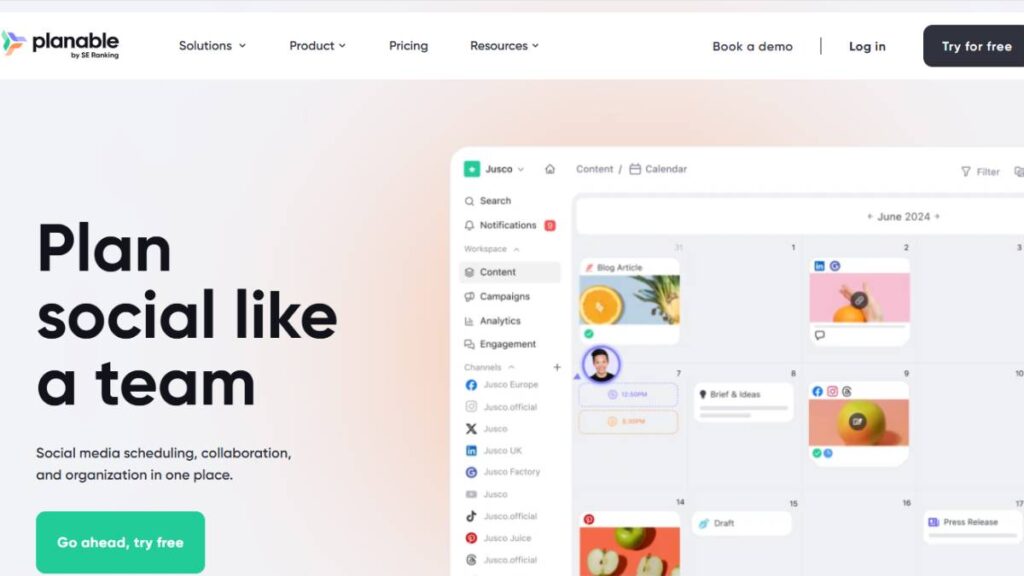
If approvals slow your team down, this is where Planable stands out.
It’s built around structured collaboration. Not just scheduling posts, but managing the full lifecycle: draft to approval to publishing.
Key strengths:
- Multiple calendar views (calendar, grid, list, feed)
- Multi-level approval workflows
- Guest view sharing links for clients
- Auto-publishing across major platforms
- In-context comments and internal notes
The interface feels clean and focused. You’re not buried in features you don’t need. It’s clearly designed for agencies that need client visibility without messy email chains.
Pros
- Advanced approval workflows
- Strong collaboration features
- Easy content visualization
Cons
- Limited social listening functionality
Best for agencies and teams that need structure around content approvals.
2. Google Sheets
Sometimes, simple works.
Google Sheets isn’t a dedicated content calendar tool, but it remains one of the most used planning systems out there. Why? Familiarity. Everyone knows how to use it.
You can build:
- Custom social media content calendar templates
- Campaign tracking sheets
- Performance dashboards using formulas
It’s flexible and completely customizable. But that flexibility comes at a cost; there’s no automation, no native publishing, and no built-in preview.
Pros
- Free
- Universally accessible
- Highly customizable
Cons
- No scheduling or publishing
- Manual workflow management
Best for beginners, startups, or teams testing structured planning before investing in a dedicated platform.
3. Notion
Notion sits somewhere between project management and content planning.
It’s ideal for teams that care as much about workflow as they do about publishing. You can build editorial calendars, create content pipelines, tag teammates, and track production stages.
Highlights:
- Editorial calendar templates
- Task tagging and collaboration
- Custom databases for content tracking
It’s flexible. Maybe too flexible for some teams. You’ll likely need to design your own system instead of using a plug-and-play structure.
Pros
- Deep customization
- Great for internal content workflows
Cons
- No native auto-publishing
- Limited analytics
Best for content teams focused on production management rather than platform execution.
4. SocialPilot
SocialPilot hits a sweet spot for growing teams that need automation without enterprise pricing.
It offers:
- Bulk scheduling
- AI-optimized posting times
- Client dashboards
- Social media analytics
The platform feels practical. It doesn’t try to be everything. It focuses on efficient scheduling and reporting.
Pros
- Affordable pricing
- Bulk scheduling capabilities
- Strong for agencies managing multiple accounts
Cons
- Advanced features are locked behind higher-tier plans
Good fit for small to mid-sized agencies scaling client work.
5. Hootsuite
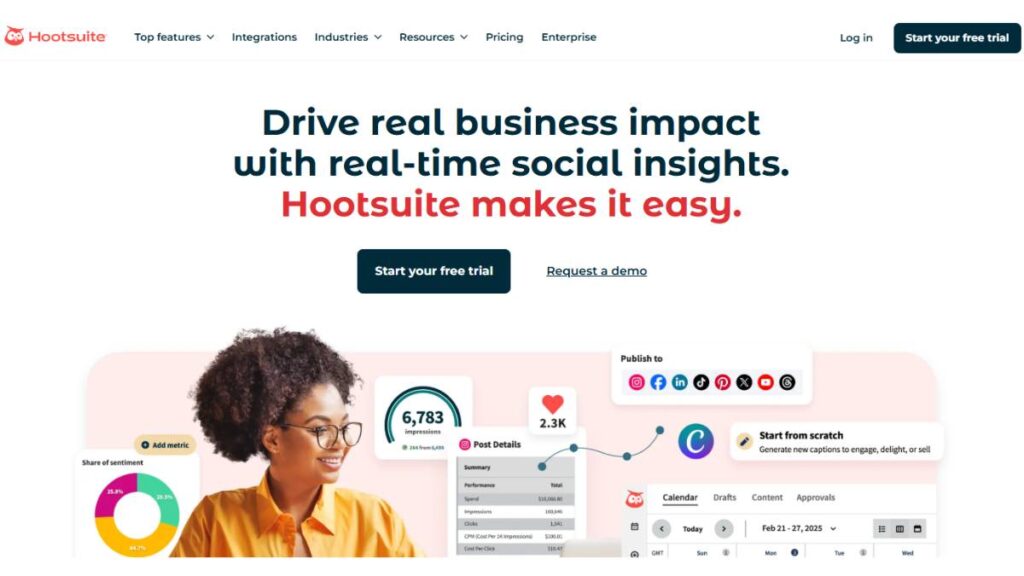
Hootsuite has been around for years, and it still remains a strong option for full-cycle management.
You get:
- Unified social inbox
- Social listening tools
- Bulk scheduling
- Advanced analytics
It’s built for teams that need publishing, monitoring, and engagement in one place.
However, approval workflows are limited unless you’re on higher-tier plans. And pricing is definitely on the premium side.
Pros
- Comprehensive feature set
- Strong social listening
- Enterprise-ready
Cons
- Higher pricing
- Approvals limited to enterprise tiers
Best for larger teams that need engagement management alongside scheduling.
6. Sprout Social
Sprout Social leans heavily into analytics and audience insights.
If reporting depth matters, competitive analysis, engagement breakdowns, and audience data, this platform delivers.
Features include:
- Competitive analysis tools
- Advanced reporting dashboards
- Multi-network scheduling
- Audience insights
The pricing reflects the power. It’s not built for small teams experimenting with content.
Pros
- Deep analytics and listening
- Strong reporting capabilities
Cons
- Premium pricing
Best suited for enterprise marketing teams that prioritize data-driven decisions.
7. ClickUp
ClickUp isn’t purely a content calendar tool; it’s a project management system with calendar functionality layered in.
You can manage:
- Marketing workflows
- Timeline and workload views
- Content production tracking
It’s excellent for production teams that need visibility across tasks and deadlines. But you won’t find native social media publishing here.
Pros
- Highly customizable
- Strong task and workload management
Cons
- No built-in publishing
Best for teams that prioritize content production over distribution.
8. Airtable
Airtable gives you control. A lot of it.
It’s essentially a database platform that you can turn into a fully customized content calendar tool.
Capabilities include:
- Database-driven content planning
- Workflow automation triggers
- API integrations
The trade-off? Setup time. It’s not plug-and-play. You’ll need to design your structure intentionally.
Pros
- Highly flexible
- Strong automation potential
Cons
- Requires initial setup effort
- No native publishing without integrations
Best for teams with specific workflow requirements that off-the-shelf tools can’t accommodate.
9. Buffer
Buffer keeps things clean and focused.
It handles:
- Multi-platform publishing
- Best time to post recommendations
- Automated reporting
There’s nothing overly complex here. It does scheduling well. Reporting is solid for organic performance. But advanced analytics and paid campaign tracking are limited.
Pros
- Easy to use
- Clean interface
- Strong for organic scheduling
Cons
- Limited advanced analytics
Best for small teams that want efficiency without complexity.
10. CoSchedule
CoSchedule brings blog planning and social media scheduling together.
It’s especially useful for content marketing teams managing:
- Blog posts
- Social amplification
- Campaign timelines
Features include:
- Editorial calendar
- Drag-and-drop scheduling
- Integrated campaign planning
Collaboration features are somewhat restricted on lower-tier plans, so scaling teams should review carefully.
Pros
- Great for integrated blog + social planning
- Strong editorial calendar view
Cons
- Collaboration limitations on basic plans
Best for content marketing teams focused on long-form and campaign-based strategies.
11. Trello
Trello is simple, visual, and intuitive.
Its board-based system makes it easy to organize:
- Content ideas
- Production stages
- Publishing timelines
With power-ups and integrations, it can function as a lightweight content calendar. But there’s no native auto-publishing built in.
Pros
- Visual simplicity
- Easy onboarding
- Flexible board structure
Cons
- No built-in scheduling or publishing
Best for teams that prefer visual workflow management over automation-heavy systems.
There’s no universal “best” content calendar tool. The right choice depends on how your team works, how many stakeholders are involved, and how complex your publishing operation has become.
Some teams need structure and approvals. Others need flexibility. A few need deep analytics. The key is matching the tool to your workflow, not forcing your workflow to fit the tool.

Enroll Now: Advanced Digital Marketing Course
How to Choose the Best Content Calendar Tool
There’s no such thing as the “best” content calendar tool in a vacuum. There’s only the best one for your workflow, your team size, and how complex your content operation actually is.
I’ve seen small teams overpay for enterprise tools they barely use. I’ve also seen agencies try to manage 12 clients in a spreadsheet and burn out within months.
So before you even look at pricing pages, step back and ask: what problem are we actually trying to solve?
Are you trying to:
- Stop missing posting deadlines?
- Replace chaotic Slack approvals?
- Automate publishing?
- Get visibility into performance?
- Or manage multiple brands without losing your sanity?
Once you’re clear on that, the decision becomes much easier.
Features to Look for in Content Calendar Software
Not all content calendar tools are built the same. Some are glorified spreadsheets. Others are full social media command centers.
Here’s what truly matters.
Auto-Publishing
If you’re still manually posting content across platforms, you’re wasting time.
Look for:
- Native publishing for Instagram, LinkedIn, TikTok, Facebook, X
- Bulk scheduling options
- Queue-based publishing
- Time zone management
Automation should remove friction, not create more steps.
Multi-Platform Scheduling
You need a centralized view of everything going out across platforms.
A proper calendar tool should allow:
- Cross-channel scheduling
- Visual calendar, grid, and feed previews
- Campaign tagging across channels
If you can’t see your entire content ecosystem at a glance, planning gets messy fast.
Approval Workflows
This is where most teams struggle.
If your process includes “Can you check this?” messages across Slack, email, and WhatsApp, you need structured approvals.
Look for:
- Multi-level approvals
- Role-based permissions
- Internal and external comments
- Shareable preview links for clients
For agencies, especially, approval workflow isn’t optional; it’s operational survival.
Social Media Analytics
Planning without feedback is guessing.
At a minimum, your tool should offer:
- Post-level performance tracking
- Engagement metrics
- Platform-based analytics
- Exportable reports
For growing brands, analytics isn’t just reporting; it informs what you stop doing.
Client Collaboration
If you work with clients or stakeholders, visibility matters.
The best tools offer:
- Guest access
- Controlled commenting
- Approval history
- Clear audit trails
Transparency builds trust. And trust speeds up content cycles.
Best Content Calendar Tools by Use Case
Let’s get practical. Different scenarios demand different tools.
Best for Agencies
If you’re managing multiple brands, you need:
- Advanced approval workflows
- Client-specific dashboards
- Cross-brand calendar views
- User permission controls
Tools like Planable and SocialPilot are built with agencies in mind. They prioritize collaboration and client visibility over just scheduling.
Best Free Content Calendar Tool
If the budget is tight and automation isn’t critical yet:
- Google Sheets remains the most flexible free option.
- Trello works well for visual planners.
Just know: free tools rarely scale smoothly.
Best for Enterprises
Enterprises need:
- Advanced analytics
- Social listening
- Competitive insights
- Compliance controls
Platforms like Sprout Social and Hootsuite are designed for complex ecosystems and cross-department collaboration.
They’re expensive, but they reduce operational risk.
Best for Solopreneurs
If you’re a solo creator or small business owner, you want:
- Simplicity
- Easy scheduling
- Clean UI
- Basic analytics
Buffer is often enough. No overwhelming dashboards. Just plan and publish.
Best for Custom Workflows
Some teams don’t want rigid systems.
If you need databases, automation rules, and flexible pipelines:
- Airtable
- ClickUp
- Notion
These aren’t traditional publishing tools, but they shine for production management.
At the end of the day, the “right” tool is the one your team will actually use consistently. A slightly imperfect tool used daily beats a powerful system nobody logs into.
Content Calendar Tools vs Social Media Management Tools
This is where a lot of confusion happens.
People use these terms interchangeably. They shouldn’t.
A content calendar tool and a social media management tool can overlap, but they’re not identical.
Let’s break it down.
Key Differences
Planning vs Execution
Content calendar tools are primarily built for planning and workflow management.
They focus on:
- Editorial organization
- Content timelines
- Collaboration
- Approvals
Social media management tools lean heavily into:
- Publishing
- Engagement
- Inbox management
- Social listening
Some platforms do both, but usually one side is stronger.
Publishing vs Collaboration
Many social media tools prioritize scheduling and analytics but treat collaboration as secondary.
Meanwhile, some calendar-focused tools are exceptional at:
- Visual content previews
- Stakeholder approvals
- Workflow tracking
If your bottleneck is approvals, not posting, you need stronger collaboration features.
Analytics Depth Comparison
Enterprise social media management platforms like Sprout Social offer:
- Competitive analysis
- Listening dashboards
- Advanced audience insights
Whereas lighter calendar tools may only provide engagement metrics.
So the question becomes: do you need insight depth, or operational clarity?
Can One Tool Replace Everything?
Sometimes. But not always.
All-in-one platforms sound attractive; one dashboard, one subscription, one login.
But here’s the trade-off:
- All-in-one tools can feel bloated for small teams.
- Specialized tools often do one job exceptionally well.
For example:
- An agency might combine Planable for approvals with Hootsuite for listening and analytics.
- A startup might use Notion for planning and Buffer for publishing.
There’s no universal rule.
If your content operation is simple, one tool can absolutely handle it.
If you’re running multi-brand campaigns across regions with layered approvals? You’ll likely need a more robust stack.
When to Combine Tools
Consider combining tools when:
- Your approval process is slowing down publishing
- You need enterprise-level analytics
- Your planning workflow is more complex than your publishing needs
- Different departments require different visibility
The real goal isn’t fewer tools. It has fewer bottlenecks.
Content velocity is high. Expectations are higher. Teams that win aren’t necessarily the ones producing the most content; they’re the ones with the clearest workflows.
Choose tools that reduce friction, increase visibility, and support how your team actually works, not how a pricing page suggests you should.
How to Implement Content Calendar Tools Into Your Workflow
This is the part most teams underestimate.
Signing up for a content calendar tool feels productive. The dashboard looks clean. The features look powerful. For a week or two, everyone’s excited. Then slowly… Slack messages creep back in. Approvals happen over email. Someone forgot to update the calendar.
The problem usually isn’t the tool. It’s the way it’s introduced.
A content calendar only works when it reflects how the team actually operates, not how the tool thinks teams should operate.
Step-by-Step Setup Process
Start with the mess. Not the software.
Before moving anything, take a hard look at the current workflow. Where does content stall? Who gives feedback? How long do approvals take? Which platform causes the most confusion?
If those questions aren’t clear, no tool will magically fix things.
Teams managing multiple clients often lean toward collaboration-heavy platforms like Planable because approval structure is baked in. Larger departments that need reporting depth may prioritize something like Sprout Social. Smaller teams sometimes plan in Notion and schedule through Buffer.
The tool should match the bottleneck. Not the other way around.
Rebuild the calendar with intention.
Don’t just copy old spreadsheets line by line. That carries old habits into a new system. Instead, bring over what still makes sense: recurring campaigns, product launches, core content themes, and rethink what didn’t work.
This is usually where structure improves. Categories become clearer. Deadlines tighten. Visibility increases.
Define how content moves.
This step sounds obvious. It rarely is.
Map it out plainly:
Draft → Internal review → Revisions → Final approval → Scheduled → Published.
Assign ownership at each stage. Decide what “approved” actually means. Set realistic turnaround times. Platforms like Hootsuite and Planable allow role-based access for a reason; without defined roles, tools become noisy instead of efficient.
Clarity removes friction. Friction slows growth.
Shift from reactive to batch planning.
Daily posting decisions drain mental energy. Constantly asking “What goes out tomorrow?” is a sign the system isn’t working.
Planning two to four weeks ahead changes everything. Content starts aligning with campaigns. Messaging becomes consistent. Creative output improves because it’s developed in context, not isolation.
And yes, things will still change. They always do. But adjustments are easier when there’s a visible plan.
Best Practices for Scaling Content Operations
Once the tool is running, the next challenge is scale. More campaigns. More stakeholders. More platforms. That’s where weak systems crack.
Think in campaigns, not posts.
A scattered calendar feels busy but directionless. Label everything by campaign or initiative. When performance data comes in, patterns become obvious. Strong campaigns can be doubled down on. Weak ones can be retired without emotion.
Without labeling, reporting turns into guesswork.
Automate reporting early.
Waiting until quarter-end to review performance creates distance between action and insight. Monthly reporting keeps the strategy alive.
Tools with strong analytics, whether that’s Sprout Social or structured dashboards in SocialPilot, should be configured properly from the beginning. Otherwise, teams fall back into exporting spreadsheets manually. Which nobody enjoys.
Align content with real business priorities.
This sounds obvious. It often isn’t.
Content calendars sometimes drift into their own universe, filled with inspirational posts and trending topics that feel productive but don’t connect to revenue goals.
Tie the calendar directly to:
- Product launches
- Sales cycles
- Seasonal pushes
- Major company announcements
When marketing priorities shift, the calendar should shift with them. Otherwise, content becomes noise.
Keep the system clean.
As teams grow, clutter creeps in. Duplicate tags. Inconsistent naming. Forgotten drafts. A quick monthly audit keeps things manageable. It’s not glamorous work. But it protects momentum.
A content calendar tool doesn’t create discipline. It exposes whether discipline exists. When implemented thoughtfully, it becomes less about scheduling posts and more about creating operational clarity.
Conclusion:
After reviewing all the options, here’s the honest answer: the “best” tool depends on where the team stands today, not where it hopes to be next year.
Early-stage teams often overcomplicate things. A structured spreadsheet in Google Sheets combined with a straightforward scheduler like Buffer can deliver surprising stability. At that stage, consistency matters more than advanced reporting.
As operations grow, collaboration becomes the pressure point. Approvals slow down. Feedback gets scattered. Visibility decreases. That’s usually when tools like Planable or SocialPilot start to make sense. They bring order to communication and reduce unnecessary back-and-forth.
Enterprise teams operate in a different reality. Regional campaigns. Multiple departments. Stakeholder reporting. Compliance requirements. In those cases, platforms such as Sprout Social or Hootsuite justify their cost because they reduce operational risk and provide deeper visibility.
Agencies need structure and client-facing transparency. Freelancers need speed and simplicity. Those needs are not interchangeable.
One final thought: tools don’t fix strategy. They reinforce it.
If the strategy is unclear, the calendar will feel chaotic no matter how advanced the platform is. If the workflow lacks ownership, approvals will still stall. But when the foundation is solid, the right content calendar tool quietly strengthens everything: planning, publishing, collaboration, and reporting.
That’s the real goal. No more features. Not a prettier dashboard.
A system that supports the team; consistently, week after week; without becoming another thing to manage.
FAQs: About Content Calendar Tools
1. What is the best content calendar tool?
“Best” is one of those words that sounds decisive but rarely is. The right tool usually depends on how messy the workflow is behind the scenes. Teams running layered approvals and client feedback often settle into something structured like Planable because it keeps conversations attached to the content itself. Larger teams that live and breathe reporting tend to lean toward Sprout Social for its analytics depth.
Smaller marketing teams? They sometimes just need something dependable that won’t slow them down. In practice, “best” usually means “the one your team will actually use consistently.” That’s the real benchmark.
2. Is there a free content calendar tool?
There is. And plenty of teams quietly run on it.
Google Sheets remains surprisingly common for planning because it’s flexible and doesn’t cost anything. It won’t schedule posts. It won’t generate reports. But it forces clarity. Columns. Deadlines. Owners. That alone solves half the chaos.
Some scheduling tools, like Buffer, offer free tiers. Just keep expectations realistic. Free plans tend to be narrow in scope.
3. Which content calendar tool is best for agencies?
Agencies operate differently. There are clients, revisions, approval chains, and the occasional last-minute panic. Without a structured system, feedback spreads across emails, WhatsApp threads, and internal chats. Not ideal.
Platforms like Planable are built with that reality in mind. Centralized comments. Clear approvals. Visibility across accounts. SocialPilot also handles multi-account structures well.
The key isn’t flashy dashboards. It’s control. And version clarity.
4. What’s the difference between an editorial calendar and a content calendar?
An editorial calendar answers what and when at a thematic level. Campaign themes. Monthly focus. Seasonal pushes.
A content calendar gets more granular. Actual posts. Captions. Creatives. Platform selection. Publishing time.
Think of the editorial plan as the blueprint. The content calendar is the construction site. Related, yes. But not interchangeable.
5. Do content calendar tools include analytics?
Most modern tools include analytics in some form. The question is depth.
Enterprise platforms like Hootsuite and Sprout Social go deep into reporting, trends, competitor tracking, and engagement breakdowns. Simpler tools stick to basics.
The real question to ask isn’t “Does it have analytics?” It’s “Will this data change decisions?” Because if it won’t, complexity becomes clutter.
6. What are the best content calendar tools for small businesses?
Small businesses usually don’t need complexity. They need consistency.
Buffer keeps publishing straightforward. Google Sheets handles planning without financial strain.
At this stage, a clean system beats an advanced one. Overbuilding too early is common. And expensive.
7. Which content calendar tool works best for agencies managing multiple clients?
Managing multiple clients isn’t just about volume. It’s about separation; separate approvals, separate calendars, separate visibility.
Planable structures this cleanly. SocialPilot also supports multi-client dashboards.
Without centralized oversight, things slip. And once content starts slipping, trust follows.
8. Are there free content calendar tools with auto-publishing?
Fully featured automation on free plans? Rare.
Planning tools like Google Sheets don’t publish at all. Some schedulers, like Buffer, allow limited posting on free tiers, but advanced automation typically sits behind paid plans.
That’s not a flaw. It’s just how these platforms are structured.
9. What features should a good content calendar tool include?
Multi-platform scheduling. Clear approval workflows. Collaboration. Performance visibility.
But features alone don’t make a system effective. Usability does. If the interface slows simple actions, adoption drops quietly. And once teams stop using a tool consistently, even the best feature list becomes irrelevant.
Practicality tends to win over sophistication.
10. Do content calendar tools support Instagram, LinkedIn, and TikTok?
Most established platforms now cover major networks, including Instagram, LinkedIn, and TikTok. Tools like Hootsuite and SocialPilot handle cross-platform scheduling.
However, features vary by subscription level. It’s worth checking specifics instead of assuming parity across plans.
11. How do content calendar tools improve team collaboration?
They reduce noise.
Instead of feedback floating across Slack threads and email chains, comments sit directly on the content draft. Platforms such as Planable keep revisions visible and trackable.
It sounds simple. But clarity around versions saves more time than most teams expect.
12. Can content calendar tools integrate with CRM or automation systems?
Many advanced tools allow integrations, either natively or through APIs. Hootsuite offers integration capabilities that connect content performance with broader marketing systems.
The technical possibility matters less than workflow alignment. Integration only helps when teams actually use the data.
13. What’s the difference between content calendar software and social media management tools?
Content calendar software focuses on organization and planning.
Social media management platforms go further: publishing, engagement tracking, and analytics dashboards. Some tools blend both. Buffer leans toward scheduling simplicity, while Sprout Social emphasizes analytics and reporting strength.
Understanding the distinction prevents paying for capabilities that won’t be used.
14. How do content calendar tools support content strategy?
When content is mapped visually across weeks or months, patterns become visible. Overused themes. Gaps in messaging. Imbalance between promotional and educational posts.
A structured calendar makes strategy tangible. Not theoretical. And adjustments happen earlier, before performance dips force reactive decisions.
15. Are content calendar tools suitable for enterprise teams?
Enterprise marketing teams require layered permissions, compliance considerations, and detailed reporting.
Platforms like Sprout Social and Hootsuite are built with those demands in mind. Simpler tools often struggle under cross-department complexity.
Scale changes everything.
16. What is the best content calendar setup for content marketing teams?
Content marketing teams often combine tools rather than rely on one.
Planning might live inside Notion for editorial visibility. Distribution might run through Buffer.
That hybrid setup tends to work better than forcing a single platform to carry planning, publishing, and analytics equally well.
17. How secure are cloud-based content calendar platforms?
Most established platforms follow modern security standards: encryption, role-based permissions, and controlled access. Enterprise-focused tools like Sprout Social emphasize compliance structures.
Still, internal discipline matters. Even the most secure system can’t fix careless access management.
18. Can content calendar tools track ROI?
They can track engagement and performance metrics. Some platforms, such as Sprout Social, go deeper with competitive insights and reporting exports.
True ROI measurement often depends on tagging content correctly from the beginning. Tools assist. Process determines accuracy.
19. How much do content calendar tools cost?
Costs vary widely. Entry-level scheduling tools may start under $20 per month. Enterprise platforms like Hootsuite or Sprout Social scale higher depending on users and features.
Pricing typically reflects complexity: more users, more reporting, more integrations.
20. What is the easiest content calendar tool for beginners?
Beginners benefit from simplicity.
Google Sheets offers accessible planning. Buffer keeps publishing manageable without overwhelming dashboards.
Starting simple builds discipline. Tools can evolve later. Structure should come first.