
Motion graphics tools sit at the center of how modern brands explain, persuade, and stand out visually. This blog breaks down the full motion design landscape, from core professional software and compositing tools to real-time, web-based platforms and faster mobile solutions. It looks at where each tool fits, what problems it actually solves, and how different workflows come together in real projects. There’s no hype here, just practical insight into choosing the right setup based on skill level, output needs, and scale. Along the way, the role of emerging automation is put into context without overstating its impact. If motion design is part of marketing, product, or content strategy, this guide helps make smarter, clearer decisions.
Table of Contents
Introduction to Motion Graphics Tools
Motion graphics tools are the backbone of how modern brands communicate visually. They’re the software platforms designers use to animate text, shapes, illustrations, data, and interfaces, turning static ideas into movement that actually holds attention. From short-form social videos to product explainers, UI animations, and brand films, motion design sits right at the center of digital storytelling today.
What makes motion graphics different from traditional video editing is intent. These tools aren’t just about cutting clips together. They’re about control; timing, rhythm, transitions, and how visual elements respond to each other. Good motion design guides the eye. It explains. It persuades. And when it’s done right, it feels invisible.
You see motion graphics everywhere now:
- App onboarding flows and micro-interactions
- SaaS product demos and explainer videos
- YouTube intros, ads, and branded reels
- Data visuals, charts, and animated dashboards
As content formats have multiplied, so have the expectations. Audiences scroll fast. Attention is fragile. Static visuals struggle to compete. Motion, even subtle motion, changes that equation.
Another big shift is how automation and intelligence are creeping into motion workflows. Tasks that once took hours, masking, tracking, and repetitive animations, are becoming faster and more accessible. That doesn’t replace creative judgment. It raises the bar. Designers are expected to think more about ideas, pacing, and storytelling, and less about manual grunt work.
At its core, motion graphics software exists to help ideas move. Literally, and in a world where everything competes for a few seconds of attention, that movement matters more than ever.
Why Choosing the Right Motion Graphics Tools Matters in 2026
By 2026, motion design isn’t a niche skill anymore. It’s a baseline expectation across marketing, product, and content teams. But not all tools are built for the same kind of work, and choosing the wrong one can quietly slow everything down.
The right motion graphics tools shape how efficiently ideas turn into output. Some tools are built for precision and depth. Others are designed for speed, templates, and scale. The mismatch usually shows up in missed deadlines, bloated workflows, or visuals that feel dated the moment they’re published.
A few things the right tools directly affect:
- Workflow speed: How quickly concepts move from rough to polished
- Consistency: Maintaining brand motion styles across teams and platforms
- Collaboration: How easily designers, editors, and marketers work together
- Output quality: Smoothness, clarity, and visual impact
Modern motion design pipelines are no longer linear. A single project might involve 2D animation, light 3D work, social cutdowns, and UI assets; all pulled from the same core idea. Tools that support flexible workflows, reusable components, and data-driven animation make a real difference here.
There’s also the question of scale. Brands aren’t creating one hero video anymore. They’re creating dozens of variations; different formats, durations, platforms. Motion graphics tools that support templates, automation, and smart controls allow teams to scale without burning out.
Most importantly, tools influence storytelling itself. The ease with which you can experiment with timing, transitions, and visual metaphors changes the final result. When the software gets out of the way, designers focus on clarity and emotion instead of fighting the interface.
In short, choosing motion graphics tools in 2026 isn’t just a technical decision. It’s a strategic one. The right stack enables better ideas, faster execution, and visuals that actually earn attention instead of begging for it.
Core Professional Motion Graphics Software (Tools Every Designer Should Know)
If motion design is your bread and butter, there are a few tools you can’t just skip. They’re not flashy for no reason; they’re the stuff that pros rely on day in and day out. Each has its own quirks, and honestly, figuring them out can take a while, but once you do, they save a ton of headaches.
Adobe After Effects: The Classic Workhorse
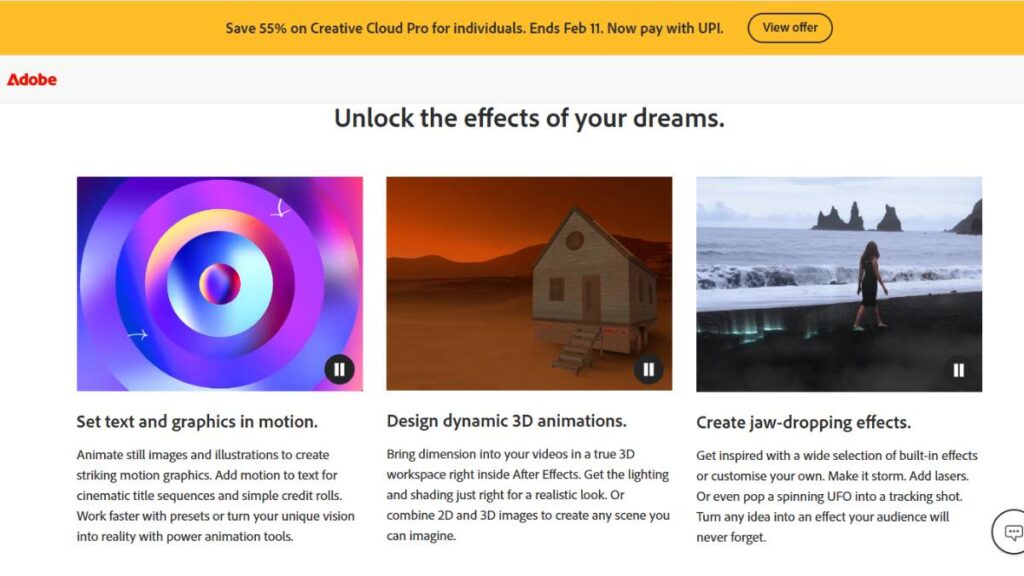
After Effects has been around forever. People complain it’s complicated, but that’s only because it does so much. Keyframes, motion tracking, compositing; it’s all in there, and you can really push things.
- Plays well with Illustrator and Premiere Pro, which is nice if you’re juggling assets.
- Perfect for everything from tiny UI animations to full-blown explainer videos.
- There’s a plugin for almost anything; sometimes too many choices, but that’s part of the fun.
Maxon Cinema 4D: For 3D and MoGraph
Cinema 4D is the tool you turn to when 3D gets serious. Its MoGraph stuff is a lifesaver; you can make patterns and animations happen automatically instead of dragging every object around manually.
- Works with After Effects, so mixing 2D and 3D is manageable.
- Ideal for product animations, abstract visuals, or anything that needs depth.
Blender: Open Source, Surprisingly Powerful
Blender used to be “free but weird,” but now it’s genuinely capable. Grease Pencil is especially cool if you want to combine 2D and 3D in one scene.
- Modeling, rigging, animation, and rendering all in one place.
- Great if you don’t want to shell out hundreds for software licenses.
Autodesk Maya: High-End Rigging and Animation
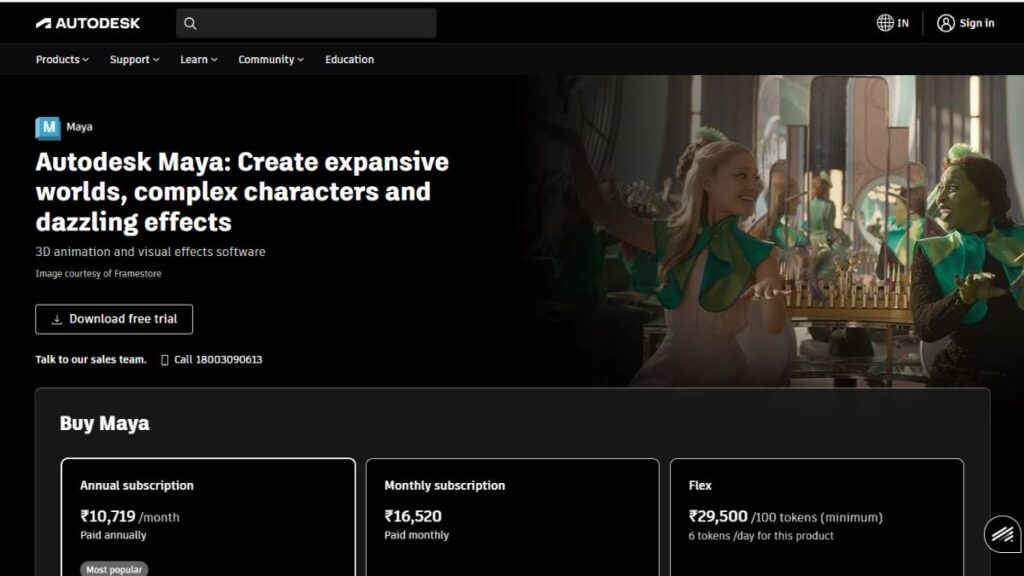
Maya is not beginner-friendly, but it’s the go-to for detailed character animation and complex scenes. It’s precise, a bit heavy sometimes, but that’s the trade-off for control.
- Handles big projects with tons of moving parts.
- Still the standard in films and AAA game animation.
Houdini: Procedural Magic
Houdini is a little different. You set rules, and the software generates motion. Particles, explosions, abstract effects; you name it. It can feel overwhelming at first, but once you get it, it’s incredibly powerful.
- Perfect for visuals that would take forever to animate manually.
- The learning curve is steep, but the results are worth it.
Motion Graphics Tools for Compositing and Video Workflows
Not all motion graphics are about flashy animation. Often, you’re layering video, adding effects, and cleaning things up. That’s where compositing tools shine; they let you blend everything together without tearing your hair out.
DaVinci Resolve (Fusion): Editing and Motion Together
Fusion is part of DaVinci Resolve. Node-based compositing sounds fancy, but really, it just keeps complex shots from getting messy. The nice thing is you don’t have to bounce between apps to color correct, edit, and composite; it’s all in one place.
- Works well for post-heavy projects.
- Nodes take some getting used to, but they make layering and effects more manageable.
Apple Motion: Quick, Real-Time Motion
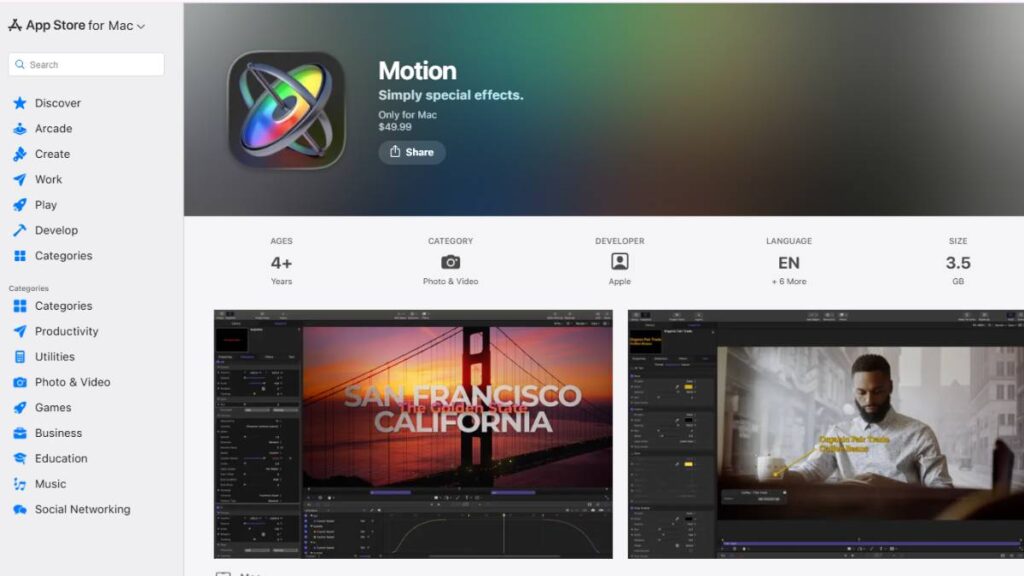
Apple Motion is like the Swiss Army knife for quick jobs. Not as deep as After Effects, but fast. Templates help, so if you need to crank out videos on deadline, it won’t slow you down.
- Plays nicely with Final Cut Pro.
- Enough flexibility for custom animations, but easy to get rolling quickly.
Adobe Animate: Vector and Interactive Motion
Animate is all about vectors. Perfect for web, banners, or micro-interactions. Lightweight, scalable, and doesn’t bog down projects.
- Frame-by-frame or tweened motion; it does both.
- Exports to web or mobile without fuss.
AI-Powered Motion Graphics Tools (Emerging & Trending)
AI is starting to creep into motion graphics. Not a replacement for skill, mind you, but it can take care of boring, repetitive stuff, or give you rough concepts fast. Think of it like a helper, not the star of the show.
Runway ML: Motion from Prompts
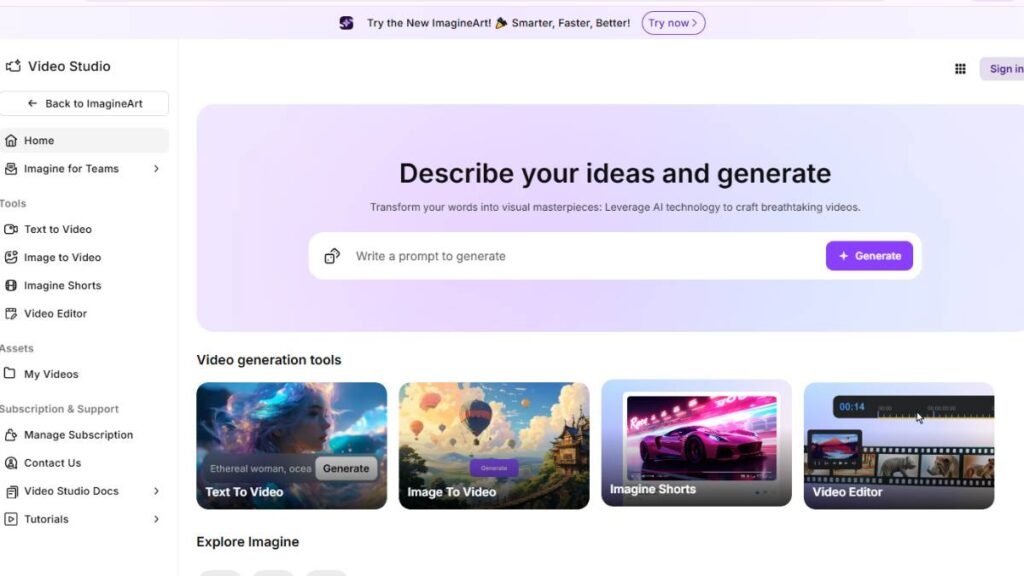
Runway lets you generate movement from text or images. It’s handy if you just need a base to work from, or if you want to try something you wouldn’t normally attempt.
- Speeds up rough drafts.
- Won’t replace the designer’s eye, but it saves time.
Vosu.ai: Automating the Repetitive
Vosu focuses on automating small, repetitive motions. If you’re producing dozens of similar scenes, it’s a lifesaver.
- Great for tweaks or multiple versions.
- Keeps the creative focus on story, not repetitive tasks.
Adobe Generative AI (Firefly + AE Integration)
Adobe’s AI tools plug right into After Effects. It can suggest adjustments, tweak animations, or test different visual styles quickly.
- Helpful for exploring ideas fast.
- Doesn’t make decisions for you; it just makes experimentation easier.
Google Veo & Emerging AI Tools
Models like Veo are starting to automate procedural animation. Characters move, sequences run, and repetitive tasks get handled by the machine.
- Good for freeing designers to focus on timing, composition, and storytelling.
- Still requires a human touch to make it feel right.
Even with all these AI tools, the key is judgment. The software can crank out frames, patterns, or sequences, but what makes motion graphics work is timing, pacing, and emotion; that’s still human.
Web & Real-Time Motion Graphics Tools
Not every project needs a heavy setup. Sometimes motion has to be quick, responsive, and easy to tweak without reopening a massive file. That’s where web-based and real-time tools come in. They’re built for speed. And flexibility.
Spline: Browser 3D Motion Graphics
Spline lowers the barrier to 3D. You open a browser, start building, and things move. No long setup, no complicated scenes. It’s not meant for cinematic work, and that’s fine.
- Useful for quick 3D visuals, landing pages, and interactive demos
- Best when motion needs to be shown, tested, or shared fast
It’s not about perfection here. It’s about momentum.
Rive: Real-Time Interactive Motion for Web & Apps
Rive is built for motion that reacts. Buttons that respond. Interfaces that feel alive. The big difference is control; animations aren’t just played, they respond to input.
- Clean vector animations that stay sharp everywhere
- Real-time previews make iteration faster, fewer surprises later
This is where motion stops being decoration and starts becoming part of the product.
Lottie / LottieFiles: Lightweight Motion Graphics for Apps
Lottie solved a very specific problem. How to move motion graphics from design to development without breaking everything. Small file sizes, smooth playback, no drama.
- Ideal for UI animations and micro-interactions
- Works well across platforms, which teams appreciate more than they admit
If motion needs to ship inside an app, this is usually the path.
Cavalry: Procedural 2D Motion Design Software
Cavalry feels different. Less timeline pushing, more logic-driven motion. You set relationships, rules, conditions, and the animation follows.
- Strong for data-driven visuals, charts, and repeatable systems
- Updates don’t mean rebuilding everything from scratch
It rewards thinking ahead. Slight learning curve, but worth it for the right kind of work.
Mobile & Online Motion Graphics Tools for Quick Content
Not every piece of motion needs to be handcrafted. Sometimes the goal is simple: publish today, not next week. These tools are built for that reality.
Canva Motion + Magic Studio
Canva’s motion features aren’t trying to replace professional tools. They’re there to get things moving quickly. Text animates. Elements slide in. Done.
- Works well for social posts, promos, and internal content
- Templates keep things consistent, even across teams
For speed-first workflows, it gets the job done.
CapCut & Veed.io: Social Motion Graphics Tools
These tools understand social content. Short timelines. Fast cuts. Trends change weekly. The interfaces are built around that pace.
- Easy to create Reels, Shorts, and quick edits
- Less about precision, more about momentum
They’re practical. And sometimes that’s the point.
Best Plugins and Extensions for Motion Graphics
No one enjoys repeating the same steps over and over. Plugins exist because motion designers got tired of wasting time. The good ones don’t show off. They just quietly save hours.
Boris FX Continuum: Effects & Particle Tools
This is a deep toolbox. Effects, transitions, particles, distortions; things that would otherwise take ages to build manually.
- Helpful when visuals need more punch without custom builds
- Reliable across different production environments
It’s the kind of plugin you lean on when deadlines get tight.
Motion Bro / Animation Presets
Presets aren’t cheating. They’re shortcuts. Motion Bro focuses on speeding up common animations so energy can go into layout, pacing, and polish instead.
- Useful for repeated styles and brand consistency
- Especially helpful when juggling multiple projects at once
The goal isn’t to avoid thinking. It’s to avoid busywork.
These tools, web-based platforms, mobile editors, and plugins don’t replace core motion skills. They support them. Used well, they free up time for the parts that actually matter: clarity, rhythm, and making motion feel intentional instead of forced.

Enroll Now: Advanced Digital Marketing Course
How to Choose the Right Motion Graphics Tools
There’s no “best” motion graphics tool in isolation. The right choice depends on what’s being built, how fast it needs to ship, and who’s actually using it day to day. That context matters more than feature lists.
Match the tool to the skill level
- Beginners benefit from tools that show results quickly. Clear timelines, visual controls, fewer hidden systems.
- Professionals usually need depth. Expressions, procedural setups, proper 3D space, and the freedom to break things and rebuild them better.
Balance cost against real usage
Expensive software isn’t a problem if it earns its keep. The issue is paying for complexity that never gets used.
- Subscription tools make sense for agencies and teams with constant output.
- Free or low-cost tools are often enough for solo creators, startups, and early-stage projects.
Think in workflows, not tools
Motion rarely lives alone. It touches video editing, UI design, marketing assets, and sometimes even development.
- 2D-heavy workflows need strong compositing and typography control.
- 3D-focused work needs stable animation, lighting, and rendering.
- Web and app motion demand real-time playback and lightweight exports.
The best setups feel boring in the best way. Fewer handoffs. Fewer fixes. Less friction.
Motion Graphics Tools Workflow Examples
Seeing tools in isolation doesn’t help much. Motion work makes more sense when viewed as a pipeline.
Professional studio-style workflow
- After Effects for core motion, typography, and compositing
- Cinema 4D for 3D scenes, product visuals, and depth
- DaVinci Resolve for editing, color, and final delivery
This setup works well for brand films, ads, and high-polish content where quality matters more than speed.
AI-assisted motion workflow
- Runway for fast concept motion and visual exploration
- Adobe tools for refining animation, timing, and consistency
- Lottie exports for lightweight delivery where needed
Useful when ideas need to be tested fast before committing production time.
Web and mobile-first workflow
- Spline for interactive 3D elements
- Rive for UI motion and real-time interaction
- Canva motion for quick social or marketing assets
This is common in product teams and growth marketing. Motion supports the experience, not the other way around.
Conclusion: The Future of Motion Graphics Tools
Motion graphics tools are changing, but the fundamentals aren’t. Timing still matters. Clarity still matters. Bad motion is still obvious, no matter how advanced the software gets.
What is shifting:
- AI is speeding up the early stages: ideas, variations, rough motion
- Real-time tools are making motion part of products, not just videos
- Web-based platforms are lowering the barrier to entry
The strongest designers aren’t chasing every new tool. They’re selective. Traditional software for control and polish. New tools for speed and experimentation. That balance is where good motion lives.
Tools will keep evolving. Taste, judgment, and restraint remain the real differentiators.
FAQs: Motion Graphics Tools
What is the best tool for motion graphics beginners?
The best starting point is usually the tool that gets results fast. Not perfect results. Just results. Beginners learn timing, spacing, and rhythm by seeing things move, not by memorizing features. Tools with templates, visible timelines, and simple controls work well early on. Once the basics click, moving to deeper software feels less intimidating. That jump matters more than picking the “right” tool on day one.
Do AI tools replace professional motion design software?
No. And that’s not changing anytime soon. AI tools are good at getting motion started; rough ideas, quick variations, and early direction. But professional motion work lives in the details. Pacing, hierarchy, brand consistency, visual intent. Those things still need proper software and human judgment. AI speeds things up. It doesn’t finish the job.
Can you build motion graphics without coding?
Yes. Most motion designers never touch code. Motion graphics tools are built around visual thinking: keyframes, curves, layers, and nodes. Some tools offer expressions or logic for advanced control, but that’s optional. Plenty of clean, professional motion is made without writing a single line of code.
What are the best motion graphics tools for social media content?
Social platforms reward speed more than perfection. Tools that make resizing, captions, transitions, and exports easy tend to win here. Editors like CapCut, Veed.io, and Canva Motion are popular because they remove friction.
For brands with stricter visual rules, professional tools still come into play, but often only after the idea has already proven itself on social.
Are there free motion graphics tools for beginners?
Yes, and some are surprisingly powerful. Blender is the obvious one; free, deep, and capable of serious work if time is invested. Free tools usually ask for patience instead of money. That tradeoff works well for beginners who want to learn fundamentals before committing to paid software.
Which motion graphics tools are best for UI and app animations?
UI motion lives in a different world than video. It needs to respond instantly and stay lightweight. Tools like Rive and Lottie are built for that reality. They focus on states, interactions, and performance, not timelines meant for rendering video files. For app and product teams, that difference is critical.
Can motion graphics tools be used for marketing and explainer videos?
That’s one of their strongest use cases. Motion graphics help simplify ideas that would take pages of text to explain. Clean typography, controlled movement, and visual metaphors do a lot of heavy lifting in marketing and explainer content. When done right, motion doesn’t decorate the message; it is the message.
How are AI-powered motion graphics tools changing motion design workflows?
Mostly by shaving off setup time. Early drafts move faster. Variations are easier to explore. Repetitive steps take less effort. What hasn’t changed is the need for taste and restraint. Fast tools still need slow thinking. The best workflows use automation to save time, then spend that time making smarter creative decisions.