

Customer segmentation tools can feel like magic until you dig into them, and then it’s mostly just smart organization of messy data. This blog covers how these tools help spot patterns in customers’ behavior, purchases, and engagement, then group people in ways that actually matter. It talks about different types of segmentation, from basic demographics to predictive signals that hint at who might churn or upgrade. There’s advice on picking the right tool, common mistakes to avoid, and strategies that actually work, like updating segments in real time or using them across email, ads, and in-app messages. Plus, it runs through the top 15 tools for 2026. Basically, it’s all about making segmentation practical, not theoretical.
Table of Contents
Introduction:
What Are Customer Segmentation Tools?
Customer segmentation tools are built to answer a pretty practical question: which customers should be grouped together, and what should be done differently for each group?
Not theory. Not vanity dashboards. Actual working segments that marketing, product, and retention teams can use without wrestling spreadsheets every week.
These tools take in data from different places: websites, apps, purchases, emails, support systems, and organize customers into groups that share patterns. Sometimes those patterns are obvious, like repeat buyers. Sometimes they’re subtle, like users who always browse but only purchase during sales.
Without segmentation tools, all of those people blur into one big audience. With them, differences stand out. And those differences are where a smarter strategy usually begins.
Why Businesses Need Advanced Customer Segmentation Software
Customer behavior has gotten messy. In a normal way, but still messy.
Someone might discover a brand through an ad, visit the site three times on mobile, buy later on desktop, then disappear for months. Another person buys every quarter like clockwork but never opens emails. Same product, completely different patterns.
Advanced customer segmentation software connects those dots across systems. Once that happens, teams stop relying on averages and start seeing distinct customer types emerge.
A few examples that show up often:
- Customers who engage heavily but haven’t purchased yet
- Buyers who only convert when there’s a discount
- Long-time customers whose activity has quietly declined
- New users who signed up fast… then stalled
Those signals are easy to miss in aggregate reports. Segmentation tools surface them early, which gives teams time to respond instead of reacting after results dip.
How Segmentation Tools Improve Targeting, Personalization, and ROI
Segmentation improves marketing in a very grounded way. Less guessing, more alignment.
When teams know who they’re talking to, communication changes naturally:
- New customers get help getting started
- Loyal customers get recognition, not constant promos
- Inactive users get re-engagement efforts, not regular newsletters
- High-value segments get priority experiences
Small shifts in message and timing often outperform big creative overhauls. Relevance does most of the heavy lifting.
From a return perspective, segmentation helps reduce waste. Ads don’t keep chasing people who already bought. Emails don’t keep pushing offers to customers who would have purchased anyway. Effort goes toward the segments where influence actually matters.
Nothing flashy. Just smarter allocation of attention and budget.
What Is Customer Segmentation? Key Concepts & Types
Customer Segmentation Explained
Customer segmentation is the process of dividing a broad customer base into smaller groups based on shared characteristics. The aim isn’t to complicate things; it’s to make decision-making clearer.
Not every customer has the same needs, values, or behavior. Some are frequent buyers. Some are occasional. Some are at risk of leaving. Segmentation helps businesses treat those groups differently instead of sending the same message to everyone and hoping it sticks.
Modern customer segmentation tools make this dynamic. As behavior changes, segments update. That matters more than it sounds. Static segments age quickly, especially in fast-moving markets.
Types of Segmentation
Strong segmentation usually combines several data angles. Each type adds another layer of understanding.
Demographic Segmentation Tools
Demographic segmentation groups customers by traits like age, income, occupation, or education.
It’s often used for:
- Broad targeting
- Market analysis
- Campaign planning at a high level
Helpful, but limited on its own. Two customers with the same demographic profile can behave in completely different ways. Demographics explain who someone is, not necessarily how they act.
Behavioral Segmentation Tools
Behavioral segmentation looks at actions. This is where things get more interesting.
Typical behavioral signals include:
- Browsing activity
- Purchase frequency and order value
- Product or feature usage
- Email clicks and app sessions
Behavior shows intent. A customer who viewed pricing pages three times this week is in a very different place than someone who hasn’t logged in for months. Segmentation tools help capture those differences and turn them into actionable groups.
Psychographic Segmentation Tools
Psychographic segmentation focuses on attitudes, interests, and motivations. Harder to collect, but often powerful.
Data might come from:
- Surveys and feedback forms
- Content preferences
- Stated interests
- Community engagement
This helps shape how messages are framed. Two customers might buy the same product; one for convenience, another for status. Same action, different motivation. Messaging shouldn’t be identical.
Geographic Segmentation Tools
Geographic segmentation groups customers by location, such as country, region, or city.
Useful for:
- Regional promotions
- Language adjustments
- Seasonal timing
- Location-based services
Geography often overlaps with behavior in subtle ways. Climate, culture, and local trends all influence buying patterns more than many teams expect.
AI-Driven and Predictive Segmentation Tools
Some customer segmentation tools go a step further and predict likely future behavior.
These segments might identify:
- Customers at risk of churning
- Users are likely to convert soon
- High lifetime value prospects
- Customers rare eady for an upgrade
Predictive segments help teams act earlier. Instead of waiting for churn or conversion to happen, they can engage at the moment when influence is strongest.
Benefits of Using Customer Segmentation Tools
Increase Conversion Rates With Targeted Groups
Broad messaging usually delivers broad results. A few conversions here and there, but plenty of wasted impressions.
Targeted segments change that. When the offer and message match where a customer is in their journey, friction drops.
For example:
- First-time visitors may need reassurance or social proof
- Repeat buyers might respond better to bundles or subscriptions
- Price-sensitive segments often wait for promotions
- High-intent users may just need a timely reminder
Segmentation tools make it easier to line these up. Message, audience, timing; working together instead of pulling in different directions.
Improve Customer Retention and Lifetime Value
Churn rarely happens overnight. Most of the time, engagement fades gradually.
Customer segmentation tools help teams spot early signals like:
- Fewer logins or sessions
- Longer gaps between purchases
- Reduced interaction with key features
- Increased support issues
These patterns allow for targeted retention efforts before the customer fully disengages. Maybe that means education, maybe a check-in, maybe an incentive. Depends on the segment. Over time, this steady attention has a noticeable impact on lifetime value.
More Efficient Marketing Spend
Segmentation also helps control costs. Which doesn’t get talked about enough.
With clear customer groups, teams can:
- Exclude existing customers from acquisition ads
- Focus spending on high-intent audiences
- Build lookalike audiences from top-value customers
- Reduce exposure to low-engagement segments
Less waste, better performance. Not dramatic, just disciplined.
Better Product and Campaign Personalization
Personalization works best when it’s grounded in behavior. Not assumptions.
Segmentation tools allow businesses to tailor:
- Website content and recommendations
- Email flows based on user actions
- In-app messages tied to feature usage
- Promotions aligned with buying habits
When experiences reflect what customers actually care about, engagement tends to rise naturally. People respond when things feel relevant. They tune out when everything feels generic. Segmentation helps keep communication on the right side of that line.
How Customer Segmentation Tools Work
On the surface, these tools look simple enough. Pick a few conditions, hit apply, and a list pops up. Done. Easy. But behind the scenes? It’s a different story. There’s a constant stream of data moving in, being cleaned, matched, and reevaluated. That’s what keeps segments from going stale the second they’re created.
Data Collection and Unification
Everything starts with data; usually, more than anyone thinks. And not all of it lives in the same place. A good segmentation tool pulls from all sorts of sources:
- Website and app activity
- Purchase and transaction history
- CRM records
- Email or messaging engagement
- Support tickets or chat interactions
Taken alone, each tells only part of the story. A CRM might show revenue, but says nothing about what someone’s actually looking at. Analytics shows interest but not long-term value. The magic happens when the tool connects these dots. Suddenly, you have a more complete view of each customer.
But fair warning: if the data isn’t cleaned and matched properly, it’s messy. Really messy. Duplicate profiles, missing identifiers, outdated info; all of it can throw segments off. Solid unification makes patterns trustworthy. Messy data? You’ll chase your tail trying to act on segments that are off.
Segmentation Criteria and Logic Engines
Once the data is in place, rules take over. Some are straightforward, others can spiral into complex combinations fast.
Simple examples:
- Customers who bought in the last 30 days
- Users who haven’t logged in for 60 days
- Visitors who browsed a specific product category
More nuanced? Sure:
- High spenders who suddenly stopped interacting
- Trial users who used the core features but didn’t convert
- Repeat buyers who only purchase with discounts
Segmentation tools run these rules constantly. When someone’s behavior changes, they move in or out of a segment automatically. That’s what turns segmentation from a static list into something alive.
Real-Time vs. Static Segment Creation
Not every segment needs to be real-time. Sometimes snapshots work, like a list of buyers from a holiday sale. Useful for reports or one-off campaigns.
Dynamic segments, on the other hand, update automatically as behavior shifts. New buyers jump into onboarding segments. Quiet users drift into re-engagement lists. No one has to babysit the lists every week. That’s what keeps marketing and product teams in sync with what customers are actually doing, not what they did three weeks ago.
Integration with CRM, Analytics & CDP Systems
Segments are only as valuable as what you do with them. A list sitting in the tool, unused, is just… data.
Most tools push segments into places that actually trigger action:
- CRM systems for sales or customer success follow-up
- Marketing automation platforms for emails, push, or SMS campaigns
- Advertising platforms for targeting and lookalikes
- Analytics dashboards to track performance
A high-value segment might feed paid media. An at-risk segment triggers retention messaging. A heavy-usage segment could alert success teams for upsells. The point isn’t just to make the segments; it’s to make them usable across the customer journey without manual exporting or copying files. That’s when segmentation becomes genuinely powerful.
Key Features to Look for in Customer Segmentation Tools
Plenty of platforms claim strong segmentation capabilities. The differences usually show up in how flexible, usable, and connected those features really are.
Real-Time Segmentation and Dynamic Audiences
Real-time segmentation can make a noticeable difference in how responsive marketing feels.
Customers move quickly. They sign up, browse, buy, disappear, and come back. Segments that update automatically keep pace with those shifts.
This supports things like:
- Immediate onboarding flows for new users
- Timely follow-ups when someone shows buying intent
- Re-engagement messages when activity drops
Without dynamic updates, teams often rely on outdated lists. And outdated lists lead to awkward timing.
Prebuilt Templates and Predictive Insights
Some tools offer prebuilt segment templates based on common business needs. These can be surprisingly helpful, especially for teams still building out their segmentation strategy.
Typical templates might include:
- At-risk customers
- Loyal repeat buyers
- High-value prospects
- Recently inactive users
They’re not perfect out of the box, but they provide a starting structure. From there, teams can refine based on their own data.
Predictive insights add another layer by highlighting customers who are likely to churn, convert, or upgrade. These signals help prioritize effort instead of spreading attention evenly across all segments.
Multi-Channel Segmentation Support
Customers don’t interact through just one channel, so segmentation shouldn’t stay stuck in one place either.
Strong customer segmentation tools allow audiences to be used across:
- Push notifications and SMS
- In-app messages
- Paid advertising
- Website personalization
This helps keep experiences consistent. A high-intent segment can receive aligned messaging across channels instead of fragmented communication based on siloed data.
Integration with Marketing Automation and Analytics
Segments need to move smoothly into execution tools. Otherwise, they stay stuck as insights on a dashboard.
Look for platforms that connect well with:
- Marketing automation systems
- CRM and sales tools
- Product analytics platforms
- Data warehouses or broader data platforms
Good integrations reduce manual work and lower the chances of using mismatched or outdated audience lists. They also make it easier to measure how different segments actually perform over time.
Usability, Scalability & Security
Even powerful segmentation tools fall flat if they’re too hard to use.
Teams should be able to:
- Build and adjust segments without constant technical help
- Understand why customers are included in a segment
- Test and refine segment rules as strategies evolve
Scalability matters too. As customer data grows, the tool should handle higher volume and complexity without slowing down or becoming confusing.
And, of course, security can’t be an afterthought. These platforms handle sensitive customer data, so strong access controls, compliance support, and data protection practices are part of the package; or should be.
The best customer segmentation tools aren’t just feature-rich. They fit into daily workflows, connect cleanly to the rest of the tech stack, and make segmentation something teams actually use, not just talk about in planning meetings.
Top 15 Best Customer Segmentation Tools for 2026
There’s no single “best” customer segmentation tool. It really comes down to what kind of data a business has, how teams work, and where those segments actually need to be used: marketing, product, support, or all of the above. Some tools lean heavily into behavioral data, others into CRM records or predictive modeling. The smart move is matching strengths to real use cases.
Here’s a closer look at platforms that consistently stand out.
1. Velaris – Predictive Analytics & Personalized Experiences
Best for predictive segmentation and personalization
Velaris focuses on using behavioral and historical customer data to anticipate future actions, not just report on past ones. That’s a big shift from traditional rule-based segments.
Key features
- Predictive models for churn risk and expansion potential
- Dynamic customer health scoring
- Personalized experience triggers based on likelihood to convert or drop off
Works well for teams that want segmentation to guide proactive outreach instead of reactive campaigns.
2. UserGuiding – In-App Segmentation & User Onboarding
Focused tool for user behavior-based segment creation
UserGuiding is built around product usage, which makes it especially useful for SaaS companies trying to improve onboarding and feature adoption.
Why teams like it
- Segments based on in-app actions and feature usage
- Targeted onboarding flows for different user types
- Easy to launch in-app messages for specific behavior groups
Great for product-led growth models where user behavior tells the real story.
3. Google Analytics – Free Website & Behavioral Segmentation
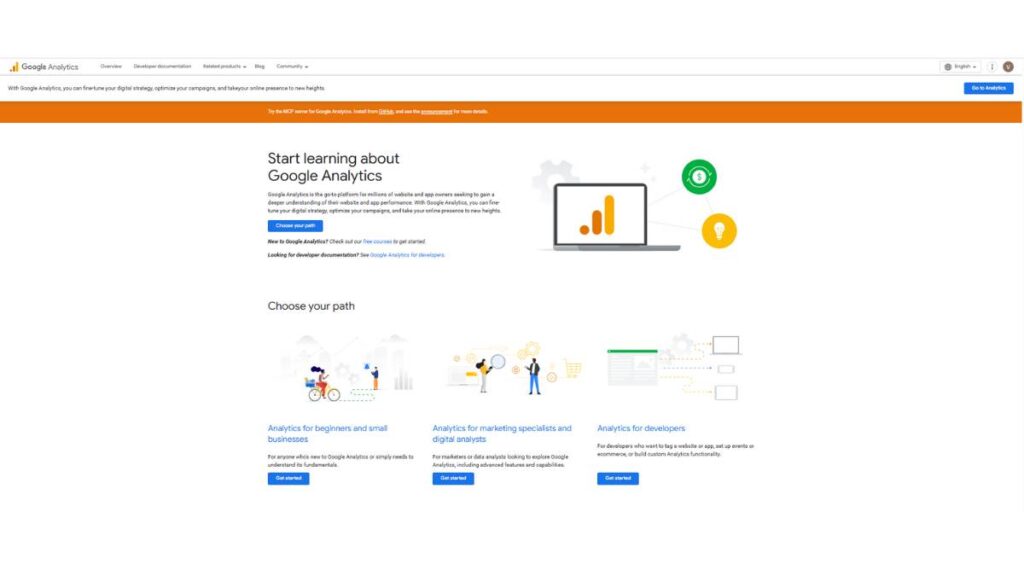
Classic tool for digital behavior segmentation
Google Analytics 4 still plays a big role in audience segmentation, especially for web-first businesses.
How it helps
- Build segments based on events, traffic sources, and engagement
- Compare behavior between converters and non-converters
- Export audiences to ad platforms for remarketing
Not a full customer view on its own, but a strong starting point for digital behavior insights.
4. Pendo – Product Usage Analytics & Targeting
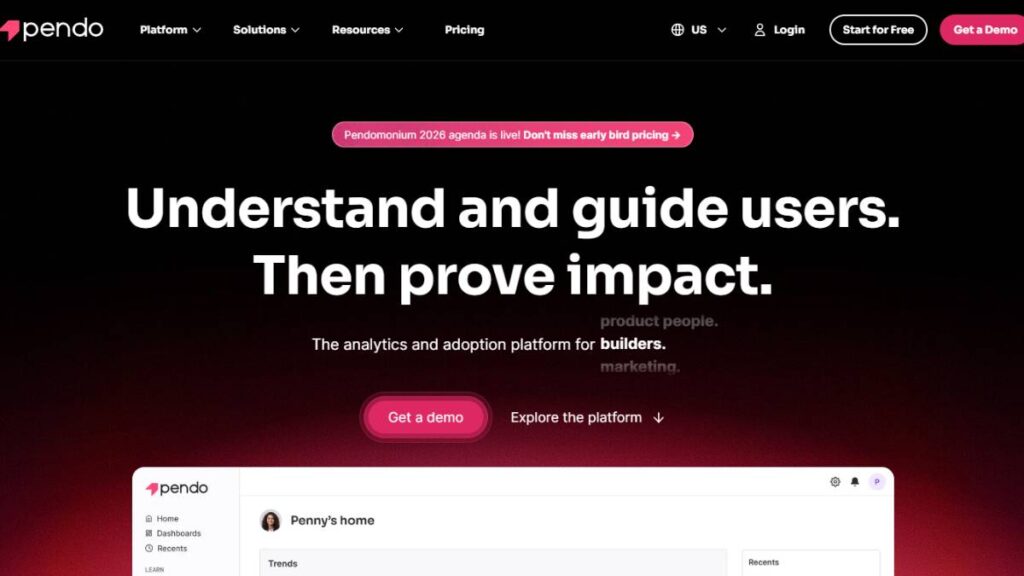
Segment by feature use, onboarding, and retention
Pendo combines product analytics with in-app engagement tools, which makes segmentation actionable right inside the product.
Highlights
- Segments based on feature adoption and usage frequency
- Targeted guides and messages for specific user cohorts
- Retention-focused analysis to spot drop-off points
Particularly valuable for product and growth teams trying to move users toward key actions.
5. Qualtrics Customer Experience – Experience-Driven Segments
Advanced analytics with automated cluster detection
Qualtrics goes beyond behavioral data and leans into sentiment, feedback, and experience signals.
Use cases
- Segments based on NPS, satisfaction, and survey responses
- Automated clustering to identify hidden customer groups
- Experience-based targeting for service recovery or loyalty programs
Useful when emotional drivers and perception matter as much as transactions.
6. Sprout Social – Social-Driven Audience Segmentation
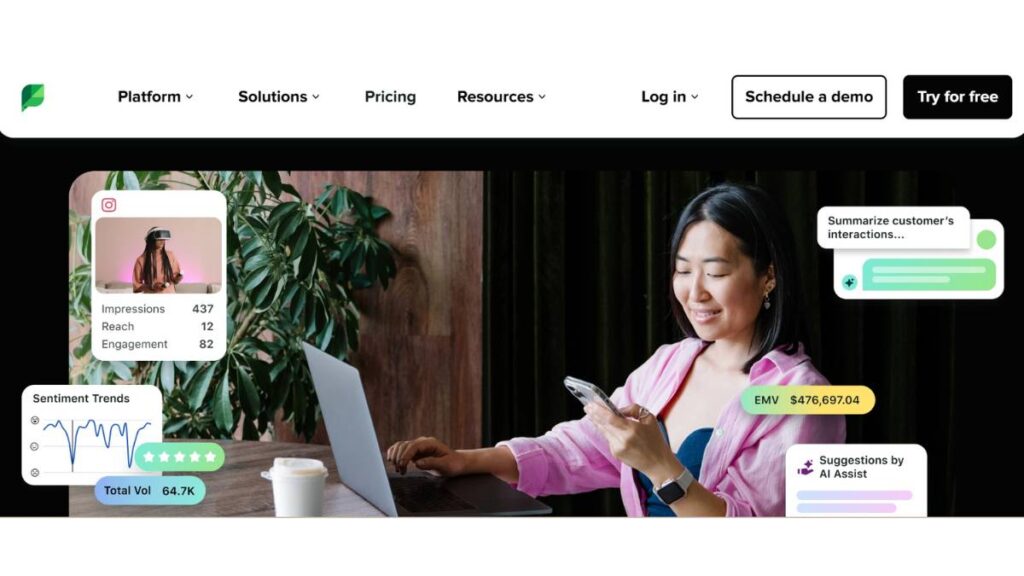
Social media analytics plus segmentation
Sprout Social turns social engagement and conversation data into usable audience groups.
Where it shines
- Segment audiences by engagement patterns and interests
- Identify brand advocates and highly engaged followers
- Inform content and campaign targeting based on social behavior
Strong choice for brands where community and social presence drive growth.
7. Totango – Customer Success & Health Score Segmentation
Segment by customer success metrics and product adoption
Totango is built for post-sale engagement, helping teams manage retention and expansion.
Key capabilities
- Health score-based segmentation
- Usage and lifecycle stage tracking
- Automated plays for at-risk or high-potential accounts
A practical tool for customer success teams juggling large portfolios.
8. Heap – Automated Behavioral Capture & Segments
Auto-track every user event for deep segmentation
Heap’s main advantage is automatic data capture, which removes a lot of manual tracking setup.
Benefits
- Retroactive segmentation using historical behavior
- Detailed funnels and journey analysis
- Low-code audience building for non-technical teams
Helpful for teams that want flexibility without constantly reworking tracking plans.
9. Baremetrics – SaaS Segment Analytics
Financial and customer churn segments
Baremetrics focuses on subscription metrics, so segmentation is closely tied to revenue and churn.
What stands out
- Segments based on MRR, plan type, and billing behavior
- Churn and downgrade risk indicators
- Cohort analysis for subscription trends
Especially useful for finance-aware marketing and retention planning.
10. Insightly – CRM-Powered Customer Segmentation
CRM with built-in segmentation filters
Insightly blends CRM functionality with straightforward segmentation tools.
Core strengths
- Filter customers by deal stage, activity, and attributes
- Align sales and marketing around shared segments
- Trigger workflows based on segment membership
Solid option for teams that want segmentation tightly connected to pipeline data.
Enroll Now: Product Marketing Course
11. Kissmetrics – Behavioral Analysis & Conversion Segments
Multi-channel behavior segmentation
Kissmetrics tracks users across sessions and devices, building segments tied directly to conversion behavior.
Key features
- Funnel-based segmentation
- Cohort tracking tied to revenue
- Multi-touch journey analysis
A good fit for teams that want to understand what actually drives purchases, not just visits.
12. Pulsar – Audience Intelligence & Social Segments
Uses social listening to define customer groups
Pulsar focuses on audience intelligence from social and online conversations.
How it helps
- Identify interest-based audience clusters
- Segment by cultural trends and conversation themes
- Support brand positioning and campaign planning
Best suited for strategy and brand teams looking beyond first-party data.
13. Creatio CRM – Dynamic Segment Automation
Dynamic and rule-based segment generation
Creatio combines CRM data with workflow automation, making segments part of larger processes.
Notable features
- Rule-based dynamic segments
- Customer 360 profiles
- Automated campaign and sales triggers
Works well in organizations that want segmentation deeply embedded into operations.
14. Survicate – Feedback-Based Customer Segmentation
Surveys and real-time feedback segments
Survicate turns customer feedback into actionable audience groups.
Use cases
- Segment by satisfaction, feature requests, or pain points
- Trigger follow-ups based on survey responses
- Combine feedback with behavioral data
Valuable for experienced teams trying to connect sentiment with action.
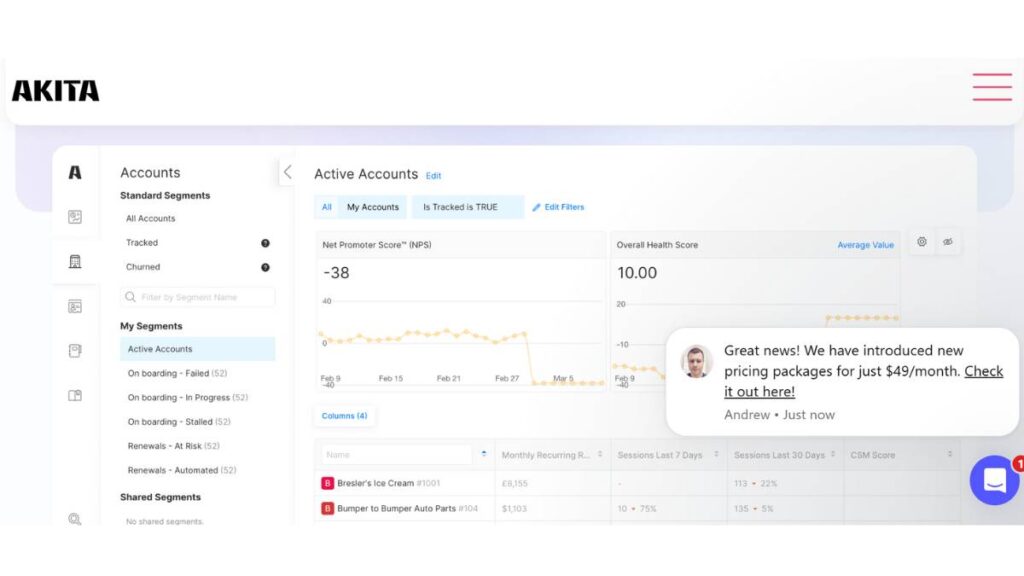
15. Akita – Customer Success List & Usage Segments
Centralized customer profiles for success plans
Akita focuses on giving customer success teams a unified view of product usage and account health.
Why it works
- Segments based on engagement and lifecycle stage
- Alerts for declining usage
- Account-level views for proactive retention efforts
Helpful for retention strategists who need early warning signals, not just reports after churn happens.
Taken together, these customer segmentation tools cover a wide spectrum ; from web analytics and product usage to sentiment analysis and predictive modeling. The right choice depends less on feature lists and more on where segmentation needs to drive action inside the business.
How to Choose the Right Customer Segmentation Tool
Picking a customer segmentation tool can feel straightforward… right up until every vendor demo starts sounding the same. Dashboards look slick. Feature lists go on forever. But in practice, the “best” tool is usually just the one that fits your team’s day-to-day reality.
First thing to get clear on: what are these segments actually going to be used for?
If segmentation mostly fuels email, ads, and lifecycle campaigns, then tight integrations with marketing channels matter more than deep product analytics. If the main goal is reducing churn or expanding accounts, then usage data, health scoring, and lifecycle tracking should carry more weight. Same word; segmentation; very different use cases underneath.
Compare segmentation criteria with business goals
A tool is only as useful as the data it can segment. Sounds obvious, but this is where many teams compromise.
Look for support around:
- Behavioral data (site visits, feature usage, session frequency)
- Transactional data (purchases, renewals, plan changes)
- CRM attributes (company size, industry, deal stage)
- Feedback signals (NPS, survey responses, support history)
If the platform can’t easily build segments tied to revenue, retention, or expansion… it tends to become a reporting layer, not an action driver.
Pricing vs. capabilities: small business vs. enterprise
There’s a real tendency to overbuy here. Advanced predictive features, complex data modeling, endless customization; great in theory. In reality, smaller teams often need:
- Clear, rule-based segmentation
- Simple activation into campaigns
- Reporting that connects directly to outcomes
Enterprise teams usually have different pressures:
- Large datasets from multiple sources
- More complex segment logic
- Governance, permissions, and compliance needs
Paying for heavy complexity without the team structure to use it properly leads to underused software. Happens all the time.
Integration with CRM, CDP, and analytics stacks
Segmentation doesn’t live in isolation. Or at least it shouldn’t.
Before choosing a platform, it’s worth checking how easily it connects with:
- CRM systems (for sales and account data)
- Marketing automation tools (for activation)
- Product analytics (for behavior insights)
- Data warehouses or CDPs (for unified profiles)
If every new segment requires manual exports or engineering tickets, momentum slows. Teams stop experimenting. Segmentation turns into a quarterly task instead of an ongoing lever.
Ease of use vs. advanced customization
There’s always a trade-off. Highly flexible tools let teams build very detailed segments, but they can be intimidating. More user-friendly platforms move faster, though sometimes with limits.
A good middle ground looks like:
- Visual builders for the everyday segment creation
- The option to add advanced logic when needed
- Clear workflows that non-technical teams can manage
If only one data specialist knows how to build segments, that person becomes a bottleneck. Not ideal when campaigns need to move quickly.
Advanced Customer Segmentation Strategies
Once basic segmentation is running well, things can get more interesting. This is where segmentation shifts from simple grouping to actual foresight.
Using AI and machine learning to predict segments
Predictive segmentation focuses on what customers are likely to do next. Not just what they’ve already done.
Instead of only grouping users by past purchases or visits, advanced models look at patterns across many signals to identify:
- Customers showing early signs of churn
- Users are likely to upgrade soon
- Leads with high purchase intent
These segments are especially helpful for prioritization. Teams can spend time where the upside is higher, instead of treating every customer the same.
Real-time segment triggers and automation
Static segments still matter. But real-time updates add a different level of responsiveness.
When segments refresh instantly based on behavior, communication feels more timely. More relevant. Less like a batch campaign sent days too late.
Common examples:
- Triggering a message after repeated pricing page visits
- Offering help when product usage suddenly drops
- Sending onboarding nudges based on incomplete setup steps
In setups like this, segmentation stops being just an analysis tool and becomes part of the live customer experience.
Cross-channel activation
Strong segmentation strategies don’t stop at one channel. The same audience logic can (and should) carry across touchpoints:
- Email journeys tailored to lifecycle stage
- Ad audiences built from high-value users
- In-app messages tied to behavior segments
- Sales alerts for accounts showing buying signals
When segments are aligned across channels, the experience feels connected. Customers don’t get mixed messages depending on where they interact.
Common Customer Segmentation Mistakes
Segmentation can drive serious impact. It can also get messy. A few mistakes show up over and over.
Over-segmenting without data support
Creating dozens of micro-segments sounds like personalization. In reality, it often leads to:
- Groups too small to analyze properly
- Campaigns that are hard to manage
- Teams are stretched thin trying to tailor everything
A smaller set of meaningful, high-impact segments usually performs better than a long list of overly specific ones.
Ignoring data hygiene and consistency
Even the best segmentation logic falls apart with messy data. Duplicate contacts, missing fields, inconsistent event tracking; all of it quietly skews results.
Regular cleanup goes a long way:
- Standardizing key attributes across systems
- Removing or merging duplicate records
- Reviewing tracking to ensure important behaviors are captured correctly
Without clean data, segments look precise but behave unpredictably.
Not aligning segments with business outcomes
Some segments sound smart, but don’t lead to action. That’s the trap.
Before building a segment, it helps to ask:
- What decision will this segment influence?
- What action will be different for this group?
- How will success be measured?
If there’s no clear answer, the segment might sit in a dashboard and never shape a real campaign or strategy. And that’s when segmentation turns into busywork instead of a growth lever.
Conclusion: Future of Customer Segmentation Tools
Segmentation tools have quietly become a backbone for many teams. Marketing leans on them, sure, but product, sales, and customer success are all using the same segments to make decisions. It’s no longer “just marketing stuff.”
What’s changing is pretty obvious if you pay attention:
Looking forward, not backward
It’s not enough to just look at what customers did last month. The value is spotting patterns before they fully show up. Who’s about to churn, who’s heating up, who’s drifting. Teams that catch this early get a chance to act before it’s too late.
Real-time matters
Customer behavior moves fast. Someone browsing today might vanish tomorrow. Static segments built once a quarter? Mostly useless. Segments that update automatically with behavior? That’s when you start to feel in touch with reality. Doesn’t have to be perfect, but it’s closer to the truth.
Segments are everywhere now
Onboarding flows, in-app messaging, sales outreach, rand etention campaigns all of these touch the same segmentation logic. When everyone is aligned, the customer sees a smoother experience. No conflicting messages. Fewer dropped balls.
Segments need upkeep
They age. Products evolve. Pricing changes. What was high-value last year might not be now. Regular reviews, pruning old segments, testing new ones; it’s tedious, yes, but skipping it quietly erodes results.
A simple rule for testing tools
Pick a real business question. Churn risk. Upsell potential. Onboarding drop-offs. Build your segments, activate them, and see if the results actually help decisions. That’s the real test. Feature lists alone won’t cut it.
FAQs: Customer Segmentation Tools
1. What is the best free customer segmentation tool?
Free tools work for basics: tracking site visits, clicks, or simple product usage. The catch: limited history, fewer integrations, and sometimes clunky ways to push segments to marketing campaigns. Great to start small. Hard to scale.
2. How do segmentation tools work with CRM platforms?
They pull in data like lifecycle stage, industry, account size, or deal stage. Combine that with behavior, visits, clicks, transactions, and suddenly your segments are actionable. You can push them back into the CRM for sales or success teams to act on immediately. Makes targeting more precise.
3. Are segmentation tools worth it?
If segments actually guide decisions, yes. Better targeting usually means better engagement, less wasted effort, and higher retention. But just having the tool? Doesn’t do anything by itself. You need the strategy behind it.
4. What data do these tools use?
1. Behavioral (site visits, app usage, clicks)
2. Demographic or firmographic (role, location, company size)
3. Transactional (purchases, upgrades, renewals)
4. CRM attributes (lead status, account tier)
5. Feedback (surveys, ratings, support tickets)
The more connected and clean your data is, the more useful your segments will be.
5. CDP vs segmentation tool: what’s the difference?
Think of a CDP as the warehouse; it stores and cleans all customer data. The segmentation tool is the mixer; it takes that data and slices it into actionable groups. Often, the CDP feeds the segmentation tool, not the other way around.
6. Can small businesses use them effectively?
Absolutely. You don’t need fancy AI to start seeing benefits. Even a few simple segments, new vs returning, active vs inactive, can make messaging a lot more relevant. Keep it small and practical first.
7. How do AI-powered segmentation tools help?
They pick up patterns you might miss. Early churn signs. Upgrade-ready users. The insights help focus effort where it actually matters. Not magic; just faster pattern recognition across messy data.
8. How often should segments be updated?
Behavior-based segments? Frequently, maybe continuously. Profile-based segments? Slower, but check them periodically. Monthly or quarterly reviews usually keep things realistic.