
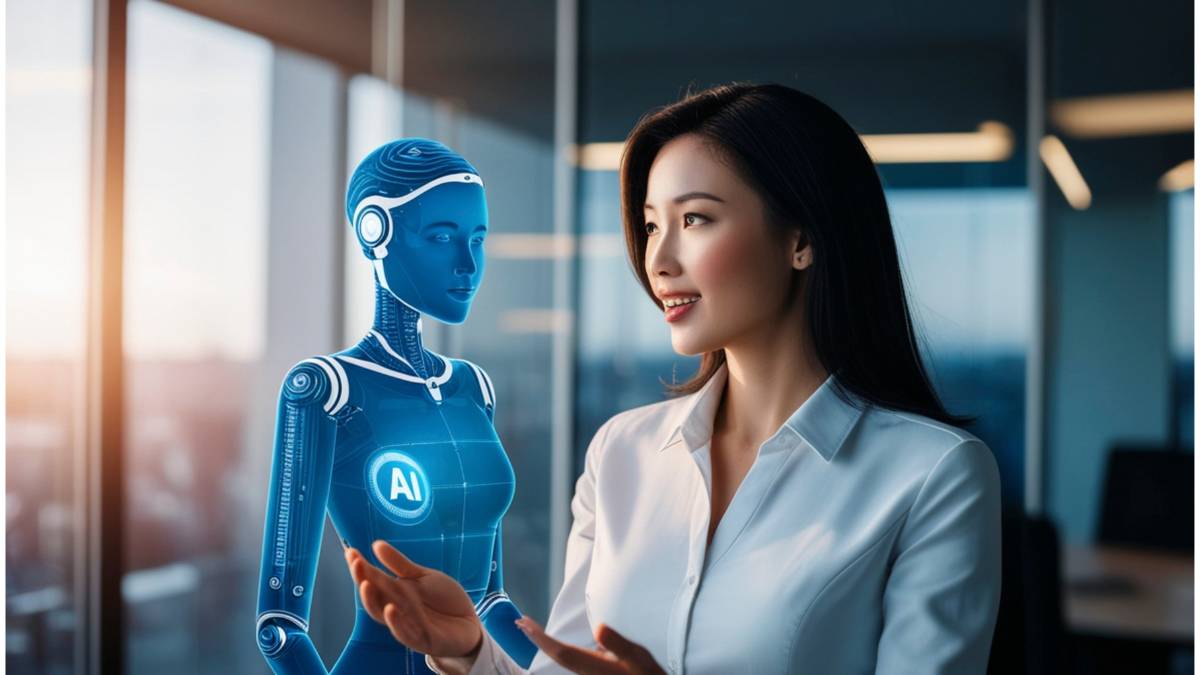
This guide takes a practical look at how an AI Avatar Generator is changing the way videos get made. Not in a flashy, futuristic way; more in a “this actually saves time and budget” kind of way. It walks through what AI avatars really are, where they make sense (and where they don’t), and how businesses are quietly using them for training, marketing, and multilingual content. There’s a breakdown of tools, pricing realities, customization options, even the trade-offs nobody talks about enough. If video production has started to feel slow or expensive, this gives a clearer picture of what switching to AI avatars actually involves.
Table of Contents
Introduction:
What Is an AI Avatar Generator and Why It Matters
Video used to mean lights, cameras, retakes, editing timelines, and someone brave enough to be on screen.
Not anymore.
An AI avatar generator lets you create a digital human presenter that speaks your script naturally, with realistic facial expressions, accurate lip sync, gestures, and even scene movement. No camera. No studio. No on-screen pressure. You type the script, choose an avatar, customize the background, and export a finished video in minutes.
And this isn’t a niche tool anymore. AI avatar video software is used across:
- Corporate training programs
- YouTube automation channels
- SaaS product demos
- Multilingual ad campaigns
- Internal communications
- eLearning platforms
- Social media ads at scale
The shift is simple: businesses want consistent, scalable video without production bottlenecks. Teams want faster turnaround. Creators want to publish without burnout. AI avatars sit right at that intersection.
This guide breaks down:
- What AI avatars actually are (and what they’re not)
- How AI avatar generators work behind the scenes
- The best AI avatar tools compared
- Free options and pricing models
- How to create your own custom avatar
- Where these avatars perform best (YouTube, Twitch, LinkedIn, LMS, and more)
If video feels expensive, slow, or unsustainable, AI avatar generators change that equation.
What Is an AI Avatar Generator?
What Is an AI Avatar?
An AI avatar is a digital human created using artificial intelligence that can speak, move, and present content on your behalf.
Unlike basic animated characters, modern AI avatars are built to look and behave like real people. They replicate:
- Facial micro-expressions
- Natural lip movement synced to speech
- Eye movement and blinking
- Subtle head and body gestures
- Voice tone variations
It’s important to separate a few commonly confused terms:
AI Avatars vs Animated Avatars
Animated avatars are typically cartoon-style or 2D characters. AI avatars are photorealistic or hyper-realistic digital humans designed to feel like real presenters.
AI Avatars vs Virtual Influencers
Virtual influencers are fictional personas built for branding and social media storytelling. AI avatars are tools used to deliver scripts, training content, marketing videos, and presentations.
Talking Avatars vs Acting Avatars
Some AI avatars simply deliver a script on a static background. Others can move within immersive environments, gesture dynamically, and simulate real scene interaction. The difference matters depending on your use case.
How AI Avatar Generators Work
At a high level, AI avatar generators combine several technologies:
- Text-to-video AI – Converts written scripts into spoken video presentations
- Voice synthesis or voice cloning – Generates natural speech from text
- Lip-sync modeling – Matches mouth movements precisely to speech
- Facial expression modeling – Adds emotional nuance
- Scene rendering engines – Place avatars in digital studios, offices, or custom environments
You enter a script. Choose a voice. Select an avatar. Customize the background and branding. Generate the video.
Behind that simple flow is a complex machine learning trained on thousands of hours of human movement and speech patterns. The result feels surprisingly natural, especially when used correctly.
AI Avatar Generator vs Traditional Video Production
The comparison isn’t even close in some scenarios.
Cost
Traditional video production involves cameras, lighting, editors, studio space, talent, and retakes. AI avatars reduce that to a software subscription.
Time
Recording a five-minute training video might take hours between setup, retakes, and editing. An AI avatar version can be generated in under 20 minutes once the script is ready.
Scalability
Need 10 language versions of the same video? With traditional production, that means new voice-overs or talent. With AI avatars, you duplicate the project and switch languages.
Localization
Global teams benefit immediately. AI avatars can deliver the same message in multiple languages with a consistent tone and presentation.
That consistency is often undervalued until you try scaling video across departments or regions.
Why AI Avatar Generators Are Replacing Traditional Video Creation
This shift isn’t about novelty. It’s about operational efficiency.
Here’s why businesses are leaning heavily into AI avatar video creation:
1. Production Without Bottlenecks
Forget about rigid schedules! Say goodbye to awkward moments and retakes when someone trips over their lines. And no more waiting around for editing – let’s keep the momentum flowing! Teams can produce video on demand.
2. Lower Cost Per Video
Once you factor in studio time, equipment, editing, and personnel, traditional production gets expensive fast. AI avatar generators flatten those costs into predictable subscription pricing.
3. Multilingual Video at Scale
Expanding into new markets used to require translation, voice talent, and localized shoots. Now, a single script can be translated and rendered across multiple languages in hours.
4. Consistent Brand Presence
An AI avatar doesn’t age, change appearance, or leave the company. That continuity matters for:
- Onboarding videos
- Product walkthroughs
- Compliance training
- Brand explainers
It builds familiarity.
5. Personal Brand Scaling
Creators who don’t want to be on camera, or simply can’t record daily, use AI avatars to maintain posting consistency. This is especially common in:
- Faceless YouTube channels
- Educational content
- Automated niche channels
6. Corporate Training & eLearning
This is where AI avatars quietly dominate.
Instead of slide decks with voiceovers, companies now create engaging presenter-led training without pulling executives or trainers into a studio.
The result? Faster rollouts. Easier updates. More engaging delivery.
Types of AI Avatar Generators (Choose the Right One)
Not all AI avatar tools are built the same. Choosing the wrong type can limit your results.
1. Talking Head AI Avatar Generators
These are the most common.
They place a realistic digital presenter in a virtual studio or neutral background. Ideal for:
- Corporate training videos
- HR onboarding
- Internal announcements
- AI spokesperson videos
If your goal is clarity and professionalism, this category works well.
2. Custom AI Avatar (Digital Twin)
This is where things get more advanced.
You record a base training video. The platform trains a digital version of you. That avatar can then speak any script you upload.
Benefits include:
- Brand authority (it looks like you)
- Consistent personal presence
- No need to record every new update
For founders, educators, and executives, this is powerful. It preserves time while maintaining familiarity.
3. Ready-Made AI Avatar Libraries
Many platforms offer large libraries of pre-built avatars; often:
- 240+ realistic AI avatars
- 1,000+ diverse options
- Different ethnicities, professions, and styles
These are plug-and-play.
Choose an avatar that fits your audience: corporate, casual, technical, creative, and start producing immediately.
It’s simple, scalable, and usually more affordable than custom avatars.
4. Cartoon & Brand Mascot Avatar Generators
Not every brand needs realism.
Some businesses benefit more from stylized avatars or mascot-style presenters. These are commonly used for:
- AI avatar logo creation
- Brand identity videos
- Social media profile visuals
- Explainer content for younger audiences
They’re less formal, more expressive, and often more memorable.
5. Acting & Scene-Based AI Avatars
This is the newer category gaining traction.
Instead of a static presenter, these avatars:
- Move within immersive scenes
- Use more expressive gestures
- Simulate environmental interaction
- Deliver emotional cues more dynamically
They’re ideal for storytelling, product demonstrations, and marketing videos that require more than just “talking head” delivery.
As the technology improves, this category will likely define the next stage of AI avatar content.
The key takeaway: the best AI avatar generator isn’t about hype or feature lists. It’s about matching the avatar type to your specific goal: training, marketing, automation, branding, or scale.
And once that alignment is clear, everything else becomes easier.
10 Best AI Avatar Generators
There are dozens of AI avatar tools on the market right now. Some are built for enterprises rolling out training at scale. Others are clearly designed for creators trying to publish faster. A few try to do both, with mixed results.
Instead of listing features blindly, it helps to look at what each platform is actually best at. Because the “best AI avatar generator” depends entirely on your use case.
Let’s break them down properly.
1. Synthesia
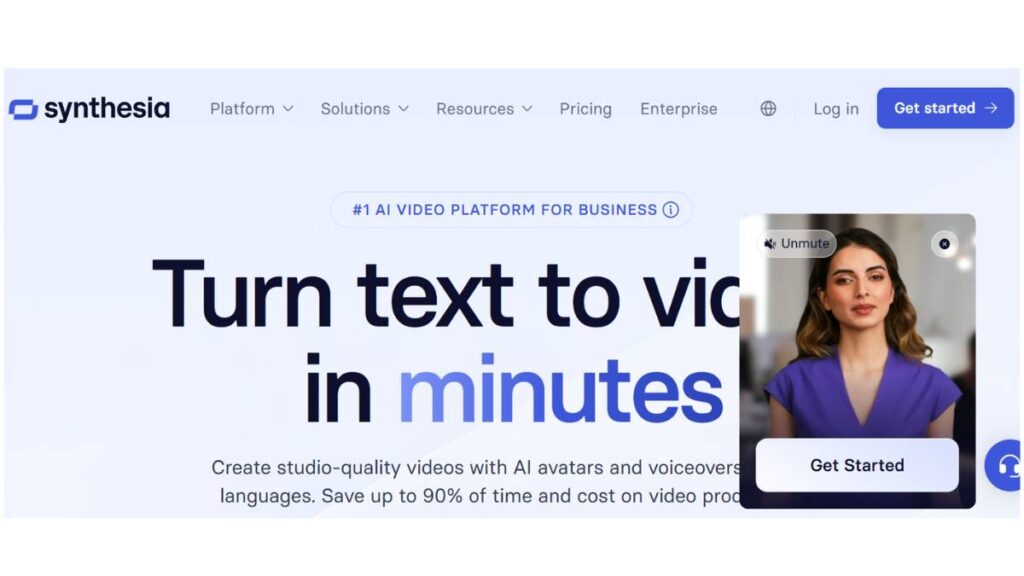
Best for: Enterprise AI avatar videos and corporate training
Synthesia has positioned itself as the safe, structured, enterprise-ready option. And that’s exactly how it feels. Clean interface. Strong compliance standards. Reliable output.
Key strengths:
- 230+ realistic AI avatars
- 120+ languages and accents
- Custom digital twin option
- Structured templates for training and internal communications
- Team collaboration features
If you’re building onboarding videos, compliance modules, product walkthroughs, or multilingual internal content, this platform handles scale well.
Where it shines:
- Consistency across departments
- Large language support
- Corporate-ready output
Limitations:
- Pricing sits on the higher side
- Less experimental in terms of creative storytelling
This is the “safe bet” for serious business use.
2. HeyGen
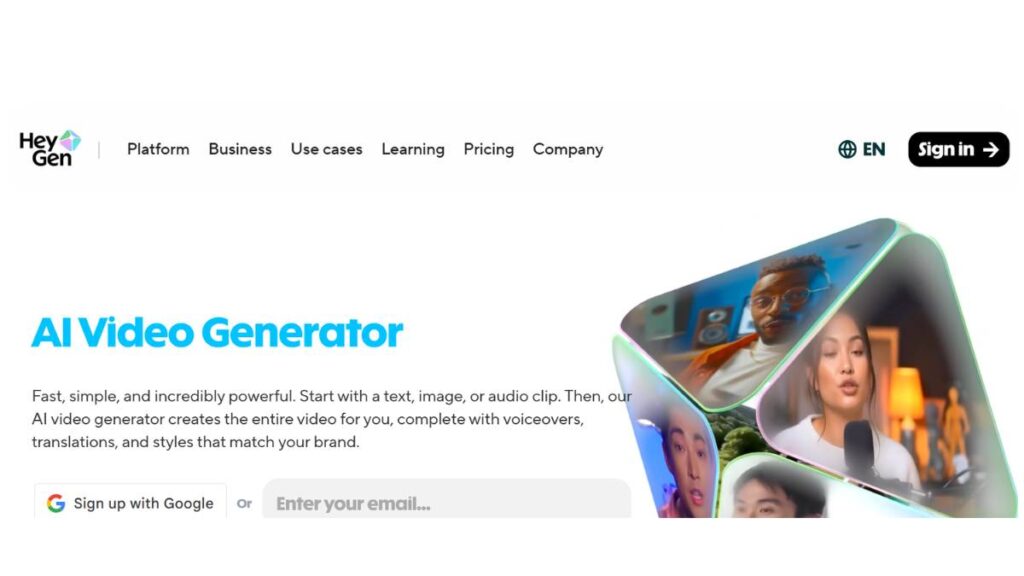
Best for: Marketing teams and content creators who want realism
HeyGen leans heavily into hyper-realistic avatars and expressive delivery. The facial movements and lip-sync accuracy are noticeably strong.
What stands out:
- Highly realistic AI avatars
- Voice cloning capabilities
- API access for automation
- Marketing-focused templates
If you’re producing product demos, ad creatives, or personalized outreach videos, this tool feels built for that energy.
Where it performs well:
- Social media marketing
- Personalized video campaigns
- Creator-led content
It’s slightly more flexible and creative than enterprise-heavy platforms, which makes it attractive for growth teams.
3. Colossyan
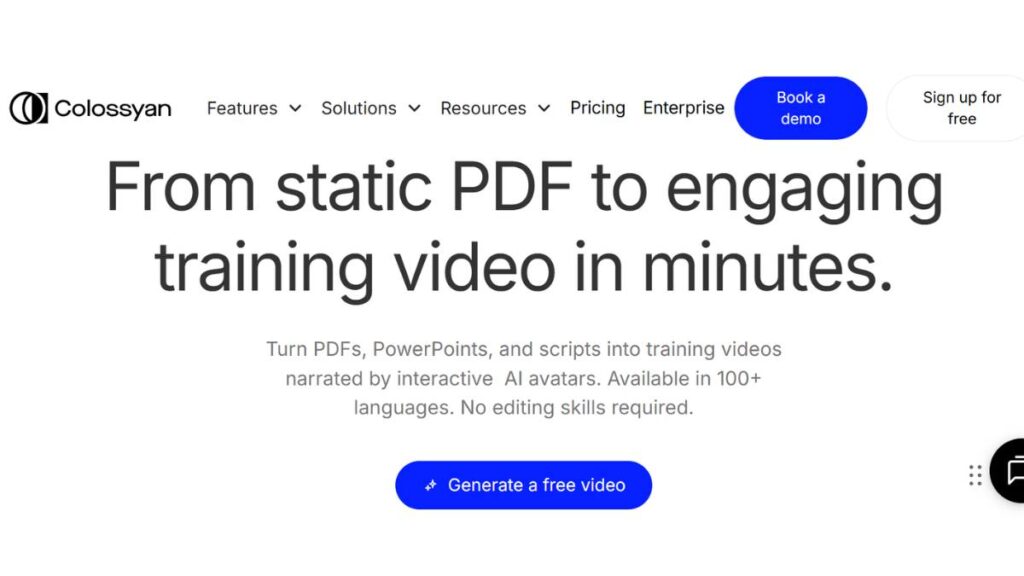
Best for: Scenario-based corporate learning
Colossyan has carved out a niche in structured learning content. Instead of static “talking head” videos, it allows scene-based training scenarios with multiple avatars interacting.
Core strengths:
- Scenario-driven videos
- Corporate learning focus
- Team-based editing
- Structured training flows
If you’re building compliance training, onboarding simulations, or role-play scenarios, this platform offers more flexibility in narrative structure.
Less focused on flashy marketing. More focused on structured education.
4. DeepBrain AI
Best for: Real-time AI humans and news-style presentation
DeepBrain AI is interesting because it pushes into real-time AI presenter territory. Think digital news anchors or interactive kiosk presenters.
Key features:
- Real-time AI human rendering
- News-style avatars
- Enterprise-level deployments
- Interactive AI experiences
This is more advanced and less plug-and-play. It’s often used in broadcasting, events, or public-facing installations.
For standard marketing teams, it may feel heavy. For large-scale enterprise environments, it’s powerful.
5. D-ID
Best for: Image-to-video AI avatars and creative storytelling
D-ID became popular for turning static photos into speaking videos. That functionality still makes it appealing for creative use cases.
What it offers:
- Image-to-video AI avatars
- Strong API capabilities
- Flexible integration
- Creative campaign use
If you want to animate historical figures, build interactive storytelling experiences, or experiment with character-driven content, this tool gives more creative freedom.
It’s less corporate, more experimental; in a good way.
6. Elai.io
Best for: E-learning and structured educational content
Elai.io focuses heavily on training and educational workflows.
Highlights:
- E-learning avatar creator
- Slide-to-video conversion
- Interactive quiz integration
- Corporate learning environments
For educators and training managers, this can streamline content creation without complex production processes.
It’s straightforward. Efficient. Built for instructional clarity.
7. Rephrase.ai
Best for: Personalized marketing at scale
Rephrase.ai is built around personalization. It allows businesses to generate large volumes of customized videos using AI avatars.
Key capabilities:
- Bulk video generation
- Personalized marketing messages
- CRM integrations
- Campaign-based automation
This works well for sales outreach, personalized customer onboarding, or segmented marketing campaigns.
If personalization is central to your strategy, this tool stands out.
8. Hour One
Best for: Photorealistic corporate presenters
Hour One focuses on professional, highly polished AI presenters.
What you get:
- Photorealistic avatars
- Corporate presentation formats
- Clean studio-style environments
- Structured business use cases
It competes closely with enterprise-level platforms but leans into strong visual realism.
Ideal for:
- Internal communications
- Investor updates
- Product explainers
It’s professional, stable, and visually refined
9. Camtasia (AI Avatar Feature)
Best for: Screen recording plus AI avatar overlay
Camtasia is traditionally known as a screen recording and editing tool. Its AI avatar integration adds a presenter element to tutorials and walkthrough videos.
Best suited for:
- Software demos
- Tutorial videos
- Training walkthroughs
- Educational screen recordings
If your content heavily relies on screen capture, this hybrid setup works well. It’s less about a standalone avatar presentation and more about an enhanced instructional video.
10. Zeely
Best for: AI avatar ads and social media marketing
Zeely leans into marketing-first use cases.
Key strengths:
- AI-generated avatar ads
- Social media campaign focus
- Short-form content optimization
- Performance-driven templates
For small businesses and ecommerce brands running paid campaigns, this platform simplifies creative production.
It’s less about corporate structure. More about speed and marketing execution.
So Which AI Avatar Generator Is Actually “Best”?
There isn’t a single winner.
- For enterprise training – Synthesia or Hour One
- For marketing teams – HeyGen or Zeely
- For personalized outreach – Rephrase.ai
- For scenario-based corporate learning – Colossyan
- For experimental storytelling – D-ID
- For real-time AI humans – DeepBrain AI
- For tutorial-heavy content – Camtasia
- For structured eLearning – Elai.io
The real decision comes down to three questions:
- Are you prioritizing realism or scalability?
- Do you need multilingual support at scale?
- Is this for marketing, training, or automation?
Once those answers are clear, the choice becomes obvious.
AI avatar generators aren’t just a trend anymore. They’re infrastructure for modern video production. The only real question is how you plan to use them.
Best Free AI Avatar Generators
Everyone wants to know the same thing first: can this be done for free?
Short answer: yes.
Real answer: sort of.
Most AI avatar generators offer either a free trial or a stripped-down plan. That usually means limited minutes, fewer avatars, lower export quality, or a watermark stamped across the final video. Not ideal for campaigns, but perfectly fine for testing.
And testing matters.
Before committing budget, it’s smart to check three things:
- Does the avatar look natural enough for the intended audience?
- Is the voice believable or slightly robotic?
- How long does rendering actually take?
Free plans let you answer those questions without pressure.
What tends to be limited on free tiers:
- Access to premium or highly realistic avatars
- Voice cloning features
- HD or 4K exports
- Bulk video generation
- Commercial usage rights in some cases
That said, free access is more than enough for:
- Experimenting with YouTube automation concepts
- Creating internal draft presentations
- Testing ad variations
- Validating whether avatar-led videos fit your brand
One small tip that often gets overlooked: use free trials strategically. Don’t waste them testing random scripts. Prepare your content in advance so you can properly evaluate quality during the trial window.
Free tools are for validation. Paid plans are for scale. There’s a difference.
Enroll Now: AI Marketing Course
How to Create an AI Avatar (Step-by-Step Guide)
The mechanics are simple. The strategy behind it is where most people slip.
There are two main routes: using a ready-made avatar or creating a custom digital twin. Both work. The choice depends on how personal the content needs to feel.
How to Create an AI Avatar from Text
This is the fastest way to get started.
The process itself is straightforward; almost deceptively so. But the script quality determines everything.
You begin by writing your script. Keep sentences tighter than usual. Avoid long academic phrasing. Add natural pauses. AI avatars perform better when the script feels conversational rather than formal.
Once the script is ready:
- Paste it into the platform editor
- Choose a voice that matches your audience (professional, friendly, assertive, neutral)
- Select an avatar aligned with your brand tone
- Customize background, layout, and on-screen text
- Generate preview
- Adjust pacing if needed
- Export
The preview step is important. Sometimes a line reads well but sounds awkward when spoken. Minor rewrites make a big difference.
This method works well for:
- Product walkthroughs
- Explainer videos
- Training modules
- Social media content
It’s efficient. Clean. Scalable.
How to Turn Yourself Into an AI Avatar (Custom Digital Twin)
This is where things get serious.
A digital twin allows an avatar that looks and sounds like you to deliver any script without additional recording. It’s powerful, especially for founders, educators, and executives who want presence without constant filming.
The usual workflow:
- Record a high-quality training video in controlled lighting
- Follow the platform’s script requirements for voice and facial modeling
- Upload the footage for processing
- Wait for approval and quality review
Once created, the avatar can speak new scripts instantly.
There are a few things to consider before going this route.
First, lighting and audio quality during recording matter more than people expect. A rushed recording session can affect long-term output quality.
Second, read the usage policies carefully. Ownership and consent should be clearly defined. A digital likeness is an asset. Treat it like one.
Custom avatars are ideal when authority and familiarity matter. They’re less necessary for general marketing content.
How to Create an Avatar on Phone
Mobile AI avatar apps are becoming surprisingly capable. They won’t replace full desktop platforms for complex projects, but for short-form content? They’re practical.
Typical flow on mobile:
- Choose avatar style (realistic or animated)
- Enter script
- Select voice and language
- Export in vertical format
These apps are built with social platforms in mind. So export settings are optimized for:
- Instagram Reels
- TikTok
- YouTube Shorts
Speed is the advantage here. A short educational clip can go from idea to upload in under an hour.
How to Create an Avatar Logo for Your Brand
Not every brand needs a hyper-realistic digital human. Sometimes a stylized character or mascot works better.
An avatar logo functions differently. It’s less about realism and more about recognizability.
The process usually involves:
- Defining brand personality (serious, playful, technical, bold)
- Designing a character concept
- Animating basic expressions and gestures
- Integrating brand colors and typography
- Maintaining consistency across channels
A strong avatar logo becomes part of brand memory. Think of it as a spokesperson who never changes tone or mood unless designed to.
For startups and online educators, especially, this approach builds identity quickly.
How to Create AI Avatar Videos in Synthesia
Synthesia has become a common reference point for structured AI avatar video production, particularly in corporate environments. The workflow feels organized, which matters when multiple teams are involved.
Here’s how the process typically unfolds.
Choose a Template
The platform offers pre-designed layouts for different use cases:
- Employee training
- Compliance modules
- Product presentations
- Internal updates
Templates reduce friction. Instead of starting from scratch, you plug your message into a proven structure.
Select an Avatar
You can choose from a wide library of presenters with varying styles and appearances. The key here isn’t just picking someone who looks polished; it’s alignment.
A finance training module may require a different tone than a startup onboarding video. Subtle differences matter.
If a custom digital twin is available, this is where it comes into play.
Add Script and Structure Scenes
The script is divided into scenes. Each scene can include:
- On-screen text
- Slides
- Visual elements
- Background changes
Breaking content into smaller sections improves pacing. Long, uninterrupted speeches feel unnatural, even with AI avatars.
Adjust Language and Voice
One of the strongest advantages is multilingual capability. The same script can be rendered in different languages without re-recording.
This becomes powerful for:
- Global onboarding
- International product launches
- Multilingual marketing campaigns
Consistency across markets is hard to achieve with traditional production. This simplifies it.
Review and Export
Preview carefully. Small pronunciation tweaks or sentence restructuring can elevate the final result.
Once finalized, export in the desired resolution and distribute across:
- LMS platforms
- Internal portals
- YouTube
- Sales decks
- Social media
The reason this workflow works well in structured environments is predictability. Once a format is defined, it can be replicated at scale without quality drift.
And that’s really the point. AI avatar generators aren’t just about novelty anymore. They’re about reducing friction in video production while keeping presentation standards intact.
Used thoughtfully, they become part of the content infrastructure, not just a tool.
How to Use AI Avatars on Different Platforms
How to Upload an AI Avatar to Twitch
Twitch is a different beast compared to standard video platforms. It’s live-first. Fast-moving. Community-driven. So dropping in an AI avatar isn’t just a technical decision; it’s a positioning one.
Technically, the setup is straightforward. The AI avatar video feed runs through streaming software like OBS and gets added as a media source or virtual camera input. From there, it behaves like any webcam feed. Alerts, overlays, chat widgets; all layered on top.
But here’s where most people misjudge it.
Twitch viewers expect presence. Real-time reactions. Imperfections. An AI avatar works best in structured segments: intro monologues, sponsored reads, recurring educational segments; rather than as a full-time replacement for live interaction. Some creators mix formats: live face cam for gameplay, AI avatar for scripted breakdowns or announcements. That balance tends to feel more natural.
There’s also the PNGTuber comparison that comes up a lot. PNGTubers react to audio levels with static images. AI avatars are different. They deliver scripted dialogue with lip sync and gestures. Less reactive, more controlled. Each has its place. On Twitch, controlled segments usually win.
Transparency matters too. Audiences are smart. If an AI avatar is being used, acknowledging it upfront often builds more trust than pretending otherwise.
Can You Embed an AI Avatar in YouTube Videos?
Short answer: yes. And honestly, this is where AI avatar generators fit most cleanly.
YouTube doesn’t care how a video is produced; it cares whether it’s useful, original, and engaging. AI avatar videos export as standard MP4 files, so technically, there’s nothing complicated about uploading them.
The bigger conversation is format.
For YouTube Shorts, AI avatars work well when scripts are tight and pacing is sharp. Quick hooks. Fast delivery. Minimal pauses. The avatar becomes a structured presenter rather than just a talking head.
For long-form content, though, static delivery can hurt retention. The fix isn’t complicated; break the script into segments, switch backgrounds, and add supporting visuals or screen recordings. Even subtle motion changes make a difference. Viewers may not consciously notice, but they feel it.
Monetization questions come up often. As long as the content itself is original and not reused spam, AI presenters are fine. What tends to get channels in trouble isn’t the avatar; it’s low-effort scripting.
Educational channels, explainer content, and even finance summaries have quietly adopted AI avatars at scale. The consistency is hard to ignore. One brand voice. Multiple videos. No scheduling headaches.
Using AI Avatars for LinkedIn, Instagram, TikTok, and LMS Platforms
Each platform has its own rhythm.
On LinkedIn, AI avatar videos tend to perform best when they’re direct and professional. Clear message. Confident delivery. No flashy gimmicks. A consistent digital presenter can actually reinforce brand authority over time, especially for B2B companies sharing updates or insights.
Instagram Reels and TikTok are less forgiving. Attention spans are short. The first three seconds matter more than the rest combined. AI avatars can work, but only if the script respects the platform. Short sentences. Strong hooks. Minimal fluff. When pacing drags, scroll happens instantly.
For corporate LMS platforms, AI avatars feel almost built for the job. Onboarding modules, compliance refreshers, cybersecurity training; these don’t need cinematic storytelling. They need clarity and repeatability. When policies change, scripts get updated and re-rendered. No reshoots. No studio bookings.
Even on website landing pages, a short AI avatar welcome video can reduce bounce rates. A human-like presenter guiding visitors through the next steps feels more engaging than blocks of text. Not magic; just psychology.
The key across platforms is alignment. Same avatar. Different tone. Adjust delivery based on context.
AI Avatar Generator Pricing Comparison
Pricing is where expectations often get reset.
At first glance, some AI avatar generators look expensive. Monthly subscriptions, minute limits, and add-on fees. But comparing them directly to traditional production changes the perspective quickly.
Most platforms structure pricing in tiers.
Entry-level plans usually include limited video minutes and access to a standard avatar library. These work for solo creators or small teams experimenting with YouTube automation or short-form marketing.
Mid-tier plans add collaboration tools, higher video limits, better export quality, and sometimes API access. Agencies and in-house marketing teams often land here. Enough flexibility without enterprise pricing.
Enterprise plans are a different category. Custom digital twins. Dedicated support. Advanced compliance controls. Sometimes, private deployment options. Pricing here isn’t publicly listed for a reason.
A few hidden cost factors deserve attention:
- Custom avatar creation fees
- Voice cloning upgrades
- Extra language packs
- API usage limits
- Commercial licensing terms
It’s easy to look at monthly pricing in isolation. Smarter comparison looks at production cycles. Studio rentals, camera gear, editing hours, talent fees, reshoots; those costs stack quietly over time.
AI avatar generators compress that process into scripting and rendering. Not zero effort. But a predictable effort.
For companies producing dozens, sometimes hundreds, of internal training videos per year, the economics become obvious fairly quickly.
Still, not every business needs enterprise-level features. Overpaying for capabilities that won’t be used is common. The right pricing tier usually matches output volume, not ambition.
AI Avatar Use Cases
AI avatar generators aren’t confined to one niche anymore. They’ve moved into practical, everyday business workflows; often without much noise.
Corporate training videos are one of the strongest fits. HR teams use AI presenters for onboarding sequences, compliance training, and recurring policy updates. The advantage isn’t just cost. It’s consistency. Every employee receives the same explanation, delivered the same way.
For HR onboarding, avatars provide structure. Instead of handing new hires a dense document, companies create guided video modules. It feels more personal than text, but doesn’t require managers to repeat the same presentation every month.
In product demos, especially for SaaS companies, AI avatars serve as clean presenters. They introduce the feature, walk through the interface, and close with the next steps. When the product updates, the script changes. That’s it. No reshoots.
YouTube automation channels have leaned heavily into AI avatars. Educational niches, tech explainers, and finance breakdowns; these formats depend more on clarity than personality. An AI presenter keeps output steady without the burnout that often hits solo creators.
For faceless brands, avatars solve an identity problem. Not every company wants its messaging tied to a single founder or spokesperson. A digital presenter creates continuity without locking the brand to one individual.
Personal branding at scale is another interesting shift. Consultants and educators serving international audiences use custom avatars to produce multilingual versions of the same message. The face remains consistent. The language adapts. That kind of scalability wasn’t simple a few years ago.
In eLearning environments, AI avatars provide structured delivery. Course creators update modules quickly when information changes. That flexibility matters more than cinematic polish.
And then there’s multilingual marketing. Instead of dubbing or hiring separate presenters for each region, one avatar can deliver localized messaging with synchronized lip movement. It’s subtle, but viewers notice when speech and visuals align naturally.
Across all these use cases, a pattern shows up.
AI avatars aren’t about novelty anymore. They’re about removing friction from content production. Less coordination. Fewer bottlenecks. More output.
And in marketing, volume, consistency, and speed usually win.
AI Avatar Customization Features to Look For
Not all AI avatar generators are built the same. Some look impressive in demos but fall short once real production begins. The difference usually comes down to customization. Surface-level features are easy to copy. Deep control is not.
Voice cloning is often the first thing people look at. A strong system doesn’t just replicate tone; it handles pacing, pauses, and emphasis. Natural speech isn’t perfectly smooth. It breathes. If the cloned voice sounds overly polished or flat, viewers feel it immediately, even if they can’t explain why.
Lip sync accuracy matters more than most expect. Slight mismatches between audio and mouth movement break immersion quickly. In short clips, it might go unnoticed. In longer training modules or product demos, it becomes distracting.
Then there’s emotional expression. Some avatars deliver everything in the same neutral tone. Others allow subtle variation; enthusiasm for announcements, seriousness for compliance training, warmth for onboarding. That emotional flexibility can make or break viewer engagement.
Gesture control is another overlooked feature. Controlled hand movements, posture shifts, and eye focus make the presenter feel less static. Too much motion looks unnatural. Too little feels robotic. The best platforms strike a balance.
Background and scene customization is where branding starts to show up. Being able to:
- Adjust lighting styles
- Insert branded backgrounds
- Add on-screen graphics or slides
- Change camera framing
These details shape perception. A training video should not feel like a TikTok ad. Context matters.
Script editing flexibility also plays a role. The ability to tweak pacing, adjust pronunciation, or insert pauses helps refine delivery. Especially for technical industries where terminology needs precision.
And finally, brand identity customization. Fonts, logo placement, lower-thirds, color schemes. Small touches, but over time, they reinforce consistency. When AI avatars become part of a broader content ecosystem, cohesion becomes important.
The smartest approach isn’t chasing the most features. It’s identifying which customization options align with long-term content goals.
AI Avatar Generator vs AI Influencer vs VTuber Model
These terms often get mixed together, but they serve different purposes.
An AI avatar generator is primarily a production tool. It creates digital presenters that deliver scripted content: training videos, marketing messages, and product walkthroughs. The focus is on efficiency and scalability.
An AI influencer, on the other hand, is more of a brand entity. It’s a digital personality designed to build an audience over time, often on social media. The goal isn’t just content delivery. It’s engagement, storytelling, and brand partnerships.
Then there’s the VTuber model. VTubers typically use animated or 3D characters controlled in real time, often through motion capture or facial tracking. The appeal is personality-driven entertainment; live interaction, gaming streams, and community building.
The differences show up clearly when you look at a commercial application.
AI avatar generators excel in structured environments:
- Corporate communication
- Educational content
- Multilingual marketing
- Scalable internal messaging
AI influencers operate more like digital celebrities. They require ongoing content strategy, audience development, and brand positioning.
VTubers thrive in live, interactive spaces where spontaneity matters more than scripted precision.
Scalability also differs. AI avatars are built for repetition and volume. Influencers, digital or human, depend on persona evolution and audience loyalty. VTubers rely heavily on live energy.
Choosing between them isn’t about technology preference. It’s about the business objective. Structured communication? Go with an AI avatar generator. Building a media personality? That’s a different lane entirely.
Limitations & Ethical Considerations
AI avatars bring efficiency. That much is clear. But there are real considerations that shouldn’t be ignored.
Deepfake risks sit at the top of the list. Any technology capable of replicating a human face and voice can be misused. Responsible platforms typically require consent verification before creating custom digital twins. That layer of accountability matters.
Consent issues extend beyond creation. If an employee leaves a company, who controls the digital version of their likeness? Contracts should define usage rights clearly. It’s not just a technical question; it’s a legal one.
There are also platform policies to consider. Social networks increasingly require transparency around synthetic media. While policies vary, being upfront about AI-generated presenters tends to reduce friction.
Another limitation is realism. Even with advances in facial rendering and voice synthesis, viewers can sometimes sense subtle artificial cues. For high-emotion storytelling or cinematic advertising, traditional production may still outperform avatars.
There’s also the risk of overuse. When every video feels identical, same tone, same structure, same background, audiences disengage. AI avatars solve production bottlenecks, but creative strategy still matters.
Transparency, consent, and responsible deployment should be baseline standards. Used thoughtfully, AI avatars expand possibilities. Used carelessly, they create trust issues.
Conclusion:
Which AI Avatar Generator Is Best for You?
There isn’t a universal “best” AI avatar generator. There’s only the best fit for specific goals.
For marketers, flexibility and multilingual support often matter most. Quick turnaround. Strong voice options. Easy branding controls. The goal is campaign velocity without sacrificing polish.
For enterprises, security, compliance, and scalability take priority. Custom digital twins, team collaboration tools, and predictable output volume become more important than flashy features.
For creators, especially those running YouTube automation channels or educational platforms, pricing structure and ease of scripting usually decide the outcome. A tool that simplifies workflow wins.
For educators, clarity and consistency come first. The avatar doesn’t need cinematic realism. It needs steady delivery and reliable updates when curriculum changes.
For beginners testing free AI avatar tools, the focus should be on learning the process. Understand scripting rhythm. Experiment with pacing. Evaluate export quality. Free plans often include limitations, but they’re useful for experimentation.
The bigger decision isn’t just about features. It’s about content strategy.
AI avatar generators remove production friction. They don’t replace messaging, positioning, or audience understanding. When paired with clear communication goals, they become powerful tools.
When used without strategy, they’re just another piece of software.
Choose based on where content is headed, not just what looks impressive today.
FAQs:
Do I need to appear on camera to create an AI avatar?
No. In most cases, there’s no need to step in front of a camera at all. Ready-made AI avatars handle the presentation, and the script does the heavy lifting. A camera only becomes part of the process when creating a custom digital twin. Otherwise, everything happens behind the screen. Quietly. Efficiently.
Can I customize AI-generated videos with my brand identity?
Yes, and skipping customization usually makes the video feel generic. Most AI avatar generators allow changes to colors, fonts, logo placement, and backgrounds. Some even let you adjust tone and pacing. Small tweaks go a long way. Without them, every video starts looking like it came from the same template.
Can I use AI avatars for commercial purposes?
Generally, yes, but it depends on the plan. Paid subscriptions typically include commercial rights for ads, training, and monetized content. The fine print matters, though. Licensing terms, voice cloning permissions, and distribution limits vary. Reviewing those details upfront prevents problems later, especially for larger campaigns.
Are AI avatars legal to use?
They are legal when used responsibly. Consent is the main issue. Using platform-provided avatars is usually straightforward. Creating a digital replica of a real person requires documented approval. Legal risks appear when likenesses are copied without permission or when synthetic content is used in misleading ways.
Which AI avatar generator is best for YouTube?
The best option for YouTube isn’t always the most realistic one. What matters more is pacing, voice quality, and flexibility with scenes. Long-form content needs variation to keep viewers engaged. Short-form needs tight scripting. A tool that allows quick edits and dynamic visuals tends to perform better over time.
Which AI avatar generator is best for businesses?
Businesses usually prioritize reliability and scalability over novelty. Strong collaboration tools, multilingual support, and brand control features matter more than flashy effects. Enterprise-focused platforms often provide custom avatars and compliance safeguards. The right choice fits into existing workflows without adding unnecessary complexity.
What is the most realistic AI avatar generator?
Realism depends on facial detail, voice modulation, and subtle gestures. Some platforms focus heavily on photorealistic output, others balance realism with speed. But perfect realism isn’t always required. For training or internal communication, clarity and consistency often outperform cinematic detail.
Can AI avatars speak multiple languages?
Yes, and this is one of their strongest advantages. Many AI avatar generators support dozens of languages, sometimes more than a hundred. Advanced systems adjust lip movements to match pronunciation. For global marketing or internal teams spread across regions, this simplifies production dramatically.
Is there a free AI avatar generator with no watermark?
Truly free, watermark-free tools are rare. Most platforms offer limited trials, but exported videos often include branding. Some allow short test videos without watermarks under certain conditions. For professional use, a paid plan is usually necessary. Free options are better suited for experimentation than long-term production.
How long does it take to create a custom AI avatar?
It varies. Recording the base footage might take under an hour. Approval and processing can take several days, depending on the platform. Once the avatar is ready, generating new videos becomes fast. The initial setup requires patience. After that, production moves quickly.
Can I create a studio-quality custom avatar?
Yes, but the input quality matters more than people expect. Clear audio, proper lighting, and controlled recording conditions improve the final result significantly. While it may not replace high-end film production, a well-prepared digital avatar can look polished enough for corporate communication and marketing campaigns.
What’s the difference between 2D and 3D AI avatars?
2D AI avatars resemble realistic presenters displayed on flat backgrounds. They focus on facial animation and speech. 3D avatars are fully modeled characters that move within virtual environments. 3D works well for immersive or interactive experiences. For structured business videos, 2D often feels simpler and more practical.
Can AI avatars act or only talk?
Modern AI avatars can gesture and show basic expressions, but they perform best in structured presentations. They’re built for clarity and consistency, not dramatic storytelling. For marketing messages, training videos, and product walkthroughs, that level of performance is usually more than enough.
Is this feature available in all Camtasia plans?
Not always. AI-related features within Camtasia depend on the specific plan and licensing tier. Some advanced capabilities may require higher-level subscriptions or add-ons. Since plan details change occasionally, it’s worth checking the current offering directly before making assumptions.