

An AI Script Generators aren’t some magic trick. Think of it more like a helpful sidekick for when content creation gets messy, because it always does. This post digs into what these tools actually do, how they can save hours of fumbling around, and why having a structured draft can make a world of difference, whether it’s for videos, podcasts, webinars, or social posts. You’ll get a sense of what features actually matter; stuff like sections that make sense, ways to adjust tone, and how to slot scripts into real workflows.
There’s also a rundown of seven tools that are worth trying in 2026, plus tips for picking the right one. By the end, it’s obvious that these generators speed things up without doing the thinking for you, and sometimes they throw out ideas you wouldn’t have thought of otherwise.
Introduction
An AI script generator is basically a shortcut. Instead of staring at a blank page and wondering how to start, these tools give you a draft you can actually work with: videos, ads, podcasts, webinars… You name it. Sure, it won’t nail everything perfectly, but it gives you structure, and honestly, that’s half the battle right there.
Why bother? Well, making content is messy. Ideas jump around. Sentences lose track of themselves. You forget the main point halfway through. Having a script ready to tweak can save hours. And sometimes, it sparks ideas you wouldn’t have thought of on your own. A little nudge, that’s all it takes to turn a topic into something watchable or readable.
And reach matters, too. A clean, structured script doesn’t just make life easier for the creator. It makes it easier for people to follow along, and yeah, platforms can parse it better, too. That means all that work actually stands a chance of being seen, whether it’s a video, a social post, or a podcast episode.
Table of Contents
Understanding AI Script Generators
What is an AI Script Generator?
Put simply, it’s software that can take a topic or prompt and turn it into a script that actually makes sense. Not just random paragraphs. Sections, transitions, even hooks that grab attention. It’s not magic; it’s pattern recognition at its core, but it feels like a helper sitting beside you.
Some key things it does differently from just a text editor:
- Structured output: It lays out sections and bullet points, so ideas don’t get lost.
- Hooks and openings: The first few lines are designed to get attention.
- Calls-to-action: Reminds the audience what to do next without being preachy.
These tools aren’t limited to one format either. Short social clips, YouTube videos, podcasts, webinars, ads; you can throw almost anything at them and get something you can work with.
How Script AI Works
It works off prompts. You give it a topic or an outline, and it fills in the gaps. Sections, bullet points, transitions; it tries to mimic how humans structure content. The output usually isn’t perfect. Sometimes the phrasing is a bit off, or it misses a subtle nuance. That’s okay. The key is that it gives a starting point that’s already organized.
The advantage here is consistency. You don’t have to remember the order of every point. The flow is there, which makes editing faster. Less scrambling, more tweaking.
Why Use AI for Script Writing (Benefits)
There are a few reasons people lean on these tools.
- Time-saving: Instead of drafting everything from scratch, you have a framework in place.
- Consistency: Tone and structure stay on track, which is especially useful if multiple people are working on content.
- Idea generation: Sometimes the generator suggests angles you hadn’t thought of, or phrasing that sticks.
- Accessibility: Beginners get guidance; pros get speed. Either way, you start closer to something usable.
The big thing is it doesn’t replace thinking; it just gives a leg up.
Types of Scripts AI Can Generate
Not all scripts are created equal. Depending on the tool and your input, it can handle:
- YouTube & social video scripts: Short, punchy, designed to keep eyes on the screen.
- Webinar & live presentations: Longer, more structured, with transitions that make sense.
- Podcasts or explainers: Story-driven, flowing naturally, easy to follow.
- Product ads: Tight, persuasive, and aimed at results.
And yes, it works for both short-form and long-form content. It’s flexible, which is why it’s becoming a staple in so many creator workflows.
How to Optimize Your Blog for AI Search (SGE & AEO)
What AI Search Means
Search isn’t just typing a keyword and hoping for the best anymore. People want quick answers, summaries, overviews; they skim first, click later. Content that’s clear, structured, and easy to digest has a real advantage.
It’s less about clever phrases and more about readability. Headers, short paragraphs, bullet points; stuff that helps the reader scan. A script or a blog that’s messy? Harder for people to follow, and harder for algorithms or automated systems to pick up.
SEO + AI Search Best Practices
What works in practice:
- Clear headings: Make it obvious what’s coming in each section.
- Step-by-step lists: Break complex processes into small chunks.
- Examples & tables: Real-world examples help the reader grasp the point faster.
- Answer real questions: Think about what someone would actually ask. Give straight answers.
The goal isn’t just ranking; it’s making the content actually useful. People notice when a post feels easy to follow and actionable.
How Google AI Selects Content to Show in Overviews
When systems pull content for summaries, a few things matter:
- Conciseness: Quick answers get picked up more often.
- Structure: Lists and numbered points stand out.
- Clarity and accuracy: If a paragraph rambles or is vague, it gets ignored.
Basically, the easier it is for the system, or a human, to parse your content, the more likely it will surface in a summary or overview.
Core Features of Top AI Script Generators
Structured Script Output
The strongest tools give something you can follow immediately. Sections, bullet points, and even suggested transitions. Not perfect sentences, but the skeleton is there. It saves time, and for video creators, that’s huge.
Customization & Tone Controls
Some tools let you tweak tone. Professional, casual, playful, serious; you can adjust to match your audience. That means less rewriting and more consistency in voice across platforms.
Integration with Video Production
The best ones don’t stop at text. They can tie scripts to video workflows, planning visuals, subtitles, or voiceovers. That makes producing content a smoother process. One place to plan it all instead of bouncing between apps.
Collaboration & Team Features
For teams, real-time collaboration is a lifesaver. Everyone can tweak prompts, edit sections, and keep track of versions without stepping on each other’s toes. Helps maintain quality and speeds up the process.
7 Best AI Script Generators
Choosing a script generator isn’t as simple as clicking “install.” Some tools look shiny but spit out generic nonsense. Others are slower but give something usable. The ones below aren’t perfect, but they’ve held up when put to actual use. Each has its quirks, and each works better for certain types of content.
Juma (AI Script Generator): Best for Structured Scripts
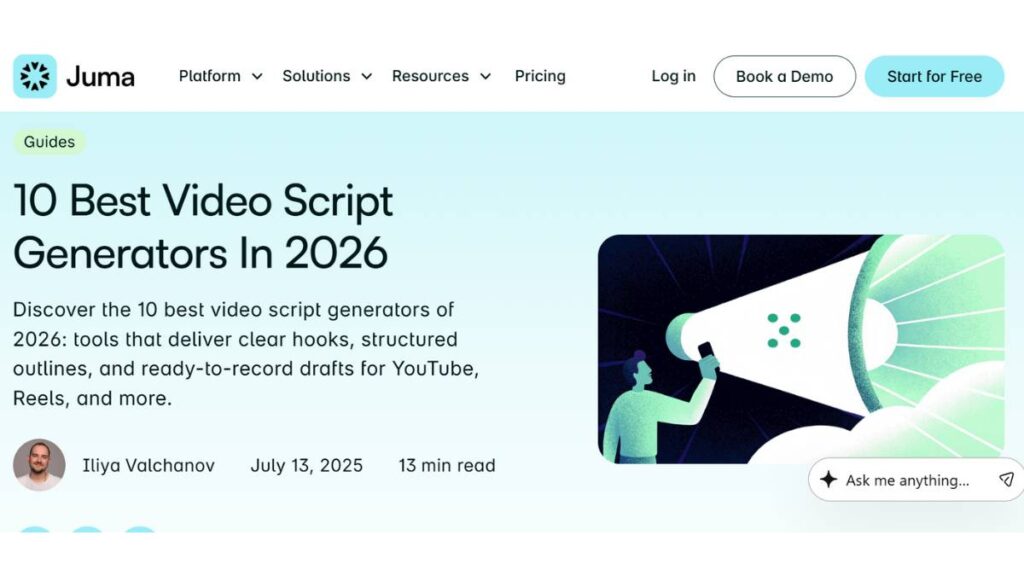
Juma is… solid. The output already has sections and bullet points, which honestly saves more time than expected. It’s not flawless; sometimes a sentence feels off, but the skeleton is there. Teams can tweak the same draft without everyone stepping on each other’s toes.
- Why it works: Sections are clear, adaptable to different content, and collaboration-friendly.
- Good for: Anyone who wants scripts that are almost ready to go.
Ahrefs Video Script Generator: Research-Friendly Drafts
Ahrefs leans into structure and facts. If your content has to be tight and accurate, this keeps it neat. Not flashy, but you can plug in examples or talking points without things going sideways.
- Why it works: Outlines stay organized, and content remains digestible.
- Good for: Tutorials, explainers, anything that needs clarity over sparkle.
RyRob Script Generator: Fast Outlines
Speed is RyRob’s thing. You get intros, main points, and transitions in minutes. Wording can be a little rough; it’s a starting point, but easy enough to fix. Think of it like a sketch: you color it in.
- Why it works: Quick, chunked, keeps multiple ideas manageable.
- Good for: Creators who want a jumpstart and don’t mind polishing.
Writesonic AI Script Tool: Flexible Long & Short Scripts

Writesonic is versatile. Short clip? Long presentation? It handles both. Tone is adjustable, from casual to professional, so you can match your audience. Practical rather than flashy, which is sometimes exactly what you need.
- Why it works: Handles multiple lengths, tweakable tone, straightforward workflow.
- Good for: Teams or creators juggling different formats.
VEED.IO AI Script Generator: Script + Video
VEED.IO isn’t just text. You can plan visuals, subtitles, and voiceovers while drafting. For small teams or solo creators, it keeps you from bouncing between apps.
- Why it works: Combines writing with video planning, easy tweaks.
- Good for: Anyone handling both scripts and video production.
Kapwing AI Script Generator: Quick Social Scripts
Kapwing is fast. Short, social-first content? Perfect. The scripts aren’t long or fancy, but they do the job. Sometimes speed beats polish, and this nails that.
- Why it works: Quick, social-friendly, easy editing.
- Good for: Creators churning out daily social clips.
Squibler AI Script Writer: Story-Driven Scripts
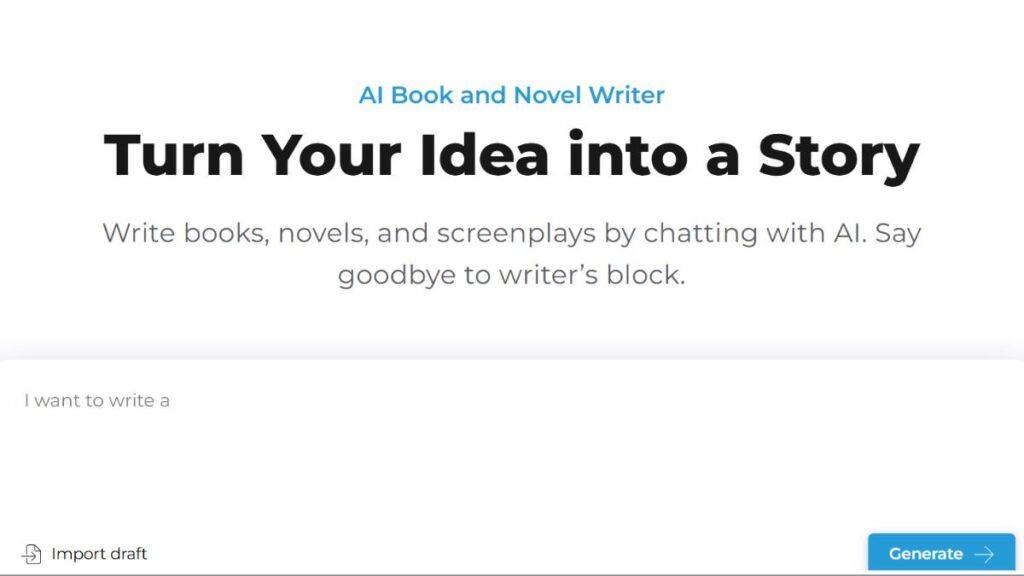
Squibler focuses on storytelling. The output reads like a narrative, not a checklist. Perfect for ads or branded content where engagement is key. It’s not just facts; it tries to make people care.
- Why it works: Narrative focus, keeps flow, good for engagement.
- Good for: Marketers and creators who want scripts that feel like stories.
No tool replaces experience or judgment. Each has quirks, and a little tweaking is inevitable. But the right one can save hours, and sometimes spark ideas you wouldn’t have thought of otherwise. That alone makes it worth experimenting.
How to Choose the Right AI Script Generator
Picking a script generator isn’t like picking a new app for fun. It actually matters. Some tools look good on paper but slow you down in real life. Others are simple but get the job done quickly. The trick is knowing what matters for your workflow.
Match Your Content Type
Not every tool is built for everything. A short, punchy TikTok clip is a very different beast from a long webinar or YouTube explainer. Using the wrong tool is frustrating; you end up editing as much as you generate.
- Short content: Fast, snappy, social-first. Speed matters more than detail.
- Long-form content: You want structure, sections, hooks; something that actually organizes ideas.
- Mixed content: Flexibility matters. The ability to tweak tone and format is worth its weight in gold.
Look at Output Quality
Some generators produce okay text, but it’s like reading a rough draft that someone dumped into a word processor. The goal is scripts that don’t need rewriting from scratch.
- Are there usable hooks that grab attention?
- Do the sections flow logically?
- How much tweaking will it take before it’s ready to record?
Even a good generator can’t read your mind, so a little editing is always needed. But less is better, obviously.
Workflow Integration
This part gets overlooked. A generator that spits out text but doesn’t play nice with your process is frustrating.
- Can you export it easily? Docs, Markdown, or APIs matter depending on your workflow.
- Does it integrate with video or podcast tools? That can save hours of copy-pasting.
- For teams, version control and collaboration features are nice to have.
The right tool fits smoothly into how you actually work, instead of creating extra steps.

Enroll Now: Advanced Digital Marketing Course
Step-by-Step Guide to Using a Script Generator
A generator doesn’t magically solve content problems. It’s more like a helper who needs a little guidance. Treat it like a rough sketch you’ll refine.
Define Your Goals
Before starting, get specific. Ask:
- Who is this for?
- What’s the tone? Casual, professional, storytelling?
- What’s the format? Video, podcast, webinar?
- What’s the call-to-action?
If your goals are fuzzy, the script will be fuzzy too.
Use Clear Prompts
Vague prompts produce generic text. Specific prompts produce something closer to usable. Think about length, tone, audience, and even structure. It doesn’t need to be long; just clear.
- Include context: audience, length, style.
- Suggest sections if needed: intro, points, CTA.
- Don’t overcomplicate; it’s a guide, not a novel.
Generate and Refine
Even good outputs are rough around the edges. Read through, move things around, adjust phrasing, make it feel human.
- Break up long paragraphs.
- Smooth awkward transitions.
- Add or tweak hooks to match your voice.
Think of it as shaping clay, not painting by numbers.
Repurpose Across Channels
One script can do more than you think. A video script can become:
- A blog post.
- A podcast episode.
- Snippets for social media.
Repurposing saves time and gives a single idea more life.
FAQs:
1. What’s the best AI script generator in 2026?
It depends. Fast tools aren’t always better, and detailed tools aren’t always practical. The best one fits your workflow, content type, and how much editing you’re willing to do.
2. Are these generators good for content discovery?
Yes, if the structure is usable. Sections, hooks, and clear points make it easier for people, or platforms, to follow. But human review is still key.
3. Can they replace creativity?
Not really. They can spark ideas, speed up drafts, or organize content, but originality and nuance come from experience. No tool can replicate that.
4. Do scripts need editing?
Almost always. Even the cleanest output needs tweaks. Tone, transitions, and flow usually require some hands-on adjustment.
5. How can one script work across multiple platforms?
Adaptation is key. A single script can turn into a blog post, a podcast, or short social clips. Minor edits to length and tone go a long way.
This approach makes content creation faster without cutting corners, but it keeps it human. A little planning, tweaking, and repurposing makes scripts actually work in real workflows, not just on paper.