

This in-depth guide breaks down everything marketers and creators need to know about Best AI Video Generator, from how the technology works to real-world business use cases. It compares leading tools, pricing models, workflows, and practical strategies, helping readers choose the right AI video solution with clarity and confidence.
Table of Contents
What Is an AI Video Generator?
An AI video generator is a software platform that creates videos automatically using artificial intelligence; typically from text prompts, images, scripts, or pre-built avatars. Instead of filming with cameras, hiring actors, editing timelines, and stitching clips manually, the system generates scenes, motion, voice, and sometimes even realistic presenters based on your input.
At its simplest, you type what you want to see. The tool builds the video.
But under the hood, there’s more happening than most people realize.
AI video generators can produce:
- Text-to-video content (describe a scene, get a video)
- Image-to-video animations (turn a static image into motion)
- Avatar-based videos (AI presenters that speak your script)
- Voice-synced explainer videos
- Short-form social media clips
- Long-form cinematic sequences
These tools aren’t experimental anymore. They’re being used for marketing campaigns, product demos, internal training, YouTube automation, multilingual content production, and even investor presentations.
How AI Video Generation Works (High-Level)
Most modern AI video platforms rely on large generative models trained on massive datasets of video, images, and audio. When you provide a prompt or script, the system predicts what each frame should look like, how objects move, how lighting behaves, and how voices sync to speech.
Depending on the platform, this might include:
- Scene generation from descriptive text
- Motion synthesis based on reference images
- AI-generated voiceovers
- Facial animation and lip-sync
- Physics simulation for realistic movement
The result? A fully rendered video without traditional production steps.
AI Video Maker vs AI Video Editor vs AI Animation Generator
These terms get thrown around interchangeably, but they’re not identical.
AI Video Generator
Creates videos from scratch using prompts, scripts, or reference inputs. You’re generating new footage, not editing existing clips.
AI Video Editor
Uses AI to enhance or modify existing footage. This might include background removal, auto-cutting, color correction, caption generation, or scene detection.
AI Animation Generator
Focused specifically on animated content; characters, illustrations, explainer visuals; rather than photorealistic or cinematic video.
Some tools overlap. Many do. But the primary distinction is whether you’re creating from nothing or enhancing something that already exists.
Why AI Video Generators Are Transforming Content Creation
There are four reasons businesses are adopting AI video tools at scale:
1. Speed
What used to take weeks can now take hours. Sometimes minutes. Campaign iterations become realistic.
2. Cost Efficiency
No camera crew. No studio rental. No reshoots because the lighting changed. Production budgets shrink dramatically for certain use cases.
3. Scalability
Need the same sales video in 12 languages? Previously, a logistical headache. Now it’s a few clicks.
4. Accessibility
Non-editors can produce professional-looking content. That’s a major shift. Marketing teams no longer wait on production bottlenecks.
That said, AI video doesn’t replace everything. High-end brand films, emotional storytelling pieces, and complex productions still benefit from traditional filmmaking. But for explainer videos, ads, training modules, and social content? AI has fundamentally changed the math.
And it’s only getting more capable.
How Does an AI Video Generator Work?
To understand AI video properly, it helps to break it into components. Because no single model is doing “everything.” It’s a stack of technologies working together.
Text-to-Video AI Models Explained
Text-to-video models generate moving visuals from written prompts.
You describe a scene like:
“A cinematic shot of a futuristic city at sunset with flying cars and reflective glass towers.”
The model interprets:
- Objects (city, cars, buildings)
- Environment (sunset lighting, reflections)
- Camera motion (cinematic shot)
- Style (futuristic tone)
It then predicts each frame sequentially, ensuring visual continuity from one moment to the next.
The challenge? Motion consistency. It’s relatively easy to generate a beautiful single frame. Generating 5–30 seconds of stable, realistic movement is far harder. That’s where modern architectures have improved dramatically.
Image-to-Video AI Technology
Image-to-video systems animate a static image.
You provide:
- A portrait → it adds facial movement and blinking
- A landscape → it introduces camera pans or environmental motion
- A product shot → it simulates rotation or subtle cinematic movement
Many platforms allow “start frame” and “end frame” control, meaning you can define how the scene begins and ends. The model fills in the motion between them.
This is especially useful for:
- Social media animations
- Product showcases
- Storyboarding
- Concept visualizations
It gives designers motion capability without full animation workflows.
Diffusion Models vs Transformer-Based Video Models
Under the hood, most AI video systems rely on one of two core architectures, sometimes a hybrid.
Diffusion Models
These start with noise and gradually refine it into structured visuals. They’re known for high-quality imagery and artistic control. Many early AI video systems were diffusion-based.
Transformer-Based Models
Originally dominant in language models, transformers are now used for video because they handle sequence prediction well. Video is essentially a sequence of frames over time, which makes transformers well-suited for maintaining temporal consistency.
The real progress? Better frame coherence. Less flickering. More stable objects. More realistic physics.
Still not perfect. But much better.
AI Avatars and Synthetic Media Technology
Avatar-based AI video tools generate realistic digital presenters who speak your script.
Here’s what happens technically:
- A neural network is trained on real human facial movements.
- A voice model generates speech from text.
- A lip-sync engine maps phonemes (speech sounds) to mouth shapes.
- Facial animation layers add blinking, micro-expressions, and subtle head movement.
The result is a digital presenter delivering your message, often in multiple languages.
This format works particularly well for:
- Corporate training
- Sales outreach videos
- E-learning modules
- Internal communications
- Multilingual marketing
It’s not meant to replace human charisma. But for structured communication? It’s efficient and consistent.
AI Voice Generation and Lip-Sync Technology
Modern AI voice engines generate natural-sounding speech with:
- Tone control
- Speed variation
- Accent selection
- Emotion modeling
The lip-sync layer aligns mouth movement to speech timing. Early systems felt robotic because audio and facial motion didn’t match perfectly. Newer models align phoneme timing much more accurately.
For businesses, this means:
- Faster localization
- Lower voiceover costs
- Scalable personalization
You can generate 50 personalized video messages without booking a studio once.
Prompt Engineering for AI Video Creation
This is where most people struggle.
AI video tools are powerful, but vague prompts produce vague results.
Strong prompts typically include:
- Subject (who or what is in the scene)
- Environment (where it takes place)
- Lighting (cinematic, soft, dramatic, natural)
- Camera movement (close-up, tracking shot, drone view)
- Mood or style (realistic, stylized, documentary, futuristic)
For example:
Weak prompt:
“Create a marketing video for a fitness product.”
Stronger prompt:
“Create a 15-second high-energy promotional video for a smart fitness tracker, featuring dynamic gym scenes, close-up product shots with dramatic lighting, fast-paced cuts, and bold on-screen text emphasizing performance tracking.”
Specificity reduces randomness.
The tools are smart, but they still rely on direction. And the marketers who understand how to guide them? They get significantly better output.
AI video generation isn’t magic. It’s a layered system combining generative visuals, motion prediction, voice synthesis, and intelligent editing workflows.
Used carelessly, it creates generic content.
Used strategically, it becomes one of the most powerful production accelerators available right now.
10 Best AI Video Generators
There’s no single “best AI video generator.” It depends on what you’re trying to produce: cinematic storytelling, avatar-led training videos, social media ads, or enterprise-grade branded content.
Some tools are built for speed. Others for realism. A few are clearly targeting professional production teams. Below is a breakdown of the top AI video tools: what they’re good at, where they struggle, and who should actually use them.
1. HeyGen
Best AI Avatar Video Generator
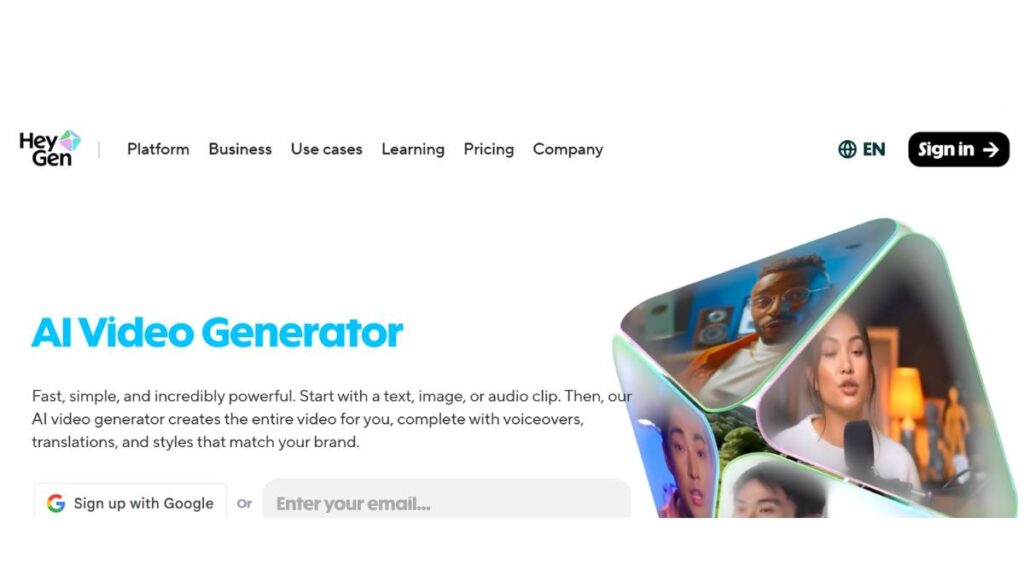
If the goal is AI presenters, sales videos, training modules, and onboarding explainers, HeyGen is one of the strongest platforms available right now.
It focuses heavily on:
- Realistic AI avatars
- Multilingual voiceovers
- AI voice cloning
- Script-to-video workflows
The avatars look natural enough for business communication. Not Hollywood-level, but polished and professional. The multilingual support is where it shines; brands expanding globally can produce localized videos fast without re-recording talent.
Pros
- Strong lip-sync accuracy
- Easy-to-use interface
- Good for marketing and HR teams
Cons
- Not built for cinematic storytelling
- Avatar-style content can feel repetitive if overused
Pricing
Tiered plans depending on usage, avatar customization, and video length. Higher plans unlock voice cloning and advanced features.
2. Runway (Gen-4.5)
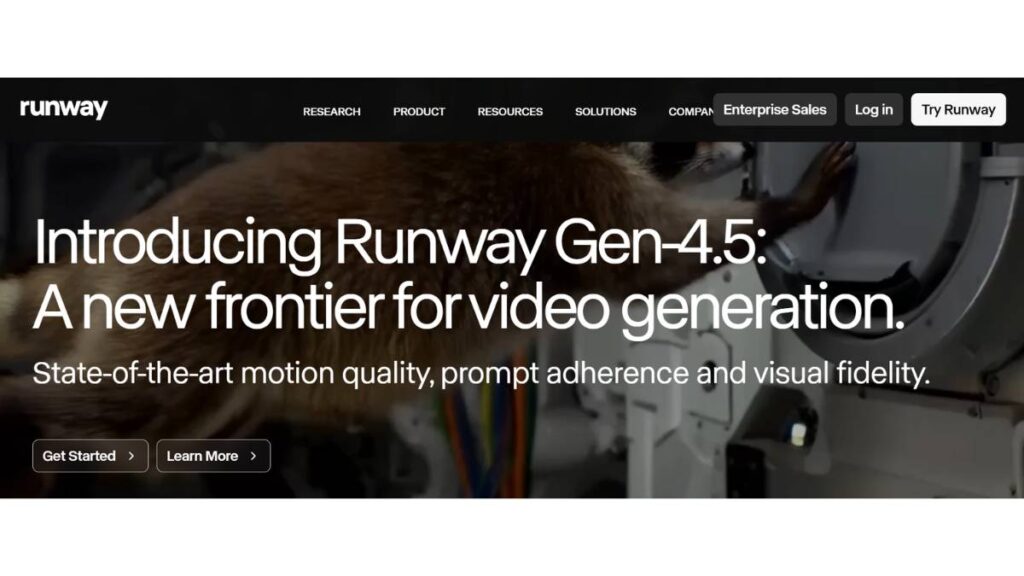
Advanced Cinematic AI Video Generation
Runway continues to push creative boundaries. It’s built for creators who care about visual style, motion control, and cinematic output.
Core strengths:
- Text-to-video generation
- Image-to-video workflows
- Scene editing with AI controls
- Motion brush and camera tools
Filmmakers and creative teams tend to gravitate here because it offers more control over composition and movement. It’s less about avatars, more about storytelling and stylized visuals.
Pros
- Strong creative flexibility
- Image reference control
- Professional-grade outputs
Cons
- Learning curve is steeper
- Rendering can take longer for complex scenes
Best suited for creative professionals, agencies, and advanced content teams.
3. OpenAI (Sora 2)
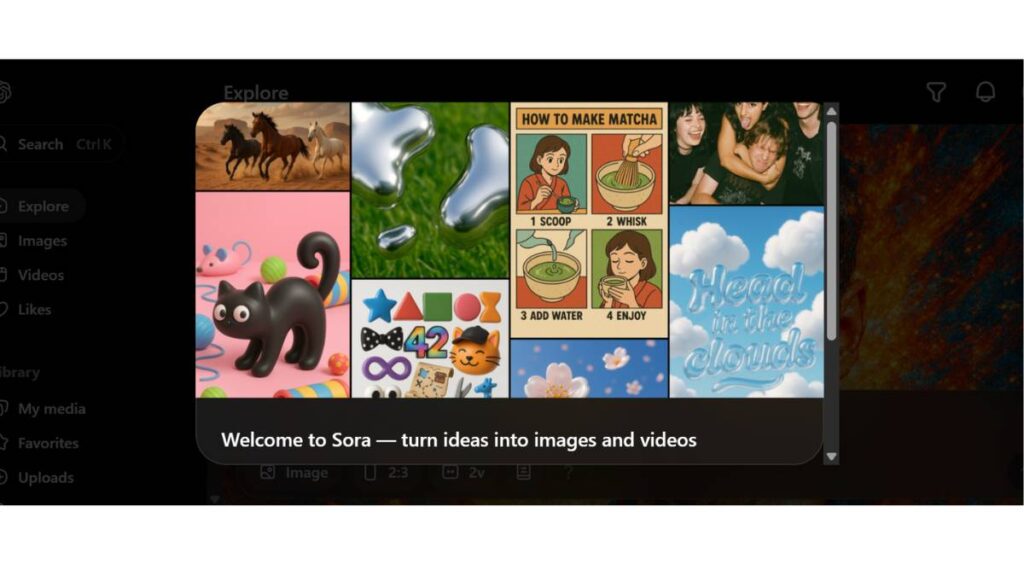
High-Realism Text-to-Video AI
Sora 2 is known for realism and longer-form generation capabilities. It handles complex environments, physics, and multi-scene prompts better than many competitors.
What stands out:
- Realistic motion consistency
- Longer video durations
- Strong scene coherence
It’s powerful, but not always beginner-friendly. The output quality depends heavily on how detailed the prompt is.
Strengths
- Advanced physics simulation
- High realism
- Long-form capability
Limitations
- Access may be restricted depending on the region or plan
- Requires strong prompting for best results
Best for creators aiming for realism over quick social clips.
4. Google DeepMind (Veo 3)
Enterprise-Grade AI Video Model
Veo 3 focuses on scene consistency and realistic motion physics. It’s positioned more toward enterprise and large-scale production workflows.
Key capabilities:
- Complex scene generation
- Camera movement control
- Realistic object interactions
For corporate storytelling, branded environments, or high-end conceptual work, Veo stands out. It feels engineered for structured, scalable output rather than casual experimentation.
Pros
- Strong scene continuity
- Realistic physics
- Enterprise use cases
Cons
- Not necessarily optimized for quick social media content
- Likely premium-tier pricing
5. Pika Labs (Pika 2.5)
Beginner-Friendly AI Video Maker
Pika has built a reputation for speed and accessibility. It’s one of the easier tools to use for short-form content.
Best for:
- Social media clips
- Quick marketing visuals
- Concept animations
You type a prompt, choose style settings, and generate quickly. It’s not the most advanced engine for realism, but it’s fast, and that matters for creators publishing daily.
Pros
- Simple interface
- Fast generation
- Good for TikTok/Reels-style content
Cons
- Limited control compared to higher-end tools
- Not ideal for long cinematic pieces
6. Adobe (Firefly Video)
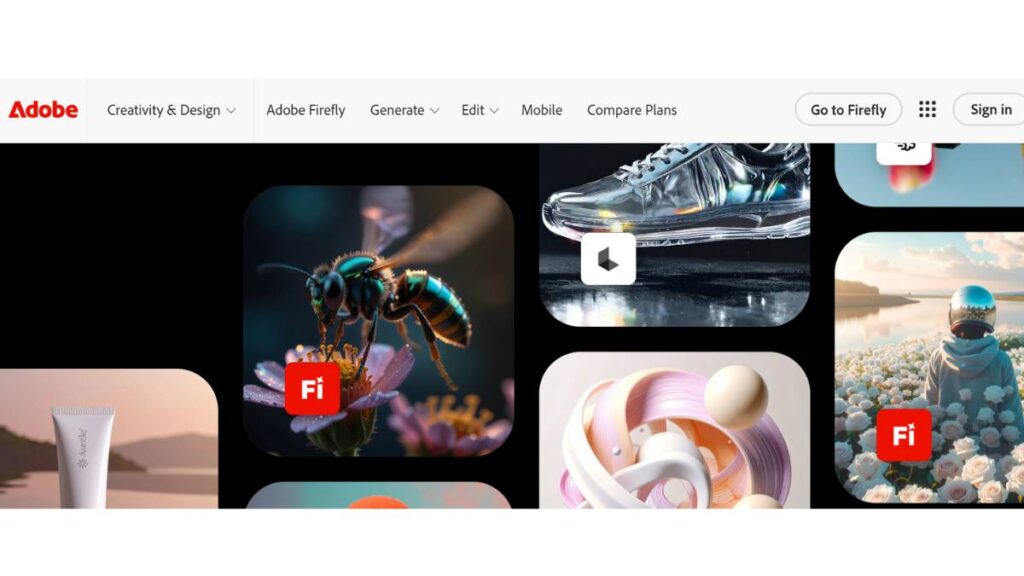
AI Video Inside the Adobe Ecosystem
Firefly Video integrates directly into the Adobe environment, which is a major advantage for professionals already using Premiere Pro and After Effects.
Core strengths:
- Commercially safer content generation
- Integration with editing timelines
- Brand-aligned asset creation
For marketing teams working inside the Adobe ecosystem, this creates a smoother workflow: generate with AI, refine in Premiere, and publish.
Pros
- Seamless editing integration
- Brand-friendly workflows
- Trusted ecosystem
Cons
- May require a Creative Cloud subscription
- Less experimental compared to standalone AI tools
7. Kuaishou (Kling AI 2.6)
High-Quality Cinematic AI Videos
Kling AI has gained attention for cinematic quality and motion detail. It competes directly with Sora and Runway in realism and scene depth.
Highlights:
- Advanced motion control
- Dramatic visual styling
- High-detail environments
It’s particularly strong in stylized cinematic output: moody lighting, complex movement, dynamic framing.
Pros
- Impressive realism
- Good object interaction
- Creative flexibility
Cons
- Availability may vary by region
- Interface may not be beginner-focused
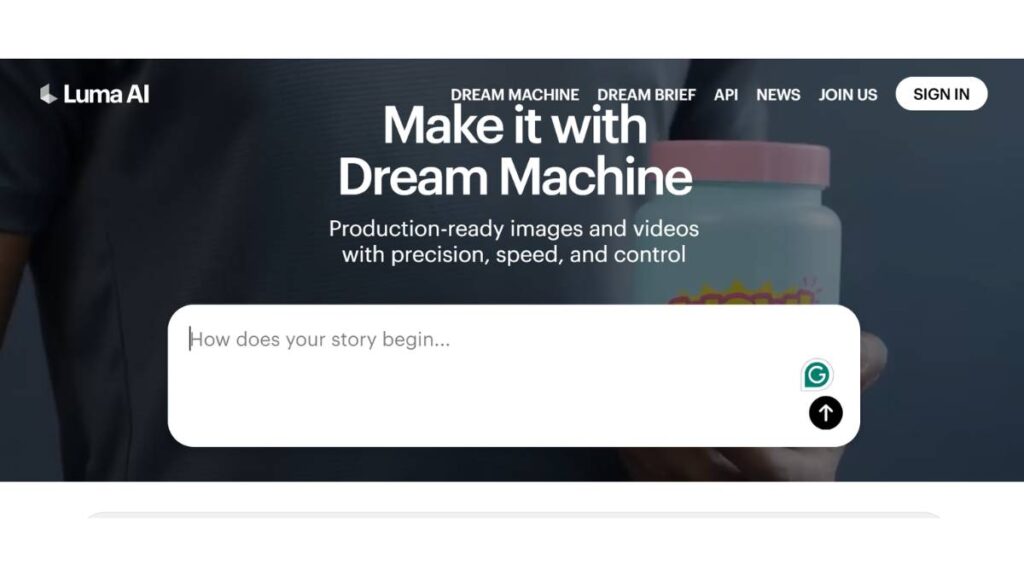
8. Luma AI (Ray3 / Ray3 HDR)
Realistic 3D Scene Generation
Luma AI leans into 3D scene realism. It’s strong for creators who want spatial depth and camera-driven storytelling.
Best use cases:
- 3D-style environments
- Image-to-video animation
- Creative concept storytelling
It feels particularly useful for creators experimenting with immersive visuals rather than corporate explainers.
Pros
- Strong spatial awareness
- Good HDR-style visuals
- Useful for creative experimentation
Cons
- May require more setup for polished business videos
9. Hailuo AI (Hailuo 2.3)
AI Video Creation for Marketing
Hailuo positions itself for business users, sales teams, marketers, and content departments.
Core features:
- Prompt-based video generation
- Marketing-focused templates
- Business presentation formats
It’s less about artistic cinema and more about practical output: product videos, promotional clips, explainer visuals.
Pros
- Business-oriented workflows
- Template-driven simplicity
Cons
- Limited cinematic flexibility
- May lack advanced creative controls
10. Vidu (Vidu Q2)
Fast AI Short-Form Video Generation
Vidu is built for speed and social-first output.
Ideal for:
- Short-form ads
- Social media posts
- YouTube Shorts-style videos
It prioritizes rendering speed and ease of use over complex scene composition.
Pros
- Fast generation
- Beginner-friendly
- Social-ready formats
Cons
- Limited advanced control
- Not ideal for long-form storytelling
Quick Comparison: Which AI Video Generator Is Right for You?
Here’s the practical breakdown:
Best AI Video Generator for Beginners
Pika Labs or Vidu: simple, fast, low learning curve.
Best AI Video Generator for Professionals
Runway, Sora 2, or Kling AI; stronger control, cinematic output.
Best AI Video Generator for YouTube
Runway (for storytelling) or HeyGen (for avatar-based explainer channels).
Best AI Video Generator for Marketing Teams
HeyGen, Hailuo AI, or Adobe Firefly Video; structured workflows, business-ready templates.
The real takeaway?
No tool wins in every category. Some are built for creativity. Some for speed. Others for structured business communication.
The smart move isn’t chasing the most hyped platform; it’s choosing the one aligned with your workflow, budget, and content goals.
AI Video Generators Compared (Features & Pricing)
Once the excitement settles, the real question becomes practical: which AI video generator actually fits your workflow and budget?
The differences are no longer just about “who has text-to-video.” Almost every serious platform supports that now. What separates them is control, output quality, licensing, and how well they integrate into real marketing or production systems.
Text-to-Video vs Image-to-Video Support
Text-to-video is the headline feature across most leading tools. You describe a scene, choose a style, and generate footage. It’s powerful, especially for ideation and fast-turn content. But image-to-video is where many marketers find immediate value.
If you already have brand assets, product images, campaign visuals, or concept art, image-to-video allows controlled motion. Instead of relying purely on generative randomness, you anchor the scene with a starting frame. This produces more consistent brand-aligned output.
Tools like Runway and Luma AI are particularly strong in this hybrid workflow. Avatar-focused platforms such as HeyGen lean more toward script-driven presenter videos rather than cinematic image animation.
If visual control matters, image-to-video support isn’t optional. It’s essential.
AI Avatar Support
Not every AI video tool offers avatar-based generation. And that’s intentional.
Avatar systems are ideal for structured communication: onboarding, product demos, explainer videos, and internal updates. They’re less suited for emotional brand storytelling.
HeyGen is built around avatar realism and multilingual delivery. Other tools focus entirely on scene generation and skip avatars altogether.
So the decision comes down to format. If your strategy relies on a consistent digital spokesperson, avatar support is non-negotiable. If you’re creating cinematic ads or stylized reels, it may not matter.
AI Voice Generation & Dubbing
Voice quality is often underestimated; until it isn’t.
Basic AI voiceovers can sound flat. More advanced systems provide tone adjustment, pacing control, accent variation, and multilingual dubbing. For global marketing teams, this is transformative. Instead of recording separate voice-overs in different markets, one script can be localized in minutes.
Platforms integrated within ecosystems like Adobe tend to emphasize commercial safety and clean audio integration. Meanwhile, avatar-based tools often prioritize lip-sync accuracy and natural delivery.
When evaluating, don’t just listen for clarity. Listen for rhythm. Does it feel human? That detail affects viewer retention more than people think.
Video Resolution: 720p, 1080p, and 4K AI Video Generation
Resolution options vary widely.
Entry-level plans often cap exports at 720p. Mid-tier plans unlock 1080p, which is sufficient for most social and YouTube content. 4K AI video generation is becoming more common, particularly in higher-end platforms such as those competing in cinematic realism, including offerings from OpenAI and Google DeepMind.
However, resolution isn’t everything. Motion stability and artifact reduction matter just as much. A clean 1080p video will outperform a glitchy 4K one every time.
Rendering Speed
Rendering time depends on:
- Video length
- Scene complexity
- Motion detail
- Server load
- Subscription tier
Short social clips can be generated in minutes. Cinematic sequences with complex physics can take significantly longer.
Some tools prioritize speed; useful for high-volume content production. Others optimize for realism, which means patience.
For marketing teams running rapid campaigns, rendering speed directly impacts workflow efficiency. Waiting 40 minutes for minor revisions is rarely practical.
Commercial License Availability
This is where many creators slip up.
Not all AI-generated content automatically comes with unrestricted commercial rights. Some platforms limit usage based on plan tier. Others restrict certain asset types or require attribution.
Tools inside established ecosystems like Adobe tend to emphasize commercially safer datasets. Independent AI labs may have varying policies.
Before scaling campaigns, always confirm licensing terms. It’s a small detail that becomes significant at scale.
Free AI Video Generator Options
Most leading platforms offer some version of a free tier. But expectations need to be realistic.
Free plans typically include:
- Watermarked videos
- Limited generation credits
- Lower resolution exports
- Restricted feature access
They’re useful for testing. Not for sustained production.
Upgrading becomes necessary when brand credibility, resolution, and usage rights matter. And they eventually do.
Quick Comparison by Use Case
Best AI video generator for beginners
Pika-style platforms focused on simplicity and speed.
Best AI video generator for professionals
Cinematic-focused tools such as Runway or high-realism models from OpenAI.
Best AI video generator for YouTube
A mix works well; avatar tools for educational channels, cinematic tools for storytelling-driven content.
Best AI video generator for marketing teams
Avatar-based systems like HeyGen or ecosystem-driven tools from Adobe, where brand control and workflow integration are priorities.
Enroll Now: AI Marketing Course
How to Create an AI Video (Step-by-Step Guide)
Creating an AI video isn’t complicated. Creating a good one; that’s different.
The technology can generate visuals instantly. But clarity, direction, and intent still come from you.
Step 1: Choose the Right AI Video Generator
Start with your outcome in mind.
If you need a talking presenter for a training module, an avatar-driven platform makes sense. If you’re producing cinematic social ads, go with a tool that prioritizes motion control and scene realism.
Avoid choosing based on hype. Choose based on format.
Step 2: Write a High-Converting Text Prompt
This is where quality is decided.
Most weak AI videos come from vague prompts. “Create a marketing video” tells the system almost nothing.
A stronger prompt defines:
- The subject
- The environment
- Lighting and tone
- Camera angle or motion
- Intended emotion
- Duration
Instead of asking for a product video, describe the atmosphere. Is it energetic? Minimalist? Premium? Documentary-style?
Specificity reduces randomness. And randomness is the enemy of consistency.
Step 3: Upload an Image Reference or Start Frame
If brand alignment matters, anchor your scene.
Uploading a product image or defining a start frame improves consistency. The AI then builds motion around something concrete rather than inventing everything from scratch.
This step alone can elevate output from experimental to usable.
Step 4: Select AI Voice and Language
Voice defines perception.
Choose tone intentionally. Corporate training demands clarity and neutrality. Social ads might require energy and enthusiasm. For global campaigns, select appropriate accents and localized languages.
A mismatch between visuals and voice undermines credibility quickly.
Step 5: Generate and Refine
The first output is rarely perfect. That’s normal.
Use start and end frame adjustments, tweak prompts, modify camera motion, and adjust pacing. Small refinements compound quickly.
Think of it less as one-click creation and more as guided iteration.
Step 6: Edit with Text Prompts
Modern tools allow editing via additional prompts; changing background elements, adjusting lighting, and refining motion.
This reduces reliance on traditional timeline editing, though final polishing inside professional software may still be helpful for complex campaigns.
Step 7: Export in HD or 4K
Export resolution depends on the platform and plan.
For social media, 1080p is typically sufficient. For larger displays, presentations, or premium campaigns, 4K export ensures flexibility.
Before publishing, review carefully. Look for flickering artifacts, unnatural transitions, or lip-sync inconsistencies. Quality control still matters.
Text-to-Video AI: How to Generate Videos from Prompts
Text-to-video AI feels magical at first. Then reality sets in: results vary wildly depending on the prompt.
Strong prompts follow structure, even if the platform doesn’t explicitly require it.
Best Prompt Structure for AI Video
Effective prompts usually include five elements:
Subject
Environment
Camera movement
Lighting and style
Mood or tone
Instead of a short instruction, think in layers. Describe what the viewer sees, how the camera behaves, and what emotion the scene should evoke.
For example, a marketing video prompt might read like this:
Create a 20-second cinematic product showcase of a premium smartwatch in a modern gym environment, featuring slow-motion close-ups, dramatic side lighting, energetic background movement, and bold on-screen typography emphasizing performance and precision.
Notice the detail. The more precise the description, the more intentional the result.
Prompt for Marketing Videos
Marketing-focused prompts benefit from clarity and rhythm.
A product launch might require dynamic camera movement, high contrast lighting, and energetic pacing. A SaaS explainer could focus on clean UI animations, minimal backgrounds, and smooth transitions.
The goal isn’t complexity for its own sake. Its direction.
Prompt for Cinematic Videos
Cinematic prompts lean heavily on atmosphere.
Describe weather conditions, time of day, camera angle, lens type, and motion style. Words like tracking shot, aerial view, close-up, and wide-angle framing can significantly influence output.
Without that guidance, the model improvises. And improvisation isn’t always aligned with brand intent.
Common Mistakes in AI Video Prompts
The biggest mistake is vagueness.
Short prompts often produce generic visuals. Overloading prompts with conflicting styles also creates chaos; asking for minimalist corporate style and hyper-dramatic neon cyberpunk energy in the same sentence rarely works.
Another common issue is ignoring motion. Many users describe a scene but forget to specify the camera behavior. Video is movement. If you don’t guide it, the system defaults to basic animation.
Lastly, unrealistic expectations can derail workflow. AI video is powerful, but it still benefits from iteration. Treat prompts as adjustable levers, not final commands.
Text-to-video generation isn’t about typing one sentence and hoping for magic. It’s about structured direction, intentional refinement, and understanding what the system responds to.
Handled thoughtfully, it becomes one of the fastest content production methods available today.
Image-to-Video AI: Turn Images into Motion Videos
Text-to-video gets most of the attention, but image-to-video is where many brands find immediate, practical value.
Instead of generating an entire scene from scratch, you start with something real: a product photo, a campaign visual, a character design, a landscape shot, and bring it to life. That single decision changes everything. You’re no longer hoping the system “guesses” your brand correctly. You’re guiding it.
Using Reference Images
Reference images anchor the output.
Upload a product shot, and the model builds motion around it ; subtle camera pans, lighting shifts, and environmental animation. Upload a portrait, and it can introduce natural head movement, blinking, or expression shifts. Upload a concept scene, and it adds depth and motion.
For marketers, this is powerful because:
- Brand colors stay consistent
- Product design remains accurate
- Visual identity doesn’t drift
Cinematic-focused platforms like Runway and 3D-driven systems such as Luma AI are particularly strong at maintaining spatial realism when animating stills.
The key is choosing high-quality base images. If the starting frame is weak, motion won’t fix it.
Start Frame & End Frame Control
More advanced image-to-video tools allow both a start frame and an end frame.
You define where the video begins and where it should visually end. The AI generates the transition between those two states. This is extremely useful for:
- Before-and-after product transformations
- Scene transitions in storytelling
- Animated feature reveals
- Concept evolution sequences
Instead of one static shot with movement, you create progression. That progression feels intentional, and intention is what separates usable marketing content from experimental visuals.
Animation Workflows
Image-to-video isn’t just about adding motion. It can fit into broader creative workflows.
For example:
- Create static brand visuals in design software
- Import them into an AI video platform
- Generate animated sequences
- Export for final editing and pacing adjustments
This reduces the need for traditional motion graphics work in certain scenarios. Not completely, but enough to accelerate production cycles.
Where it really shines is in social media content. A static Instagram post can become a short animated reel with depth and movement in minutes.
Best Tools for Image-to-Video AI
If motion realism and cinematic control are priorities, tools like Runway and models from OpenAI tend to offer stronger frame coherence and environment stability.
For more accessible workflows, platforms such as Pika Labs provide quicker, simplified image animation options suited to social-first creators.
Ultimately, image-to-video is about control. It reduces unpredictability. And in marketing, predictability, within creative boundaries, is valuable.
AI Video Generator for Business & Marketing
This is where AI video moves from interesting to strategic.
In business contexts, the goal isn’t visual experimentation. It’s clarity, scale, and measurable output. AI video generators support that shift when used deliberately.
AI Sales Videos
Sales teams can now create personalized video outreach without scheduling production time.
Instead of static emails, AI-generated sales videos can include:
- Prospect name personalization
- Localized language versions
- Tailored messaging
- Consistent branding
Avatar platforms like HeyGen are particularly effective for this format. They provide a repeatable spokesperson without the logistical friction of recording multiple takes.
The result feels direct, human, and scalable, which is rare.
AI Explainer Videos
Explainers are one of the strongest use cases for AI video.
Traditional explainer production requires scripting, voice recording, animation, editing, and revisions. AI compresses that timeline significantly.
For SaaS companies, startups, and product teams, this means:
- Faster launch cycles
- Rapid iteration of feature updates
- A/B testing different messaging styles
The ability to revise scripts and regenerate visuals quickly changes how messaging is tested. It becomes more agile.
AI Product Demo Videos
Product demos benefit from hybrid workflows.
You can combine screen recordings, AI-generated overlays, animated product scenes, and AI voice narration into one cohesive asset. Instead of waiting on full post-production, teams can update demos as features evolve.
For eCommerce brands, image-to-video animation of product photos adds dynamic presentation without organizing full-scale shoots.
AI Training & Onboarding Videos
Internal communication often gets neglected because production feels “not worth the effort.”
AI video reduces that barrier.
HR teams can generate onboarding modules, policy explainers, and compliance updates quickly. Multilingual voiceover support ensures distributed teams receive consistent messaging.
And because revisions are simple, outdated training content can be refreshed without starting from scratch.
AI Social Media Ads
Short-form advertising demands volume. One video rarely wins. Multiple variations are often tested quickly.
AI video generators make it possible to:
- Create multiple ad variations
- Test different hooks
- Adjust visual styles
- Localize for different markets
Speed becomes a competitive advantage.
AI YouTube Automation Videos
YouTube creators are increasingly using AI tools to scale production, particularly in educational, commentary, and faceless channel formats.
Avatar-led narration, animated scenes, and AI-generated visuals; these formats reduce production friction while maintaining consistency.
However, quality control is critical. Generic visuals won’t hold the audience’s attention for long. Strategic direction still matters.
AI doesn’t replace content strategy. It accelerates execution.
AI Video Generator Features for Modern Workflows
Beyond generation itself, modern AI video platforms are evolving into full creative ecosystems.
The features surrounding the core engine often matter just as much as the engine itself.
AI-Powered Script Generation
Some platforms include built-in script assistance.
For marketers juggling multiple campaigns, this reduces friction in early ideation. Draft a script, refine messaging, and generate scenes; all within one environment.
While not every draft is perfect, it speeds up the starting phase. And starting is often the hardest part.
Realistic AI Voices & Voice Cloning
Voice quality can elevate or undermine a video.
Advanced voice systems now offer:
- Emotion control
- Natural pacing
- Accent variation
- Brand-consistent tone
Voice cloning adds another layer, replicating a specific voice for consistency across campaigns. Used responsibly, it ensures continuity across markets and content formats.
Multi-Language Video Generation
Global brands benefit enormously from built-in translation and dubbing capabilities.
Instead of recording separate voice actors in each region, AI can generate localized narration aligned with lip-sync animation. This reduces cost and production delays while preserving consistent messaging.
Localization shifts from being a bottleneck to a routine step.
AI Subtitles & Auto-Captioning
Auto-captioning is no longer optional. Most viewers consume content without sound, especially on mobile.
Built-in caption generation saves time and improves accessibility. The better systems allow font customization, brand styling, and placement control; important for maintaining visual consistency.
Brand Kit & Templates
Serious marketing teams care about brand cohesion.
Some platforms now include brand kit functionality, allowing you to upload:
- Logos
- Color palettes
- Fonts
- Intro/outro templates
This prevents every AI-generated video from looking slightly different. Consistency builds recognition.
Collaboration Tools for Teams
As AI video moves into enterprise environments, collaboration features become essential.
Shared workspaces, version control, comment threads, and approval workflows allow marketing teams to operate efficiently without exporting drafts back and forth.
This shifts AI video from a solo creator tool into a scalable team solution.
Image-to-video, business applications, and workflow features together show where AI video is headed. It’s no longer just about generating impressive visuals. It’s about integrating seamlessly into marketing systems, reducing production friction, and enabling faster iteration without sacrificing quality.
Used thoughtfully, these tools don’t just create content. They reshape how content gets made.
Free AI Video Generators: Are They Worth It?
Short answer? Yes, but only to a point.
Free AI video generators are great for testing ideas, learning how prompts behave, or experimenting with formats before committing budget. For creators just stepping into AI video, free plans remove the risk. That matters.
But once you move from “trying it out” to actually publishing consistently, limitations start showing up.
Best Free AI Video Generator Options
Several leading platforms offer free tiers, including:
- Runway – Limited credits, watermark included
- Pika Labs – Free generations with capped resolution
- HeyGen – Restricted avatar minutes
- Canva – Basic AI video inside paid ecosystem trials
Free plans usually include:
- Limited monthly credits
- Watermarked exports
- Lower resolution (often 720p)
- Slower rendering
- Restricted commercial rights
For side projects or internal drafts, that’s often fine. For client work or brand campaigns? Not so much.
The Real Limitations of Free AI Video Makers
Here’s what most people don’t realize until they try scaling:
- Watermarks kill professionalism. They’re fine for testing, but not for ads or YouTube monetization.
- Credit systems run out fast. One failed prompt can burn multiple generations.
- Limited control features. Advanced camera movement, start/end frame control, or voice cloning are usually locked behind paid plans.
- No commercial license clarity. This is big. Some free plans don’t grant full commercial usage rights.
If you’re publishing content consistently, especially for marketing, the free tier quickly becomes a bottleneck.
When Free AI Video Generators Make Sense
- Testing creative concepts
- Learning prompt structure
- Validating video hooks before investing
- Creating internal presentations
- Solo creators in early experimentation mode
When to Upgrade to Paid Plans
Upgrade when:
- You need watermark-free exports
- You’re running paid ads
- Clients expect 1080p or 4K delivery
- You’re generating at scale
- Brand consistency matters
In most cases, paid plans are still dramatically cheaper than traditional production. So the jump from free to paid is less about cost and more about capability.
Free tools are a sandbox. Paid tools are production.
AI Video Generator vs Traditional Video Production
This comparison isn’t about “AI replacing filmmakers.” It’s about understanding where each approach wins.
Both have a place. The smart move is knowing when to use which.
Cost Comparison
Traditional production involves:
- Camera equipment
- Lighting
- Studio space
- On-screen talent
- Editors
- Post-production timelines
Even a basic marketing shoot can run into thousands.
AI video generators? Monthly subscription. That’s it.
For startups and small marketing teams, this changes the game. Suddenly, video isn’t a once-a-quarter investment; it’s something you can iterate on weekly.
Time Savings
Traditional video production:
- Pre-production planning
- Scheduling shoots
- Shooting days
- Editing cycles
- Revisions
Timeline: days to weeks.
AI video generation:
- Prompt
- Generate
- Refine
- Export
Timeline: minutes to hours.
That speed impacts content velocity. And velocity impacts growth.
Scalability
Here’s where AI really shines:
- Multi-language versions without re-shooting
- Variations for A/B testing
- Region-specific personalization
- Rapid creative iteration
Try doing 15 localized versions of the same ad with traditional filming. It’s possible; just expensive and slow.
Creative Limitations
Now the honest part.
AI video still struggles with:
- Complex emotional performances
- Highly nuanced storytelling
- Live-action authenticity
- Spontaneous human chemistry
For brand films, high-end commercials, and cinematic storytelling, traditional production still holds a clear edge.
AI excels in:
- Explainers
- Product demos
- Social ads
- Training content
- Short-form storytelling
Think of AI video as high-speed creative infrastructure. Not a total replacement for human artistry.
When Professional Filming Is Still Better
- Major brand campaigns
- TV commercials
- Documentary-style storytelling
- Events and live coverage
- High-budget cinematic launches
In short:
AI is about speed and scale.
Traditional production is about depth and craft.
The strongest brands are starting to blend both.
How Long Does It Take to Generate an AI Video?
This is one of the most common practical questions, and the answer depends on a few variables.
Typical Rendering Times
- Short 5–10 second clips: 1–5 minutes
- 20–30 second videos: 5–15 minutes
- Longer, high-resolution outputs: 15–40+ minutes
Advanced cinematic tools like OpenAI’s Sora or Google DeepMind’s Veo models may take longer due to higher realism and physics simulation.
Rendering time often increases with:
- Higher resolution (1080p vs 4K)
- Longer duration
- Complex motion prompts
- Heavy scene transitions
- Advanced lip-sync processing
Factors That Affect AI Video Speed
- Resolution – 4K takes significantly longer than 720p.
- Model complexity – Cinematic engines render slower than social-focused tools.
- Server demand – High traffic slows queues.
- Prompt complexity – More detailed scenes require more computation.
- Avatar rendering + voice sync – Adds processing layers.
If speed matters more than cinematic perfection, simpler prompts usually render faster and more consistently.
Batch Generation Workflows
For marketers and content teams producing at scale:
- Generate multiple variations simultaneously
- Test hooks in short formats
- Render in lower resolution for drafts
- Upscale only final versions
- Repurpose one master prompt into several outputs
This workflow dramatically reduces production bottlenecks.
The real shift isn’t just that AI video is faster. It’s that iteration becomes cheap. You’re no longer afraid to experiment because rendering another version doesn’t mean booking another shoot.
And that freedom, speed plus experimentation, is what’s quietly changing how video content gets made.
Conclusion:
There’s no single “best AI video generator.” There’s only the best one for your goal.
Different creators and businesses need different strengths: cinematic realism, avatar-based explainers, social media speed, or enterprise scalability.
Here’s a practical breakdown.
Best Overall AI Video Generator
If overall quality, flexibility, and advanced motion control matter most, tools like Runway and OpenAI’s Sora models lead the conversation.
They’re strong in:
- Text-to-video generation
- Image-to-video workflows
- Cinematic realism
- Creative experimentation
Best for creators who want depth and are comfortable refining outputs.
Best Budget AI Video Maker
For affordability and ease of use, platforms like Pika Labs and Vidu offer faster, social-friendly generation.
Ideal for:
- Short-form content
- Social media marketing
- Quick promotional clips
- Testing creative angles
They may not match high-end cinematic tools, but they move fast. And speed often wins in digital marketing.
Best AI Video Tool for Businesses
If the goal is training, sales, product demos, or multilingual explainers, avatar-based platforms like HeyGen stand out.
Strong in:
- AI presenters
- Voice cloning
- Multi-language support
- Corporate-friendly workflows
For internal teams and client-facing marketing, consistency and clarity matter more than cinematic flair.
Best AI Video Generator for Creators
Creators who prioritize storytelling and visual experimentation may lean toward:
- Runway for advanced creative control
- Google DeepMind’s Veo for high-realism outputs
- Luma AI for immersive scene generation
These tools push visual boundaries and allow more artistic flexibility.
Recommendation by Use Case
To simplify it:
- YouTube automation: Fast rendering + voiceover control
- Paid ads: Watermark-free exports + brand customization
- Corporate training: Avatar-based clarity + multilingual options
- Cinematic storytelling: High realism + motion control
- Social media growth: Speed + iteration capability
The smartest approach isn’t choosing one forever. It’s matching the tool to the task.
AI video generation isn’t about replacing creativity. It’s about removing friction: production delays, reshoot costs, localization headaches, editing bottlenecks.
Choose the platform that aligns with your output goals, not just the one with the flashiest demos.
At the end of the day, the best AI video generator is the one that helps you publish consistently, iterate quickly, and deliver real value to your audience.
FAQs: About AI Video Generators
1. What are AI video generators?
At the simplest level, AI video generators are tools that create videos from inputs like text, images, or audio. No cameras. No studio bookings. You describe the scene, choose a style, maybe select a voice, and the system builds the visuals for you.
They’re not magic, though. They’re production tools; just digital ones. For marketing teams, especially, they remove friction. Faster drafts. More iterations. Less waiting around.
2. What is the best AI video generator?
There’s no universal winner. Anyone claiming that probably hasn’t worked across different use cases.
If cinematic quality is the goal, some tools stand out. If speed for social media matters more, others make more sense. Business explainers? That’s another category entirely.
The real question isn’t “What’s the best?”
It’s “Best for what?”
Once that’s clear, the choice usually becomes obvious.
3. Is there a free AI video generator?
Yes, several platforms offer free plans or limited trials. They’re helpful for testing ideas and understanding how prompts behave.
But free tiers almost always include trade-offs: watermarks, lower resolution, limited credits. Fine for experimentation. Risky for client-facing work.
Free is a starting point. It’s rarely the long-term solution for serious publishing.
4. Can I create AI videos without editing skills?
In most cases, yes. That’s part of the appeal.
Modern platforms are built for marketers, founders, and creators, not professional editors. You input a script or description, select a few settings, and generate.
That said, good storytelling still matters. Clear messaging beats fancy visuals every time. The tool handles production. You still handle the thinking.
5. Can AI videos replace traditional video production?
Sometimes. Not always.
For training videos, product demos, or multilingual explainers, AI can absolutely replace traditional filming. It’s faster and more scalable.
But for emotional brand films or high-budget commercials, traditional production still delivers something different: nuance, texture, human unpredictability.
The smart move isn’t choosing sides. It’s choosing the right method for the objective.
Can I convert audio to video using AI?
Yes. Audio files can be turned into visual videos using avatars, animated scenes, or stock-style footage.
It’s especially practical for repurposing podcasts or voice recordings into shareable formats. Instead of recording again, you build visuals around what already exists.
Not every output will be perfect on the first pass. Minor refinements usually help.
8. What types of input can I use (text, image, audio)?
Most AI video tools accept text prompts, reference images, and audio files. Some also allow slide decks or scripts.
Text-to-video offers more creative flexibility. Image-based workflows provide tighter visual control. Audio-driven formats are great for repurposing existing content.
The flexibility is part of the value. You’re not locked into one starting point.
9. Are AI-generated videos copyright safe?
It depends on the platform and subscription level. Paid plans typically include commercial rights, while free versions may have restrictions.
Before running ads or monetizing content, reviewing licensing terms is important. Skipping that step can create problems later.
When used properly, AI-generated videos can absolutely be used in commercial campaigns.
10. How long can AI-generated videos be?
Many platforms focus on short-form content, anywhere from a few seconds to about a minute. Longer videos are possible, but often created in segments.
Rendering time increases with length and resolution. That’s just the reality.
For longer training or YouTube content, generating in smaller pieces and stitching them together tends to work best.
11. What is the difference between text-to-video AI and image-to-video AI?
Text-to-video starts from a written description and generates everything: scenes, motion, and style. It’s more flexible creatively.
Image-to-video begins with an existing image and animates it. That gives stronger control over how the first frame looks.
If visual consistency matters most, image-based workflows are often safer. If imagination leads, text-to-video opens more doors.
12. Can AI video generators create 4K or HD videos?
Yes, many support 1080p exports, and some offer 4K on higher-tier plans. Higher resolution usually means longer rendering times and higher credit usage.
For most marketing use cases, 1080p is more than enough. 4K becomes relevant when visual polish is central to the brand experience.
13. Are AI-generated videos safe for commercial use?
Generally, yes ; with the right plan. Paid subscriptions usually include commercial rights. Free plans sometimes don’t.
It’s important to check terms before launching paid campaigns. Once licensing is clear, AI-generated content can be used in ads, product pages, and monetized platforms without issue.
14. Do AI video generators support multilingual voiceovers?
Yes, and this is where they really shine. Many platforms offer multiple languages and accents, often with built-in translation.
For brands expanding into new markets, this removes a major barrier. No re-shooting. No hiring separate voice actors for every region.
It’s efficient. And scalable.
15. Can I use AI video generators for YouTube monetization?
Yes, provided the content follows platform guidelines and offers genuine value. AI visuals alone don’t prevent monetization.
What matters is originality, usefulness, and compliance with community standards. Many educational and niche channels rely heavily on AI-generated visuals today.
16. What are the best AI video generators for social media content?
For social media, speed matters more than cinematic perfection. Tools that render quickly, support vertical formats, and auto-generate captions tend to perform best.
Social platforms reward consistency and testing. The ability to create variations fast often drives better results than obsessing over small visual details.
17. How accurate are AI-generated lip-sync and facial expressions?
Lip-sync quality has improved a lot. For business explainers and general marketing videos, it’s usually convincing.
An extremely emotional or dramatic delivery can still look slightly off. Subtle things, micro-expressions, timing shifts, are harder to replicate.
For most commercial purposes, though, viewers rarely notice.
18. Do AI video generators require powerful hardware or GPUs?
No. Most operate in the cloud, meaning processing happens on remote servers. A standard laptop and a stable internet connection are enough.
This lowers the barrier significantly. There’s no need for expensive editing rigs just to produce AI-based videos.
19. Can I edit an AI-generated video after exporting it?
Yes. Once exported, it’s just a video file. You can edit it in any traditional editing software; add music, adjust pacing, and overlay branding.
Many teams generate a base version first, then polish it externally. It’s a practical workflow that blends AI speed with manual refinement.
20. What industries benefit most from AI video generation?
Industries that need frequent, repeatable communication benefit the most. Marketing agencies, ecommerce brands, SaaS companies, educators, and corporate training teams are all strong use cases.
If content needs to be produced consistently, across multiple markets, without massive production budgets, AI video tools fit naturally into the workflow.