
Table of Contents
Introduction
Most teams plan content the same way every month – blank sheet, long sigh, and a rough guess about what might work. It’s slow. And honestly, a bit draining. That’s where AI-driven content calendars start to make life easier. Not by replacing strategy, but by clearing the clutter that usually eats up half the day.
With the right setup, the calendar starts showing patterns you might’ve missed, ideas you wouldn’t think of, and posting times that actually make sense. It feels less like guesswork and more like a proper system. Some days, it even saves you from those “what do we post tomorrow?” moments.
But it’s not magic. You still need judgment, a real voice, and a bit of experimentation. Once those pieces come together, the whole content process becomes smoother. More predictable. And a lot less stressful.
What is an AI-Driven Content Calendar?
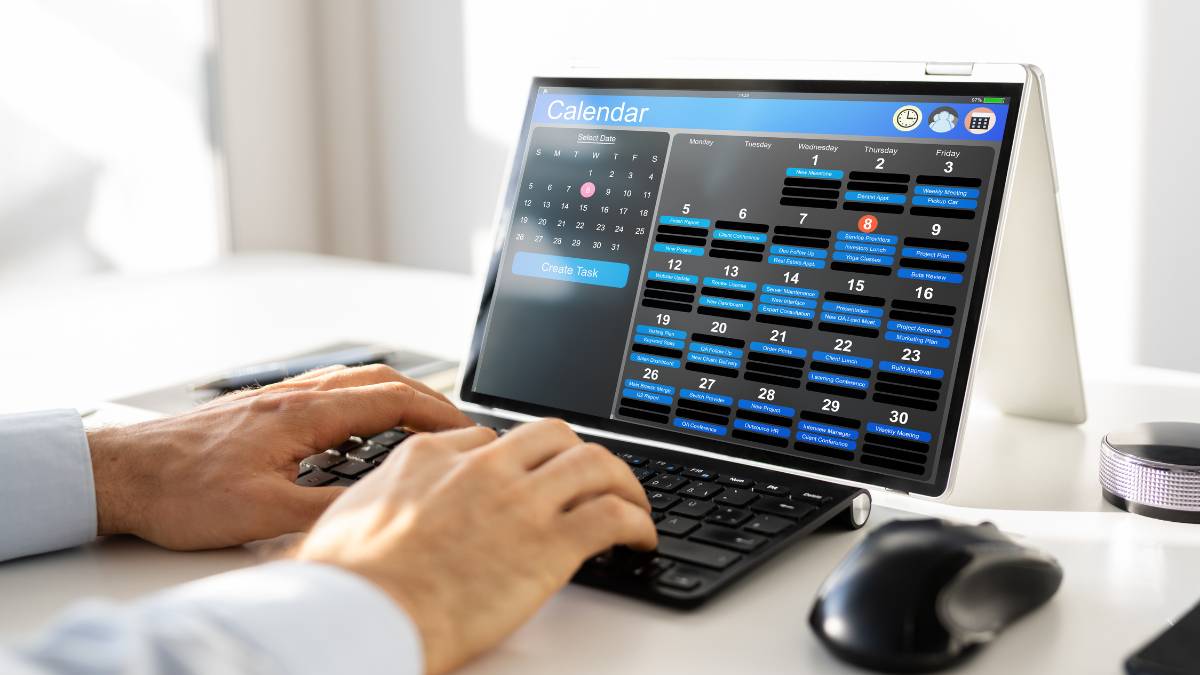
Think of it as a normal content calendar, but smarter. It doesn’t just hold dates and topics; it pays attention to what’s worked before and suggests what might work next.
Some key differences from the usual calendar:
- Data-backed decisions: Looks at past posts and audience response.
- Automation: Can suggest posting times, formats, and even topics.
- Scale: Makes handling bigger campaigns less stressful.
The biggest upside? It frees up the team to focus on creating instead of guessing. It’s like having someone quietly keeping track of all the little things in the background.
Why Businesses Need AI-Driven Content Calendars
Posting content consistently is harder than it looks. One day the plan is perfect, the next day, everything gets thrown off. AI-driven calendars help keep things on track.
What they bring to the table:
- Consistency: Keeps posts coming so audiences stay engaged.
- Engagement: Shows what actually works for your audience.
- Focus: Helps spend time and energy where it matters.
- Trends: Let’s you jump on seasonal topics or popular formats early.
- Proven: Big brands are using these insights to plan smarter campaigns without burning out their teams.
The point is simple: it makes content planning less messy and more effective.
Also Read: Content Marketing Trend
How AI Generates Content Ideas for Your Calendar
Ideas are tricky. Some stick, some flop. Trends change fast. A smart calendar helps make sense of it all.
Here’s how it helps:
- Keyword insights: Shows what people are actually searching for.
- Trends: Finds topics, hashtags, and formats that are gaining traction.
- Audience behavior: Tells you which posts, videos, or reels get the most attention.
- Organized brainstorming: Group ideas into clusters so your calendar fills naturally.
The calendar isn’t just full. It’s useful. Every post has a better chance of hitting the right people at the right time. It’s planning with a little sense behind it, not just guessing.
Also Read: 50 Best Content Marketing Ideas
How to Create AI-Driven Content Calendars
1. Set Your Content Goals
Start with clarity. A calendar only works when the team knows what it’s trying to achieve.
Some days, the goal is awareness. Other times, it’s engagement or conversions. Pick one as the main focus so the rest of the planning doesn’t drift.
What to do:
- Identify the primary purpose: awareness, engagement, or conversions.
- Keep 1–2 secondary goals in the background.
- Compare tool suggestions with your goals. Keep what fits, ignore the rest.
- Revisit goals regularly because priorities change quickly.
A calendar built around clear goals feels steady. Not rushed.
2. Analyze Your Existing Content
Look at your older posts before planning anything new. It may feel boring, but it saves a lot of time later. Patterns show up quickly when you check performance honestly.
What to look for:
- Posts that performed unexpectedly well.
- Topics or formats that consistently underperform.
- Repeated questions or themes the audience cares about.
- Gaps where content is missing entirely.
Think of this step as cleaning a workspace.
Once you see what’s working, planning becomes easier and less chaotic.

Enroll Now: Digital Marketing course
3. Generate Topic Ideas with AI
After you know your gaps, start collecting ideas. Don’t worry about making them perfect, just build a pool to choose from.
How to generate stronger ideas:
- Use prompts to spark themes and content angles.
- Filter the ideas through your content goals.
- Prioritize topics with steady search interest or clear demand.
- Group ideas into clusters (education, product, trends, FAQs, etc.).
A rough list is fine.
It only needs direction, not perfection.
4. Plan Your Publishing Schedule
This is where ideas turn into an actual timeline. Use the insights you have, not generic posting rules.
Build your schedule:
- Add the shortlisted topics into a weekly/monthly layout.
- Follow recommended posting times for each platform, each one behaves differently.
- Decide the frequency: reels, blogs, carousels, newsletters, etc.
- Use platforms like Buffer, Hootsuite, or Sprout for automated posting.
- Leave a little space for last-minute ideas or timely opportunities.
A good schedule feels organized but not rigid. It should breathe.
5. Optimize Content with AI Suggestions
Before finalizing each piece, sharpen it. Not rewrite, just refine.
What to optimize:
- Use keyword groups and semantic clusters for better search visibility.
- Fix readability by breaking long lines and trimming clutter.
- Share clear content briefs so the whole team stays aligned.
Optimization isn’t about forcing keywords.
It’s simply making the content easier to find and easier to read.
6. Review and Adjust
A content calendar works only when it evolves. The first version is never the final one.
What to track:
- Engagement patterns
- Watch time, saves, or clicks
- Topics that unexpectedly worked
- Posts that didn’t move at all
Use small adjustments every week instead of one huge overhaul later.
Over time, the system becomes smarter because every post adds more data.
This quiet, ongoing tuning is what keeps the calendar relevant and steady.
Also Read: How to Create a Content Calendar That Converts
Best AI Tools for Content Calendar Management
1. Trello with AI Integrations
Trello works well for teams that like simple boards instead of heavy dashboards. With AI add-ons, it quietly organizes cards, suggests dates, and keeps scattered tasks from getting lost. Nothing fancy. Just small nudges that help the calendar stay on track. It suits teams that want structure without too many rules getting in the way.
2. Asana AI
Asana’s AI features help teams keep projects moving without constant manual checks. It predicts delays, tidies up tasks, and turns rough notes into clearer action items. Helpful when campaigns overlap or the team is stretched thin. Everything feels more coordinated. Less chasing, fewer surprises. It’s steady support for busy content teams.
3. Monday.com AI
Monday.com blends structure with flexibility, and the AI layer adds a bit more order to the chaos. It summarizes updates, flags tasks that might slip, and handles repetitive admin work. Teams juggling multiple platforms tend to find this useful. It keeps things moving, even on messy weeks. A small push in the right direction.
4. ContentStudio
ContentStudio is built for social teams that need quick ideas and a clean way to schedule everything. The AI helps with topics, captions, and posting windows. Nothing over the top, just practical features that save time when content demands pile up. It’s good for teams posting often and across many channels. Keeps the workflow lighter.
5. HubSpot AI Content Planning
HubSpot’s AI fits naturally into its marketing tools. It suggests topics, refines outlines, and links ideas with audience data already inside the platform. This makes planning feel more grounded. Less guessing. Teams running inbound campaigns tend to appreciate how it connects content with timing. A steady helper when calendars get packed.
Also Read: AI in Content Marketing
Common Challenges and How to Overcome Them
1. Balancing Automation with Human Creativity
Automation helps with routine planning, but it can’t handle the softer parts of content, tone, intuition, small creative jumps. The best way is to let automation handle structure and data while the team decides the final angle and storytelling. A mix works better than relying on one side. Think of automation as support, not the main driver.
2. Data Privacy Concerns
Most teams worry about where their data goes, and it’s valid. Content platforms often collect performance details, drafts, and internal notes. The fix is simple but important: choose tools with clear privacy policies, limit sensitive inputs, and review permissions regularly. Small checks prevent bigger issues later. It’s more about awareness than fear.
3. Matching Brand Voice
AI suggestions sometimes feel generic or off-brand, especially if the brand has a specific personality. The team should always refine drafts, tweak language, and adjust tone so it sounds like the brand, not the tool. A short brand voice guide helps. After a few rounds, the suggestions start feeling closer to what you need.
4. Keeping Authenticity Intact
Use insights from AI, but don’t let them dictate every decision. Data can guide, but authenticity comes from understanding the audience and speaking to them naturally. Keep room for spontaneous ideas, real stories, and human judgment. These parts create the connection that tools can’t replicate. It’s a balance, structured planning with space for real expression.
Also Read: User-Generated Content Campaigns
Conclusion
In the end, AI prompts only work when they’re written with some real thought behind them. Not fancy tricks. Not big promises. Just clear intent and a bit of common sense. Most teams realise this only after wasting time on prompts that look neat but do nothing. It happens a lot.
Good prompts feel closer to how people talk. Not how machines talk. When the message sounds like something your audience would say themselves, it lands. When it doesn’t, the lead goes cold fast. Simple.
So the main thing is this: keep the wording tight, keep it relevant, and adjust it when things feel off. Small edits often fix more than long rewrites. And once the flow clicks, the whole lead-gen system becomes easier to manage. Almost lighter. That’s usually when results start showing up.
FAQs: How to Create AI-Driven Content Calendars
1. What is an AI-driven content calendar?
It’s basically a content calendar that does more than hold dates. It studies what has worked earlier, picks up patterns, and gives suggestions so the team isn’t planning blindly every week. Think of it as a calendar that adjusts itself as things change. Helps keep everything steady when output grows.
2. How does AI help in content planning and scheduling?
Most of the support comes from spotting trends the team may miss when things get busy. It checks when people are active, which topics are warming up, and how different formats perform. Then it recommends timings or themes that fit. It also handles small routine tasks that usually eat up time. Simple, helpful stuff.
3. Which platforms offer AI content calendar features?
Plenty of planning tools have added smart features now. Trello with add-ons, Asana AI, Monday.com AI, ContentStudio, HubSpot’s planning setup, each one brings its own mix. Some focus more on social content, others on workflows, but all of them help teams plan without juggling ten different places.
4. Can AI replace human content strategists?
No. Tools can support planning, but strategy still comes from people who understand the audience and the brand’s voice. AI can show patterns or pull up ideas, but the direction, the taste, the final judgment, that still needs a human team. It works best when both sides share the load.
5. How often should an AI-driven content calendar be updated?
A weekly check usually keeps things in good shape. Some teams do small tweaks every few days if they post a lot. The goal is to stay close to what’s actually happening instead of waiting a whole month. Short reviews keep the calendar from drifting too far off-track.
6. What metrics should be tracked with an AI-powered content calendar?
Teams normally watch a mix of reach, watch time, clicks, engagement, and search visibility, whichever matches the main goal. Saves and shares matter a lot too. These small signals show what people actually care about. When tracked regularly, they help guide the next round of planning without guessing.