
Software development is changing fast. Not in the gradual, predictable way it used to. Entire workflows that once took weeks can now be compressed into hours. Sometimes minutes.
At the center of this shift is a new category of AI-assisted development platforms commonly called vibe coding tools.
These tools don’t just suggest code. They understand intent. They generate features. They refactor systems. In some cases, they build entire applications from a single prompt.
This isn’t about replacing developers. It’s about changing how development actually happens.
Instead of manually wiring every function, developers describe what they want. The tool handles the structure, logic, and scaffolding. The role of the developer shifts slightly; less typing, more direction. Less syntax, more system thinking.
This guide breaks down the best vibe coding tools available today, how they work, and how to choose the right one based on workflow, skill level, and project goals.
Before diving into specific tools, it’s important to understand what vibe coding actually means and why it’s suddenly everywhere.
Table of Contents
What Are Vibe Coding Tools? (Definition + How They Work)
Vibe Coding Meaning in AI and Software Development
Vibe coding refers to a development approach where software is created by describing intent in natural language, and AI translates that intent into working code.
Instead of manually writing every line, developers guide the system using prompts such as:
- “Create a responsive dashboard with user authentication.”
- “Add Stripe payment integration.”
- “Refactor this function to improve performance.”
- “Build a REST API for managing orders.”
The tool interprets the request and generates the relevant code, often across multiple files.
This changes the dynamic completely. Development becomes more conversational. More iterative.
Not everything is automated, and it shouldn’t be. But the heavy lifting shifts toward the AI.
Here’s how vibe coding differs from traditional programming:
Traditional programming:
- Developers write code manually
- Every function, file, and integration is built step-by-step
- Progress depends directly on typing speed and implementation effort
- More time spent on boilerplate and repetitive tasks
Vibe coding:
- Developers describe what they want
- AI generates code, structure, and logic
- Focus shifts toward architecture, intent, and validation
- Much faster iteration cycles
This doesn’t eliminate the need for technical understanding. It amplifies it. Developers who understand systems, architecture, and constraints get significantly better results.
The prompt becomes the new interface.
And the quality of direction matters.
How Vibe Coding Tools Use Generative AI to Write Code
At their core, vibe coding tools rely on large language models trained on massive amounts of code and technical documentation.
These models can:
- Understand natural language instructions
- Generate syntactically correct code
- Maintain context across multiple files
- Suggest improvements and fixes
But the real value isn’t just code generation. It’s context awareness.
Modern vibe coding tools can analyze an entire codebase and make changes intelligently, not blindly.
Key capabilities include:
1. LLM-powered code generation
Instead of generating isolated snippets, these tools can build:
- Components
- APIs
- Database models
- Entire application flows
And they do it in a way that fits the existing structure.
Not perfectly every time. But often surprisingly well.
2. Context-aware code suggestions
The tool understands:
- Project structure
- Existing functions
- Dependencies
- Naming conventions
This makes the output feel cohesive rather than disconnected.
Older tools generated code in isolation. Newer tools generate code in context.
That difference matters.
3. Multi-file project generation
Vibe coding tools can create and modify multiple files at once, including:
- Frontend components
- Backend logic
- Configuration files
- Database schemas
This dramatically reduces setup time, which has historically been one of the slowest parts of development.
4. Debugging and refactoring support
These tools can also:
- Identify bugs
- Suggest fixes
- Improve performance
- Refactor messy code into cleaner structures
Not every suggestion is correct. Review is still essential. But it speeds up the debugging process significantly.
Why Vibe Coding Is Becoming Popular
This shift didn’t happen randomly. Several forces converged at the same time.
Rise of AI-assisted development
AI is no longer limited to experimentation. It’s becoming part of daily workflows.
Development teams are using AI to:
- Generate boilerplate code
- Automate repetitive work
- Speed up testing and iteration
- Explore ideas faster
What used to be optional is quickly becoming standard.
Faster MVP creation
Speed matters, especially for startups and product teams.
Building a minimum viable product used to take weeks or months. Now it can happen in days.
This doesn’t mean skipping quality. It means removing friction.
Less time spent setting up the structure. More time spent improving the product.
Reduced barrier for non-developers
One of the biggest shifts is accessibility.
People without deep programming experience can now build functional applications by combining:
- Clear intent
- Basic technical understanding
- The right vibe coding tool
This opens the door for:
- Founders validating ideas faster
- Marketers building internal tools
- Designers creating interactive prototypes
The dependency on engineering bandwidth decreases.
That’s a meaningful change.
Shift toward AI-native workflows
New development environments are being built around AI, not just augmented by it.
This distinction is important.
Older tools added AI as a feature. New tools treat AI as the foundation.
This leads to workflows where:
- Code generation is continuous
- Refactoring is faster
- Iteration cycles are shorter
- Development feels more fluid
It’s less about writing every line manually and more about guiding the system effectively.
That’s the essence of vibe coding.
And it’s only getting started.
Key Benefits of Using Vibe Coding Tools
The real value of vibe coding tools isn’t just speed. It’s leverage.
They remove friction from the development process, especially the parts that slow teams down but don’t actually create strategic value. Boilerplate setup. Repetitive patterns. Minor refactors. Structural wiring.
Those tasks still matter. But they no longer require the same manual effort.
The result is a shift in where time and energy go: less implementation overhead, more focus on building useful products.
Faster Prototyping and MVP Development
This is usually the first benefit teams notice.
What used to take days of setup can now happen in a single working session. Basic application scaffolding, routing, data models, and UI components can be generated quickly and then refined.
This changes how ideas get validated.
Instead of debating feasibility, teams can simply build and test.
Typical acceleration areas include:
- Creating initial project structure
- Building dashboards, forms, and user interfaces
- Setting up APIs and backend routes
- Connecting databases and external services
- Generating repetitive components
This doesn’t eliminate engineering effort entirely. But it dramatically shortens the distance between idea and working prototype.
That speed compounds over time.
Faster prototypes lead to faster feedback. Faster feedback leads to better products.
Increased Developer Productivity and Efficiency
A surprising amount of development time is spent on predictable, repetitive work.
Things like:
- Writing boilerplate code
- Converting logic into different formats
- Creating similar components across multiple files
- Fixing minor syntax or structural issues
These tasks require attention but not necessarily deep thinking.
Vibe coding tools offload much of this work, allowing developers to focus on higher-value areas like:
- System architecture
- Performance optimization
- Product logic
- Problem-solving
There’s also less context switching. Instead of searching documentation or writing routine code from scratch, developers can move forward continuously.
This creates a smoother workflow.
Not perfect. But noticeably faster.
Democratization of Software Development
One of the more meaningful shifts is accessibility.
Building software used to require deep familiarity with syntax, frameworks, and development environments before anything useful could be created.
That barrier is lower now.
People with limited programming experience can generate functional applications by combining clear intent with iterative guidance. They still need to understand the basics. But they’re no longer blocked by implementation complexity alone.
This opens new possibilities for:
- Founders validating product ideas independently
- Designers building interactive prototypes
- Marketers creating internal automation tools
- Operators solving workflow problems without engineering dependencies
Development becomes more accessible without becoming trivial.
Technical depth still matters. But the entry point is wider.
Rapid Experimentation and Innovation
Speed changes behavior.
When building something takes weeks, teams hesitate. They over-plan. They debate small decisions. They delay execution.
When building something takes hours, experimentation becomes natural.
Teams can:
- Test multiple variations quickly
- Explore ideas without heavy upfront investment
- Iterate based on real feedback instead of assumptions
- Kill weak ideas early and double down on promising ones
This leads to better outcomes over time.
Not because every experiment succeeds, but because more experiments happen.
Iteration becomes cheaper. And that’s where innovation tends to emerge.
Improved Learning for Beginner Developers
Vibe coding tools also function as real-time learning environments.
Instead of passively reading documentation, developers can:
- Generate working examples instantly
- See how features are structured
- Understand patterns through implementation
- Modify and observe how changes affect behavior
This accelerates the learning curve.
Concepts that once took weeks to internalize can be understood faster because the feedback loop is shorter. Immediate output makes abstract concepts concrete.
It’s still important to understand what the code is doing and why. Blind reliance leads to fragile systems.
But used correctly, these tools help beginners move from theory to practice much faster.
Types of Vibe Coding Tools
Not all vibe coding tools work the same way. They fall into distinct categories based on how they integrate into the development workflow.
Understanding these categories makes it easier to choose the right tool for specific needs.
Some are designed to enhance existing workflows. Others replace them entirely.
IDE-Integrated Vibe Coding Tools
These tools integrate directly into existing development environments, extending them with AI-assisted capabilities.
Instead of switching platforms, developers continue using familiar IDEs while gaining additional functionality like:
- Code generation from prompts
- Inline suggestions and edits
- Refactoring assistance
- Code explanation and debugging support
This approach works well because it enhances the current workflow rather than disrupting it.
Developers maintain full control while reducing manual effort.
It’s often the easiest starting point, especially for experienced engineers who don’t want to change environments.
Common characteristics:
- Installed as extensions or plugins
- Works inside existing projects
- Supports incremental adoption
- Maintains traditional development structure
The experience feels familiar; just faster and more responsive.
AI-Native Coding IDEs (Built for Vibe Coding)
These environments are built from the ground up around AI-assisted development.
AI isn’t added as a feature. It’s integrated into the core experience.
This allows for deeper capabilities, such as:
- Full-project generation from prompts
- Continuous codebase understanding
- Intelligent multi-file edits
- Integrated conversational interfaces
These IDEs are optimized for collaboration between the developer and the system.
Instead of writing everything manually, developers guide the process.
This leads to faster iteration cycles and smoother workflows, especially for new projects.
AI-native IDEs often feel different from traditional tools. More fluid. Less rigid.
That difference becomes more noticeable over time.
CLI-Based Vibe Coding Tools
Command-line-based tools offer a more direct, lightweight interface.
They operate through terminal commands and prompts, allowing developers to generate or modify code without opening a full graphical interface.
This approach appeals to more technical users who prefer:
- Faster execution
- Greater control
- Automation workflows
- Scriptable interactions
CLI-based tools integrate well into advanced development pipelines.
They’re especially useful for:
- Backend development
- Automation tasks
- Infrastructure configuration
- Advanced engineering workflows
They’re less beginner-friendly, but extremely powerful in experienced hands.
Web-Based Vibe Coding Platforms
These platforms run entirely in the browser, removing the need for installation or setup.
This makes them highly accessible.
Users can:
- Generate applications directly from prompts
- Edit and modify code visually
- Test functionality instantly
- Deploy projects quickly
This category is especially useful for:
- Beginners exploring development
- Rapid prototyping
- Early-stage product validation
- Cross-device accessibility
The friction is minimal. Open a browser and start building.
While they may offer slightly less control than local environments, the convenience is hard to ignore.
Autonomous AI Coding Agents
This is the newest and most advanced category.
These tools operate more like autonomous collaborators than assistants.
They can:
- Analyze entire projects
- Plan implementation steps
- Generate multi-file systems
- Execute complex changes across codebases
Instead of responding to isolated prompts, they operate with broader context and intent.
This enables more complex workflows, such as:
- Building complete features from descriptions
- Refactoring large codebases
- Automating development tasks
This category is still evolving, but it represents where vibe coding is heading.
Less manual coordination. More intelligent execution.
The developer remains in control, but with significantly more leverage.
13 Best Vibe Coding Tools
The vibe coding space didn’t just grow. It changed shape completely.
Not long ago, AI coding tools mostly worked like autocomplete on steroids. Helpful, yes. But still reactive. Now, many of these tools behave more like collaborators. They read entire codebases, suggest structural improvements, generate features, and sometimes even catch issues before they turn into real problems.
Still, not every tool fits every workflow. Some tools quietly sit inside an existing IDE and speed things up. Others replace the IDE entirely. Some are brilliant for frontend work but struggle with backend logic. Others do the opposite.
Choosing the right one is less about hype and more about fit. The wrong tool slows things down. The right one feels almost invisible. Work just moves faster.
Below are 13 of the most capable vibe coding tools right now, each with its own personality, strengths, and tradeoffs.
1. Cursor – Best AI-First IDE for Vibe Coding
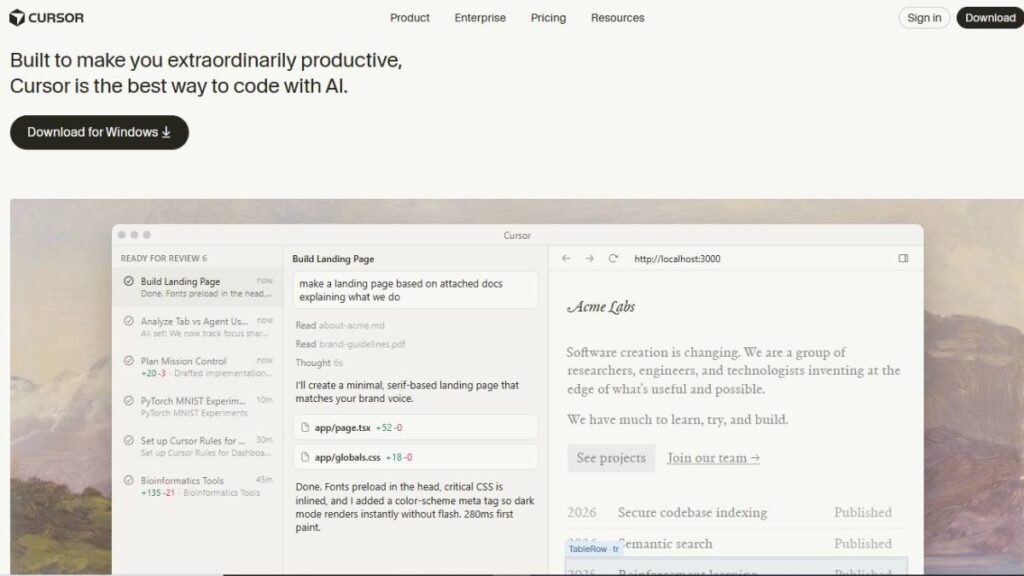
The cursor feels different immediately. Not because of flashy features, but because AI isn’t bolted on. It’s baked in.
Traditional IDEs treat AI like an assistant sitting on the side. Cursor treats AI like part of the core engine. That distinction matters more than it sounds.
The biggest advantage shows up when working inside larger codebases. Cursor doesn’t just look at one file. It understands relationships between files, components, and functions. That context lets it suggest changes that actually make sense.
Instead of manually wiring new features across multiple layers, developers can describe what needs to happen. Cursor handles most of the plumbing.
Things it handles especially well:
- Refactoring multi-file logic
- Generating complete features
- Explaining unfamiliar code sections
- Navigating complex projects faster
There’s an adjustment period. Muscle memory from traditional IDEs doesn’t fully apply here. But once that clicks, productivity jumps noticeably.
Best for:
- Full-stack projects
- Scaling existing applications
- Teams moving toward AI-native workflows
Pros
- Excellent codebase awareness
- Strong multi-file editing
- Feels cohesive, not bolted-on
Cons
- Takes time to get comfortable
- Can slow slightly in very large repos
Pricing: Free tier available, paid plans unlock higher limits.
2. GitHub Copilot – Most Widely Adopted AI Coding Assistant
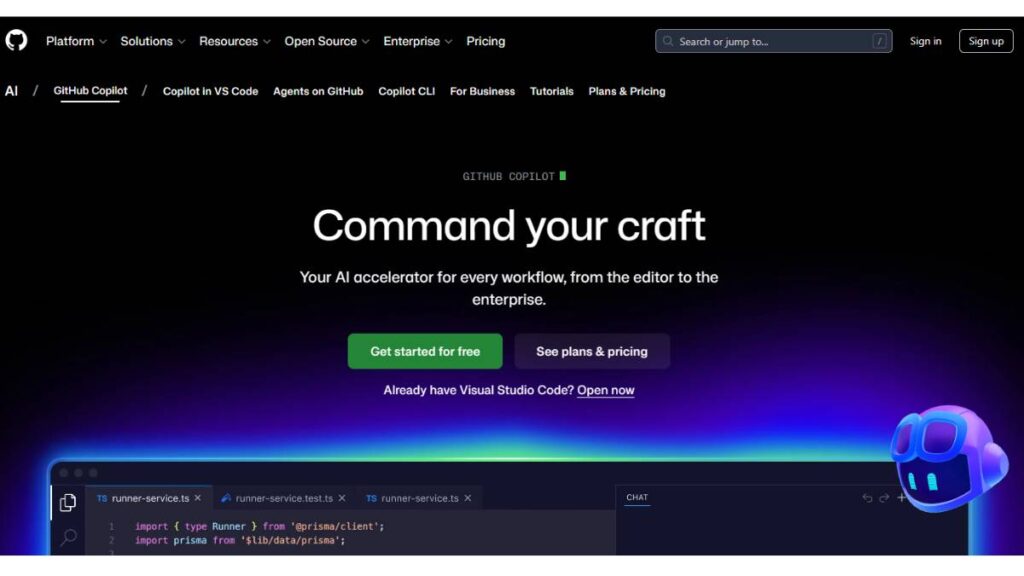
Copilot became popular for a simple reason. It didn’t force anyone to change how they work.
It sits inside familiar environments and quietly improves speed. No big workflow changes. No learning curve.
At its core, Copilot still excels at inline suggestions. But newer versions go further. It can generate functions, explain blocks of code, and help restructure logic when needed.
It works best as an accelerator, not a replacement.
Developers still stay in control. Copilot just removes friction.
Best for:
- Developers who want AI assistance without switching tools
- Speeding up repetitive coding work
- Improving day-to-day efficiency
Pros
- Extremely easy to adopt
- Reliable suggestions
- Works across major IDEs
Cons
- Less effective for large architectural changes
- Doesn’t operate as a fully autonomous agent
Pricing: Subscription-based, with free access for students.
3. Anthropic Claude Code – Best for Autonomous Feature Development

Claude Code leans heavily into agent-style workflows.
Instead of generating isolated snippets, it handles broader tasks. Full feature implementation. Multi-file edits. Logical restructuring.
This becomes especially useful during backend development, where changes ripple across layers.
Claude tends to reason carefully. Sometimes slower, but often more precise. That tradeoff is worth it in complex systems.
It performs well when instructions are clear and structured. Vague prompts produce vague results. Specific prompts unlock its strengths.
Best for:
- Backend feature development
- System-level improvements
- Refactoring legacy logic
Pros
- Strong reasoning ability
- Handles complex workflows well
- Reliable for structured tasks
Cons
- Requires clear instructions
- Still needs human validation
Pricing: Available via API and integrations.
4. Replit Ghostwriter – Best Browser-Based Vibe Coding Tool
Replit Ghostwriter removes one of the biggest traditional barriers. Setup.
No installations. No environment configuration. Everything runs in the browser.
That simplicity makes experimentation easier. Ideas can be tested quickly, without overhead.
It’s surprisingly capable, too. Full-stack apps, instant previews, and real-time edits all happen in one place.
Performance isn’t ideal for massive production systems. But for prototyping, learning, and lightweight development, it works well.
Best for:
- Rapid prototyping
- Learning environments
- Lightweight application development
Pros
- Zero setup required
- Accessible anywhere
- Fast experimentation
Cons
- Limited scalability
- Less control compared to local setups
Pricing: Free tier available, paid plans add more compute.
5. Codeium Windsurf – Advanced AI-Native Coding Environment
Windsurf focuses heavily on flow.
It’s designed to reduce interruptions. Developers stay focused on intent, while the AI handles repetitive coordination tasks.
Its biggest strength lies in continuity. Instead of reacting to individual prompts, it follows the ongoing development context.
This makes longer sessions smoother. Less back-and-forth. Fewer manual corrections.
Best for:
- Long development sessions
- Complex applications
- Developers comfortable with AI-native environments
Pros
- Excellent workflow continuity
- Strong project awareness
- Efficient feature generation
Cons
- Requires adjustment
- Still evolving rapidly
6. Vercel v0 – Best for Frontend Generation
Frontend work often becomes repetitive. Layouts, components, styling. Same patterns, different projects.
v0 reduces that burden significantly.
Developers describe the interface. v0 generates usable UI components, often compatible with modern frameworks immediately.
It doesn’t replace frontend developers. But it removes a lot of boilerplate.
Especially useful during early UI exploration.
Best for:
- React and modern frontend development
- UI prototyping
- Design-heavy applications
Pros
- Fast UI generation
- Modern framework compatibility
- Speeds up frontend workflows
Cons
- Backend support limited
Pricing: Usage-based.
7. Lovable – Best for Full-Stack App Generation
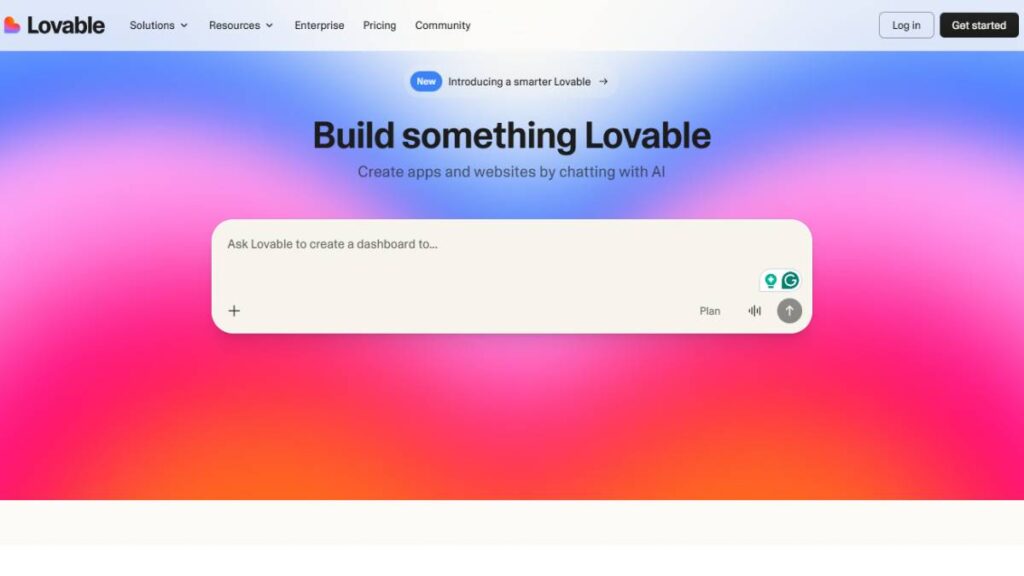
Lovable focuses on simplicity.
It allows applications to be generated from prompts, including frontend and backend layers.
This makes it useful for early product development. Especially when validating ideas quickly.
It’s not ideal for highly customized enterprise systems. But for prototypes and internal tools, it’s extremely efficient.
Pros
- Fast full-stack generation
- Beginner-friendly
- Minimal setup
Cons
- Limited deep customization
Pricing: Freemium model.
8. StackBlitz Bolt – Best for Rapid Prototyping
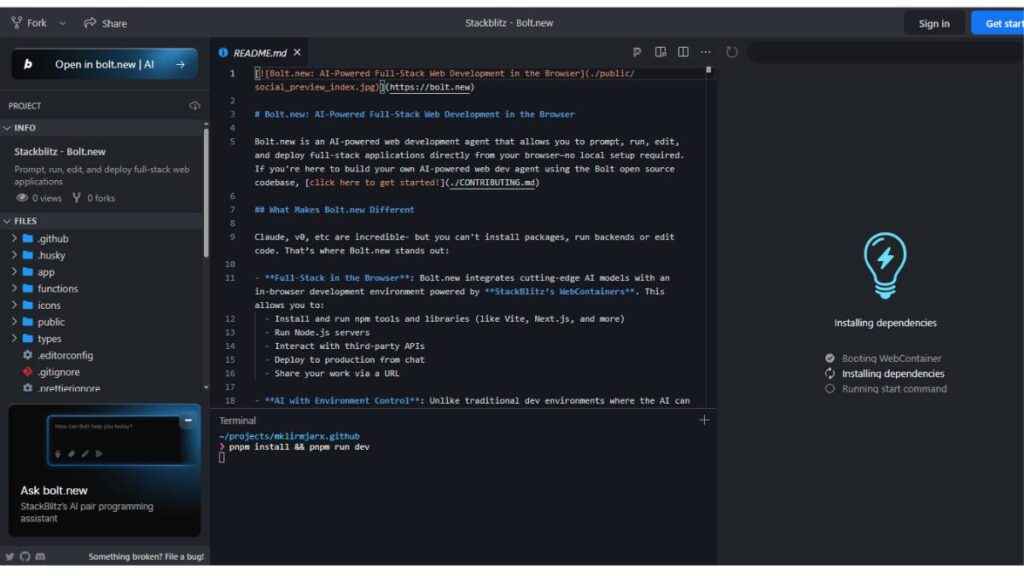
Bolt prioritizes speed above everything.
Projects go from idea to working prototype quickly. Structure, scaffolding, and initial logic all generated in minutes.
This shortens experimentation cycles dramatically.
Especially useful during ideation phases.
Pros
- Extremely fast setup
- Strong prototyping capabilities
Cons
- Less suited for production-scale systems
Pricing: Subscription-based.
9. OpenAI Codex – Best API-Level Vibe Coding Tool
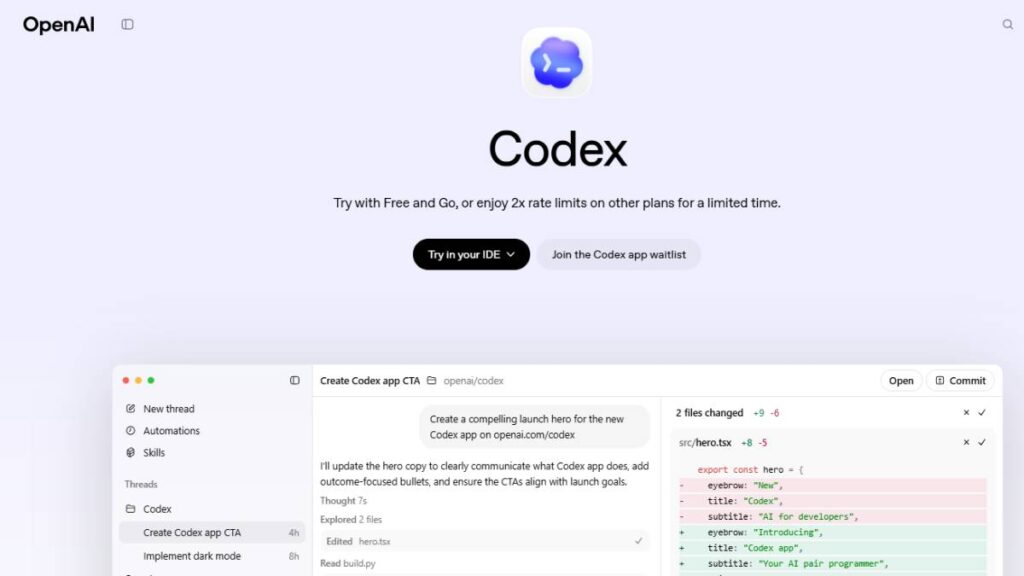
Codex operates differently. It’s not an IDE. It’s an engine.
Developers integrate it into their own tools, workflows, or internal systems.
This flexibility makes it powerful. But also requires more setup.
Best suited for teams building custom tooling.
Pros
- Highly flexible
- Strong generation capability
Cons
- Requires integration effort
Pricing: API-based.
10. Cline – Best Open-Source Vibe Coding Extension
Cline appeals to developers who want control.
It integrates into existing environments and offers agent-like features, without locking users into proprietary systems.
Open-source flexibility is its biggest advantage.
Pros
- Open ecosystem
- Customizable
Cons
- Requires setup effort
Pricing: Free.
11. Roo Code – Lightweight AI Coding Assistant
Roo Code focuses on simplicity.
It enhances workflows without overwhelming them. Suggestions stay relevant. Performance remains fast.
It’s practical. Not flashy.
Pros
- Fast and lightweight
- Easy to use
Cons
- Less advanced automation
Pricing: Free and paid plans.
12. Kilo Code – Built for Professional Development Workflows
Kilo Code targets experienced developers handling complex systems.
Automation features reduce repetitive work. Especially helpful in large environments.
Not beginner-focused. But powerful in the right hands.
Pros
- Strong automation
- Professional-grade features
Cons
- Requires experience
Pricing: Subscription.
13. OpenCode – Best CLI-Based Vibe Coding Tool
OpenCode brings vibe coding into the terminal.
This matters more than it sounds. Many backend and infrastructure workflows still live inside the command line.
OpenCode fits naturally into those workflows.
Efficient. Lightweight. Flexible.
Pros
- Terminal-friendly
- Easy automation integration
Cons
- Less beginner-friendly
Pricing: Free and paid tiers.
No single tool wins in every situation.
Cursor and Windsurf excel in AI-native workflows. Copilot fits best in traditional environments. v0 dominates frontend generation. Claude Code performs strongly in backend logic.
The best choice depends on workflow, experience level, and project scope.
Most developers end up using more than one.

Enroll Now: AI Marketing Course
How to Choose the Right Vibe Coding Tool
Choosing a vibe coding tool isn’t really about features. It’s about alignment.
The wrong tool creates friction. The right one fades into the background and quietly accelerates everything.
The decision usually comes down to four things.
Based on Your Technical Skill Level
Beginner developers
The priority here is simplicity. Tools should reduce cognitive load, not increase it.
Look for tools that:
- Run in the browser
- Require minimal setup
- Provide clear explanations
- Allow fast experimentation
Strong options typically include browser-based builders and guided IDE environments.
These help build momentum quickly, which matters more than raw power early on.
Intermediate developers
This is where flexibility starts to matter more.
Developers at this level benefit from tools that:
- Integrate into existing workflows
- Support multiple languages and frameworks
- Help with debugging and refactoring
The goal shifts from learning to accelerating.
Tools that work inside familiar IDEs tend to feel most natural here.
Advanced developers
Advanced workflows demand deeper control.
The best tools at this level typically offer:
- Full codebase awareness
- CLI integration
- Automation capabilities
- API access
These tools don’t just assist. They amplify.
Especially useful when managing large systems, distributed architectures, or infrastructure workflows.
Based on Project Type
Different tools excel in different environments.
Frontend-heavy projects
- UI generation tools dramatically reduce repetitive work
- Ideal for React, dashboards, and SaaS interfaces
Full-stack applications
- AI-native IDEs handle multi-layer coordination better
- Useful when frontend, backend, and database logic interact closely
Startup MVPs
- Speed matters more than perfection
- Browser-based builders and rapid scaffolding tools work well
Enterprise systems
- Stability and control matter more than speed
- API-based tools and IDE-integrated assistants are often better fits
The complexity of the project should guide the tool choice, not the other way around.
Based on Workflow Preferences
This part often gets overlooked. But it matters a lot.
If most work happens inside an IDE
Choose tools that integrate directly. Context switching slows everything down.
If working heavily in the browser
Web-based tools eliminate setup and make collaboration easier.
If the terminal is central to daily work
CLI-based tools fit naturally into automation pipelines and infrastructure workflows.
Forcing a tool into the wrong environment usually backfires.
Based on the Budget and Pricing Model
Pricing structures vary widely.
Free and freemium tools
- Ideal for learning and experimentation
- Usually includes usage limits
Subscription tools
- Predictable costs
- Consistent access and features
API-based pricing
- Highly flexible
- Cost scales with usage
For individuals, subscriptions are often simpler. For teams and companies, API-based pricing offers more control.
API-Based vs Subscription-Based Vibe Coding Tools
This distinction shapes how these tools fit into workflows long-term.
Both models work well. But they solve different problems.
API-Based Vibe Coding Tools
API-based tools act more like infrastructure than software.
They provide raw capabilities. Teams build workflows around them.
This approach offers:
- Deep customization
- Integration into internal systems
- Automation at scale
- Greater architectural control
This model works especially well when:
- Building internal developer tools
- Automating engineering workflows
- Creating custom coding environments
But there’s more setup involved. These tools don’t hold your hand.
They give flexibility, not convenience.
Subscription-Based Vibe Coding Tools
Subscription tools prioritize usability.
Everything is packaged into a complete experience. Installation is simple. Interfaces are designed for immediate use.
This model offers:
- Faster onboarding
- Predictable pricing
- Lower technical overhead
- Easier adoption across teams
Most individual developers prefer this model. It removes friction.
Instead of building workflows, developers can focus on shipping.
Which Pricing Model Is Better?
It depends entirely on how the tool will be used.
Subscription tools work best for:
- Individual developers
- Freelancers
- Small teams
- Everyday development work
They’re simple, reliable, and require minimal setup.
API-based tools work best for:
- Engineering teams
- Infrastructure automation
- Custom developer platforms
- Organizations building internal tools
They offer flexibility and scalability that packaged tools can’t match.
Many teams end up using both.
Subscription tools handle daily development. API-based tools power automation behind the scenes.
That combination tends to deliver the best results over time.
Limitations and Risks of Vibe Coding Tools
Vibe coding tools are powerful. That part is obvious. But they’re not perfect, and treating them like they are usually creates problems later.
The biggest mistake teams make isn’t using these tools. It’s trusting them blindly.
Understanding the limitations upfront helps avoid fragile systems, hidden bugs, and long-term maintenance issues.
Unpredictable or Incorrect Code Output
Generated code often looks correct at first glance. It compiles. It runs. Sometimes it even passes basic tests.
But underneath, issues can exist:
- Logical errors that only appear under specific conditions
- Inefficient implementations that don’t scale well
- Incorrect assumptions about how systems interact
This happens because these tools generate code based on patterns, not true system awareness.
The output still needs human review. Always.
Especially for authentication logic, data handling, and business-critical workflows.
Debugging Challenges
Debugging AI-generated code can feel different from debugging human-written code.
Why? Because the intent isn’t always obvious.
Developers typically write code with clear structure and reasoning. Generated code sometimes works without being easy to interpret.
This can lead to:
- Harder debugging sessions
- Slower root cause identification
- Increased maintenance complexity
When using vibe coding tools, clarity matters more than speed. Asking for simpler, cleaner implementations often helps.
Security and Privacy Risks
Security is one of the most overlooked risks.
Generated code may:
- Miss input validation
- Use insecure patterns
- Expose sensitive data unintentionally
There’s also the question of data exposure.
Some tools process code externally, which raises concerns for:
- Proprietary codebases
- Confidential business logic
- Enterprise applications
Organizations handling sensitive systems often prefer controlled environments or API-based integrations to reduce exposure risk.
Security reviews remain essential.
Over-Reliance on AI Assistance
One subtle risk shows up over time. Skill erosion.
When developers rely entirely on generated code, fundamental problem-solving skills weaken. Debugging becomes harder. System design becomes harder.
The tools work best when used as accelerators, not replacements.
Strong developers use them to move faster. They don’t outsource understanding.
Lack of Architectural Consistency
Large systems require consistency.
Patterns. Naming conventions. Structure. Design decisions.
Generated code can sometimes introduce inconsistencies, especially when features are created incrementally.
This leads to:
- Fragmented architecture
- Inconsistent patterns
- Harder long-term maintenance
Without clear oversight, systems can slowly become harder to manage.
The best results happen when developers guide architecture intentionally, while letting tools handle execution details.
Not the other way around.
The Future of Vibe Coding and AI-Driven Development
Software development is changing faster now than it has in decades. Not gradually. Structurally.
What used to require weeks can now happen in hours. And the trajectory is still accelerating.
The shift isn’t just about productivity. It’s about how software gets created in the first place.
Rise of Autonomous AI Developers
The biggest shift already underway is autonomy.
Earlier tools focused on assisting developers. Suggesting lines. Generating functions. Helping with small tasks.
Now, systems can implement entire features from high-level intent.
This trend is being driven by advances from companies like OpenAI, Anthropic, and GitHub.
Instead of writing every line manually, developers increasingly define:
- What needs to be built
- How it should behave
- What constraints exist
The system handles the rest.
This changes the role of developers from implementers to orchestrators.
Evolution of AI Coding Agents
Coding assistants are evolving into coding agents.
Assistants react. Agents act.
This means tools can now:
- Navigate entire codebases independently
- Implement multi-step changes
- Fix bugs across multiple files
- Refactor systems with minimal intervention
The result is less manual coordination.
Developers focus more on system direction and less on mechanical execution.
Over time, this reduces the friction between idea and implementation.
Impact on Software Development Careers
Contrary to popular fear, these tools aren’t eliminating developers.
They’re changing what makes developers valuable.
The most important skills are shifting toward:
- System design
- Architecture thinking
- Problem framing
- Debugging and validation
Writing syntax matters less. Understanding systems matters more.
Developers who adapt become dramatically more productive.
Those who rely only on manual workflows risk falling behind.
This transition feels similar to past shifts; from assembly to higher-level languages, from manual infrastructure to cloud platforms.
The abstraction layer moves up.
The role evolves with it.
The Emergence of VibeOps
A new operational layer is emerging alongside development.
Sometimes referred to informally as “VibeOps.”
This involves managing how AI tools interact with:
- Codebases
- Infrastructure
- Deployment pipelines
- Testing workflows
Instead of manually coordinating everything, teams define workflows and let systems execute them.
This creates faster iteration cycles.
Fewer bottlenecks. Faster releases. More experimentation.
The development lifecycle becomes less linear and more fluid.
And over time, this becomes the default way modern software gets built.
How to Get Started With Vibe Coding Tools (Step-by-Step Guide)
Getting started is easier than most people expect. The bigger challenge isn’t installation.
It’s knowing how to use these tools effectively.
Small adjustments in workflow make a huge difference.
Step 1: Choose a Beginner-Friendly Tool
Start simple.
Avoid tools that require complex setup or infrastructure integration early on.
The goal at this stage is comfort. Not power.
Good beginner tools usually offer:
- Clear interfaces
- Real-time feedback
- Easy project creation
This allows faster experimentation without unnecessary friction.
Early momentum matters.
Step 2: Start With Simple Projects
Jumping straight into large systems creates confusion.
Start with focused, contained projects:
- Simple web applications
- Small automation scripts
- Basic APIs
- UI components
This helps build intuition for how these tools behave.
Patterns become clearer over time.
You start understanding what works well and what doesn’t.
Step 3: Learn Prompt Engineering for Coding
The quality of output depends heavily on input clarity.
Vague instructions produce vague results. Specific instructions produce useful results.
Strong prompts typically include:
- Clear objectives
- Expected behavior
- Constraints or requirements
- Preferred technologies
For example, instead of saying:
“Build an authentication system.”
It’s far more effective to specify:
- Authentication type
- Framework
- Security requirements
- Expected user flow
Precision improves outcomes dramatically.
This skill compounds over time.
Step 4: Build Real-World Projects
The real value appears when working on meaningful projects.
This could include:
- SaaS applications
- Internal tools
- Dashboards
- Automation workflows
Real projects introduce real constraints.
Authentication. Databases. Performance. Error handling.
This is where understanding deepens.
And where productivity gains become obvious.
Step 5: Combine Multiple Vibe Coding Tools
No single tool excels at everything.
Some are better at frontend generation. Others excel at backend logic. Others fit infrastructure workflows.
Combining tools creates a more effective workflow.
For example:
- One tool for rapid prototyping
- Another for deeper codebase integration
- Another for automation or infrastructure
This layered approach creates flexibility.
Over time, workflows evolve naturally.
The goal isn’t to depend on one tool.
It’s to build a system where tools amplify productivity without limiting control.
That balance is where vibe coding becomes truly powerful.
Best Vibe Coding Tools for Different Use Cases
Not every vibe coding tool fits every developer. Some are designed to help beginners get their first app running. Others are built for experienced engineers managing large production systems. Choosing the right one depends less on popularity and more on how you work, what you’re building, and how much control you want.
Here’s how to think about it.
Best Vibe Coding Tools for Beginners
Beginners don’t struggle with syntax alone. The bigger challenge is knowing what to build, how pieces connect, and why something breaks. The right vibe coding tool reduces that cognitive load.
Tools integrated with familiar environments tend to work best early on. For example, assistants from GitHub provide inline suggestions that help beginners understand patterns gradually, rather than generating everything instantly. This creates a learning loop instead of dependency.
Browser-based platforms are also extremely beginner-friendly. Tools from Replit allow users to describe an app and see it running immediately, without worrying about setup, dependencies, or configuration.
What beginners should prioritize:
- Clear explanations alongside generated code
- Easy setup, ideally browser-based
- Ability to edit and learn, not just generate
- Fast feedback loops
The goal isn’t full automation. It’s confidence and understanding.
Best Vibe Coding Tools for Professional Developers
Professional developers care about speed, but they care even more about control, reliability, and integration into existing workflows.
More advanced tools powered by models from Anthropic and OpenAI can understand large codebases, follow architectural patterns, and assist with complex refactoring. These tools go beyond autocomplete. They can modify multiple files, generate tests, and help debug deeply nested logic.
Experienced developers benefit most from tools that:
- Understand entire repositories, not just individual files
- Assist with debugging, not just generation
- Integrate with existing IDEs and version control
- Allow precise prompting and iterative refinement
These tools don’t replace engineering judgment. They amplify it.
Best Vibe Coding Tools for Startups
Startups operate under different pressures. Speed matters more than perfection. Shipping something usable this week often matters more than designing something ideal over six months.
This is where vibe coding tools really shine.
Frontend-focused generators from companies like Vercel can turn simple product ideas into functional interfaces almost instantly. Combined with backend-generating tools, startups can build MVPs without large engineering teams.
The biggest advantages for startups include:
- Faster MVP launches
- Rapid iteration based on user feedback
- Smaller engineering overhead
- Ability to test multiple ideas quickly
Instead of spending weeks scaffolding infrastructure, teams can focus on product validation.
This changes how startups move. The bottleneck shifts from engineering capacity to idea clarity.
Best Free Vibe Coding Tools
Free tools have improved significantly. Many now offer real, practical value without requiring paid plans.
Free tiers typically include:
- Code suggestions and autocomplete
- Limited chat-based generation
- Smaller usage quotas
- Basic project assistance
They’re perfect for:
- Students
- Independent developers
- Early experimentation
- Learning environments
The limitations usually appear at scale. Larger projects, heavier usage, or autonomous generation features often require paid plans.
But for most developers starting out, free tools are more than enough.
The key is starting. Once the workflow clicks, upgrading becomes a productivity decision, not an experiment.
Conclusion:
There isn’t a single “best” vibe coding tool. The right choice depends entirely on how you work and what you need to accomplish.
For beginners, simplicity matters most. Tools that explain code and provide guided assistance create stronger foundations. Speed is helpful, but clarity is more important early on.
For professional developers, the priority shifts toward deep codebase awareness, workflow integration, and precise control. The best tools feel like intelligent collaborators, not automated code generators.
For startups, the biggest advantage is speed. Tools that can generate full applications, interfaces, and backend logic dramatically reduce time to launch. This enables faster experimentation and faster learning.
A practical way to decide:
- Choose browser-based tools if you want instant setup
- Choose IDE-integrated tools if you already have an established workflow
- Choose autonomous agents if your goal is rapid app generation
- Choose flexible API-based tools if you want maximum customization
Vibe coding isn’t just another productivity trend. It represents a shift in how software gets built. Instead of writing every line manually, developers increasingly focus on intent, architecture, and refinement.
The tools handle execution. Developers guide direction.
Those who learn to work with these tools effectively won’t just build faster. They’ll build differently.
FAQ:
What is vibe coding?
Vibe coding is essentially building software by describing what needs to happen instead of manually writing everything line by line. The focus shifts from syntax to intent. You explain the outcome, and the system fills in the structure. It feels less like typing code and more like directing it. The heavy lifting happens in the background.
What are vibe coding tools?
Vibe coding tools are development environments that turn plain language into working code. Instead of relying only on manual programming, these tools generate functions, fix issues, and even organize files. They understand context surprisingly well. Over time, they start behaving less like assistants and more like active contributors inside the development workflow.
Are vibe coding tools safe to use?
They’re generally safe, but blind trust is never a good idea in software. Generated code can introduce subtle issues, especially around authentication, data handling, or edge cases. Reviewing outputs is essential. Most platforms include privacy controls, but responsibility still sits with the developer. Treat generated code like external contributions; verify, test, and refine before relying on it fully.
Can beginners use Vibe coding tools?
Yes, and in many cases, beginners move faster with them than expected. These tools reduce the early friction: syntax errors, boilerplate confusion, and setup problems. Instead of getting stuck, learners can focus on understanding logic and flow. Over time, patterns start making sense. It doesn’t remove learning. It just smooths the steepest parts of the curve.
Which is the best vibe coding tool?
There isn’t one universal winner. The right choice depends on how development happens day to day. Some tools fit naturally into existing environments like those built around GitHub, while others work better in standalone setups. The best tool is the one that reduces friction, fits the workflow, and doesn’t interrupt thinking.
Are vibe coding tools free?
Many offer free access, at least enough to explore and build smaller projects. That’s usually where most people start. But deeper usage, larger projects, more requests, and faster responses often require paid plans. The free versions are still useful. Enough to understand the workflow, experiment freely, and decide whether upgrading actually makes sense later.
Will vibe coding replace developers?
No. It changes how developers work, but it doesn’t replace them. Someone still needs to decide architecture, validate the logic, and ensure everything holds together properly. Generated code doesn’t understand business context the way humans do. The role shifts slightly, from typing everything manually to guiding, reviewing, and shaping systems more strategically.
How do you learn Vibe coding?
The easiest way is to start small. Describe something simple: a component, a function, an API, and see what happens. Then refine it. Adjust wording. Break problems into smaller pieces. Gradually, patterns emerge. What works. What doesn’t? It becomes less about trial and error and more about clear thinking and structured intent.
How are vibe coding tools different from traditional AI coding assistants?
Traditional assistants mostly suggest the next line. Useful, but limited. Vibe coding tools go further; they understand broader goals. They can generate multiple files, restructure logic, or build features from scratch. The difference feels subtle at first, then obvious. Instead of helping write code faster, they help move entire development tasks forward.
Do vibe coding tools work with existing codebases?
Yes, and this is where they become genuinely useful. They can read existing structure, understand relationships between files, and make changes without breaking everything. Refactoring becomes easier. So does debugging. They don’t always get it perfect, but they often reduce the time spent navigating and understanding unfamiliar code significantly.
Which programming languages are supported by Vibe coding tools?
Most major languages are covered: JavaScript, Python, TypeScript, Java, Go, Rust, and others. Frontend frameworks, backend systems, APIs; all supported. The tools aren’t usually limited to one ecosystem. They adapt based on the project. Some languages perform better than others, but overall coverage is broad enough for most real-world development work.
Can vibe coding tools build full-stack applications?
Yes, surprisingly often. They can generate frontend interfaces, backend endpoints, database logic, and connect everything together. It’s not always production-ready immediately, but the foundation is there. Instead of starting from zero, developers start from something functional. That shift alone can reduce development time dramatically, especially during early experimentation phases.
Are vibe coding tools suitable for professional developers?
Professional developers often benefit the most. Repetitive work disappears. Boilerplate gets handled automatically. More time goes into solving meaningful problems instead of typing predictable patterns. These tools don’t replace engineering judgment. They amplify it. The experienced developer still guides architecture, but execution becomes faster and less mentally draining.
Can vibe coding tools help non-programmers build software?
Yes, and that’s one of the biggest shifts happening right now. People without traditional programming backgrounds can describe what they want and get usable results. It doesn’t eliminate complexity entirely, but it lowers the entry barrier significantly. Ideas move faster. Prototypes become possible without waiting for full development cycles.
How accurate is the code generated by Vibe coding tools?
Accuracy varies. Sometimes the output works immediately. Other times it needs adjustments. Clarity matters; a vague instruction produces vague results. Specific instructions tend to produce better outcomes. Over time, users learn how to communicate intent more clearly. The tool improves, too. But review and testing remain non-negotiable parts of the process.
Do vibe coding tools replace the need for learning programming?
They reduce the need to memorize syntax, but understanding logic still matters. Without that foundation, it becomes difficult to evaluate whether the generated code actually solves the problem correctly. Programming knowledge doesn’t disappear. It evolves. The emphasis moves away from manual typing and toward reasoning, structure, and decision-making.
What is the difference between AI IDEs and AI coding extensions?
AI IDEs are designed around intelligent assistance from the start. Everything revolves around that interaction. Extensions, on the other hand, enhance existing editors without replacing them. Both approaches work. Some developers prefer familiar environments. Others prefer fully integrated systems. It depends on workflow habits and how deeply AI assistance is needed.
Are vibe coding tools secure for enterprise use?
They can be, provided they’re configured properly. Enterprise versions usually include stronger privacy controls, access restrictions, and deployment options. Still, security doesn’t happen automatically. Internal review processes remain essential. Generated code should go through the same validation standards as any manually written code. Governance matters more than the tool itself.
What skills are needed to use Vibe coding tools effectively?
Clear thinking matters more than technical depth at first. Being able to describe problems precisely makes a big difference. Basic programming knowledge helps interpret results and refine outputs. Debugging skills remain valuable. Over time, users develop a feel for what instructions produce reliable outcomes and what kinds of requests need more structure.
What are the best free Vibe coding tools available today?
Several tools offer generous free access, especially those integrated into existing editors or browser environments. Free plans are usually enough for learning, experimentation, and smaller builds. Limitations appear with scale; larger projects, higher usage, and faster response needs. But for getting started, free options are more capable than expected. Enough to build real things.