

Looking to set up or grow a WordPress store? This guide on 15 Best WordPress eCommerce Plugins to Build & Scale Your Online Store (2026) breaks down the options without sugarcoating. It covers everything from selling physical goods to digital downloads, memberships, and even multi-vendor marketplaces. Each plugin is examined for features, pricing, pros, and cons, so it’s easier to see what actually works. The blog also touches on picking the right plugin for your store type, budget, and future growth. On top of that, performance, security, and checkout tips are sprinkled in, because a slow or insecure store will sink even the best setup. Perfect for anyone who wants practical, real-world guidance.
Table of Contents
Introduction:
Why Use WordPress for eCommerce in 2026
Even in 2026, WordPress is still the go-to for a lot of online stores. And it’s not some magic thing2026there’s a reason it’s stuck around. Flexibility. You can start tiny, with just a few products, and grow without having to rip everything apart later. Hosted platforms? They can be fine, but they lock you in more than you realize.
WordPress gives you the tools, and then you decide how to use them. Want a sleek checkout flow? Go for it. Want to sell a weird mix of digital and physical products? No problem. Need multiple vendors? Yup, that’s possible too.
Some things that make it work well:
Scales nicely. Start simple and add complexity as you need it. Memberships, subscriptions, multi-channel sales2026nothing forces you to get it all at once.
Ownership. Your store, your data, your rules. That’s huge if you don’t want to be at the mercy of a monthly subscription that rises every year.
Cost control. WordPress itself is free. Paid plugins are optional, so you only pay for what actually helps you sell. Over time, it usually ends up cheaper than hosted platforms.
Community. Because so many people use WordPress, there’s help everywhere2026forums, tutorials, and even developers who know exactly what to fix if something breaks.
If you want flexibility, control, and a store that can grow with you, WordPress still beats a lot of alternatives.
What to Look for in the Best WordPress eCommerce Plugin
Picking the right plugin can feel messy. There’s a lot of hype, and everyone has their “best” pick. The thing is, it’s not about what looks fancy. It’s about what fits your store2026now and in a year when things change.
Here’s what actually matters:
Core eCommerce Features
Products: Can it handle what you sell? Physical items, digital downloads, subscriptions. 2026, check that it does what you need without workarounds.
Checkout: Quick and easy checkout isn’t optional. Complicated carts scare people off, even if the plugin has other bells and whistles.
Inventory & orders: Don’t spend your life updating stock manually. Automation here is worth its weight in gold.
Payment Gateway & Currency Support
Make sure the plugin works with the payments you actually need: 2026 Stripe, PayPal, and local options.
Hidden fees happen. Check them, because they sneak up when you least expect them.
Performance & Speed
Big, bulky plugins slow your site down. Especially if hosting isn’t stellar. Sometimes, simpler plugins actually convert better because pages load fast.
Conflicts between plugins are real. More isn’t always better. Keep it tidy.
Customization & Scalability
Hooks, add-ons, and theme compatibility are your friends. They save headaches later.
Planning multi-channel sales or fancy APIs? Check support for that upfront.
Not every shop needs enterprise features in 2026, but if growth is on the horizon, good to know they exist.
Support & Updates
Frequent updates matter. Security issues can kill a store overnight.
Solid documentation or a helpful community makes life easier2026especially when you try something new, and it breaks.
Basically, the right plugin is the one that fits your current reality, but also won’t make you pull your hair out six months down the line.
15 Best WordPress eCommerce Plugins (2026)
There’s no shortage of WordPress eCommerce plugins, and that can be… overwhelming. Honestly, the choice comes down to what kind of store you’re running, how much control you want, and how far you plan to grow. Some plugins do a bit of everything, others are specialized. Picking the wrong one can mean a lot of frustration later, so it pays to understand what each one actually does. Here’s a breakdown of the top plugins in 2026.
1. WooCommerce – The Workhorse
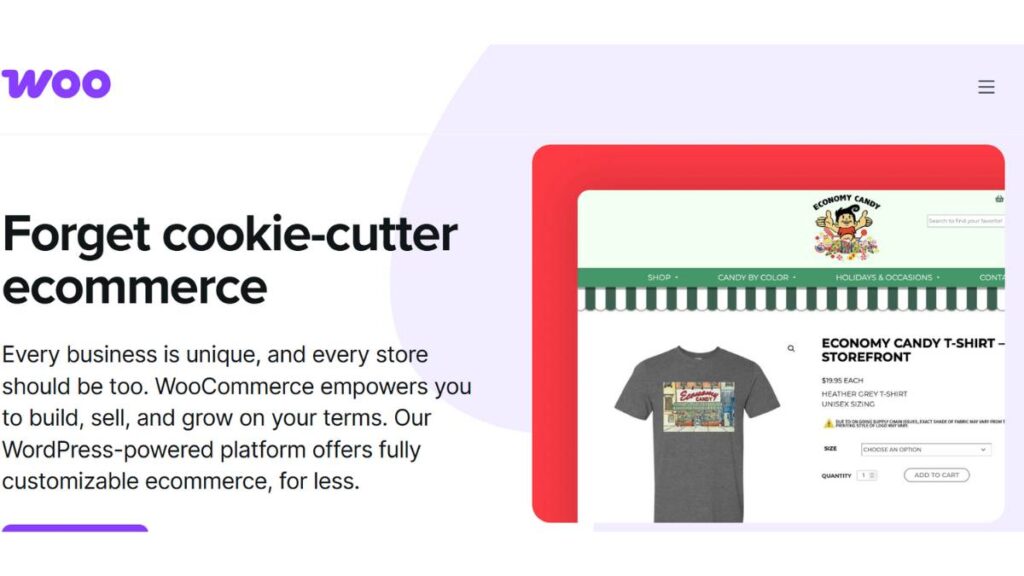
WooCommerce is everywhere for a reason. It handles physical products, digital downloads, subscriptions2026pretty much anything. Free at the core, but most stores end up using a handful of extensions. It can feel heavy if too many are installed, and your hosting needs to be solid. But the flexibility is hard to beat. If you want a plugin that can grow with you2026from a tiny shop to a serious store2026this is the one most people start with.
2. Easy Digital Downloads – Digital-Only Specialist
EDD is made for digital products, 2026 ebooks, software, and courses. It’s lighter than WooCommerce, which makes sense if you’re only selling downloads. Reporting and customer management are built in, so it’s easy to track who bought what. The one catch: it’s not great if you also want to sell physical goods. But for digital-first businesses, it’s clean and practical.
3. Shopify Buy Button – Hosted, Simple, Safe
The Shopify Buy Button is a different approach. WordPress handles the content, Shopify handles the checkout and security. You embed the button, and you’re good to go. Setup is easy, but customization is limited. Fees can add up, so it’s best for small stores that want simplicity and peace of mind2026no worrying about security or updates.
4. BigCommerce for WordPress – Enterprise-Ready
BigCommerce is for stores that want serious scale. It keeps the backend separate (headless setup) while WordPress manages the site. PCI-compliant checkout, analytics, marketing tools2026you get all the heavy-duty stuff without slowing down WordPress. It’s overkill for small shops, but if growth is on the horizon, it’s worth looking at.
5. Ecwid – Multi-Channel Selling
Ecwid’s strength is selling everywhere2026your site, Facebook, Instagram, and Amazon. Free for a handful of products, paid plans unlock more features. It doesn’t integrate as deeply as WooCommerce, but if your goal is multi-channel sales without juggling multiple platforms, it’s surprisingly effective.
6. MemberPress – Memberships & Subscriptions
MemberPress is all about recurring revenue. Paid content, subscriptions, automated billing, and access rules. 2026, it does it all. Great for courses, membership sites, or any business that depends on recurring payments. It’s not cheap, but for what it offers, it often pays for itself.
7. WP EasyCart – Lightweight and Simple
Exactly what it says on the box: simple and lightweight. Good for small businesses or local shops that just need a basic cart. Multiple payment gateways, clean interface, fast setup. It’s not flashy, but sometimes that’s a feature in itself.
8. eCommerce Product Catalog by impleCode – Catalog-First
Not every store needs a full checkout. Some businesses just need a catalog with inquiry forms. This plugin does that well, with optional checkout if you want it later. Ideal for B2B or service-based businesses where orders are handled manually.
9. ELEX WooCommerce Dynamic Pricing & Discounts – Pricing Made Easy
Deals, BOGO offers, and role-based pricing in 2026, this plugin handles it without a headache. Works on top of WooCommerce, so it’s not a standalone store. If promotions and flexible pricing are part of your strategy, it’s worth having.
10. SureCart – Modern Checkout Focus
Built for subscriptions and SaaS, SureCart keeps checkout fast and simple. Stripe-first, lean, and headless-ready. Not much else, 2026 it’s focused, which is refreshing if checkout friction is a concern.

11. WPForms with Payments – Simple Payment Handling
Great for services, donations, or one-off payments. One-page forms, Stripe, and PayPal support. No need for a full eCommerce store. Perfect for businesses selling consulting, appointments, or small products alongside content.
12. CartFlows – Funnels That Convert
CartFlows isn’t a store by itself. It enhances WooCommerce with high-converting checkout flows, order bumps, and upsells. Setup takes a bit of effort, but if increasing revenue per customer matters, it pays off.
13. Dokan – Multi-Vendor Marketplace
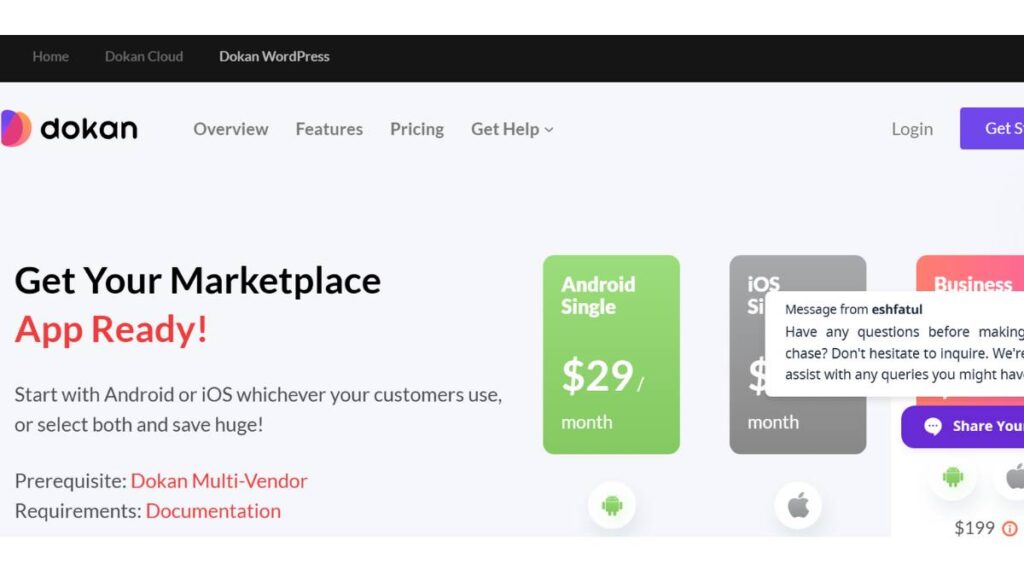
Dokan turns WordPress into a full marketplace. Multiple vendors, commissions, front-end dashboards. Complex to manage, yes, but if you’re thinking “Etsy on WordPress,” this is the plugin to explore.
14. LearnDash + WooCommerce – eLearning Power Combo
Selling courses? LearnDash handles the LMS side, and WooCommerce handles payments. Drip content, certificates, memberships, 2026 all integrated. A bit of setup is needed, but for online courses or coaching businesses, it’s a solid stack.
15. Paid Memberships Pro – Free, Reliable Memberships
A solid membership solution. Free core plugin, flexible access rules, community add-ons. Not flashy, but dependable. Works for subscription content, gated communities, or members-only perks.
Each plugin has its place. Some do everything, some focus on one thing. The trick is matching it to your store’s needs and thinking a few steps ahead. Too many plugins, or the wrong ones, and your store will slow down or become unmanageable. But the right plugin? It makes running a store feel… well, not easy, but manageable.
How to Choose the Right WordPress eCommerce Plugin for Your Store
Choosing a WordPress eCommerce plugin isn’t about grabbing the one everyone talks about. Fancy features don’t always mean it fits your store. The real test is 2026 can 2026 handle what your store actually does today and a year from now?
Look at your store type first:
Physical products: WooCommerce or WP EasyCart. They cover the basics: 2026 inventory, shipping, taxes, and payments. Not glamorous, but solid. If your catalog grows fast, check how they handle stock management, variable products, and shipping rules. Some plugins buckle under too many products.
Digital products: Easy Digital Downloads keeps it simple. No extra clutter. Works well for eBooks, software, courses2026downloads, licensing, and customer management. Done.
Memberships & courses: MemberPress or Paid Memberships Pro. Recurring billing, gated content, access rules2026all of it handled without constant headaches.
Multi-vendor marketplaces: Dokan. Yes, setup is more complicated, but it actually works for multiple sellers. Commission tracking, dashboards, and reporting in 2026, you’ll thank yourself later.
Budget and growth considerations:
Free plugins? Tempting. But most stores eventually pay for extra features: 2026 shipping calculators, advanced reporting, and payment options. So don’t assume free = free.
Hidden costs are sneaky. Check if the “free” plugin limits essentials. You don’t want surprises later.
Scalability is huge. A plugin that works fine for 10 products may choke at 500. Check limits, test performance.
Other small but critical points:
- Performance: Heavy plugins slow your store. Slow stores kill sales.
- Security: Updates matter. Outdated plugins = risk.
- Customization: Hooks, blocks, and APIs make life easier when tweaking things.
Bottom line: pick what fits your store now, but make sure it can grow without turning into a nightmare.

Apply Now: AI-Powered Performance Marketing Course
Performance, SEO & Security Best Practices
Even a good plugin can’t save a sluggish or insecure store. This is the stuff that gets ignored until it’s a real problem.
Hosting:
Cheap shared hosting will throttle your store. SSDs, caching, updated PHP versions 2026, they’re worth it.
WordPress-specific hosting is often a bit pricier, but the difference is noticeable. Pages load faster, and that keeps customers happy.
Plugins:
Every extra plugin adds weight, slows things down, and increases the chance of conflicts. Keep it lean.
Remove what you don’t use. Disable features you don’t need.
Checkout speed & UX:
This is where people drop off. Keep forms simple, mobile-friendly, and fast.
Tiny delays can cost sales. Autofill, smooth navigation, minimal distractions2026they actually matter.
Security & compliance:
SSL is non-negotiable. Customers notice, and browsers care.
Keep plugins updated2026one old plugin can open a big hole.
PCI compliance and secure gateways aren’t optional. Skipping this is asking for trouble.
Small tweaks 2026 caching, lightweight themes, trimming scripts 2026 make a difference. Fast, secure, reliable beats flashy but slow every time.
Conclusion:
No plugin is perfect for everyone. It depends on what you sell, how big your store is, and how fast you plan to grow.
Beginners / small stores: WooCommerce or WP EasyCart. Easy setup, covers basics, and grows reasonably.
Digital products: Easy Digital Downloads. Simple, clean, focused.
Memberships/courses: MemberPress or Paid Memberships Pro. Handles subscriptions without drama.
Multi-vendor marketplaces: Dokan. Good for complexity, dashboards, and commission tracking.
Funnels / high-converting checkouts: CartFlows or SureCart. Order bumps, upsells, flow-focused.
Future-proof / growing stores: BigCommerce for WordPress or WooCommerce + extensions. Can handle hundreds of products and heavy traffic.
The real takeaway? Don’t chase bells and whistles. Look for stability, speed, growth potential, and support. A plugin that keeps your store running smoothly is better than one with flashy features that crash under load. Pick one that makes life easier as your store scales2026not harder.
FAQ: WordPress eCommerce Plugins
1. What is a WordPress eCommerce plugin?
It’s the thing that turns a plain WordPress site into a store. Handles products, carts, checkout, payments2026basically the nuts and bolts. Some plugins keep it simple, others pile on features like subscriptions, memberships, or multi-vendor setups. The trick is to pick one that fits what the store actually does, not the one with the fanciest name.
2. Is WordPress good for eCommerce in 2026?
Still a solid choice. You own the store, the data, and the design. Flexibility is the big win over hosted platforms. But2026it’s not automatic. Hosting, plugin setup, and performance matter. Cheap hosting plus a heavy plugin mix? That’s a slow store and unhappy customers. Do it right, and WordPress scales from a tiny shop to a serious online store.
3.WooCommerce vs Shopify – which is better?
Depends on what matters. WooCommerce gives control2026full control, actually. You can tweak, add, customize… but that comes with responsibility. Hosting, updates, security2026you handle that. Shopify? Simpler. Hosted. Less worry about tech, more worry about ongoing fees and limits on flexibility. Think of WooCommerce as freedom with some elbow grease. Shopify is convenient at a price.
4. Can WordPress handle large eCommerce stores?
Yes. With the right setup. That means good hosting, lightweight plugins, and a clean theme. Thousands of products, tons of traffic2026 it can handle it. But the wrong mix? Slow pages, unhappy customers, lost sales. It scales if you plan for it, not if you just hope it will.
5. How many plugins are too many?
No magic number. Quality beats quantity. Twenty well-chosen plugins will run smoother than fifty random ones. Ask: “Do I really need this?” If it’s a nice-to-have, skip it. Every plugin adds code, weight, and a potential conflict.